IT systems professional with hands-on experience in networking, Windows and Linux servers, virtualization, firewalls, web applications, WordPress, hosting, and technical infrastructure. Explore selected projects and services.
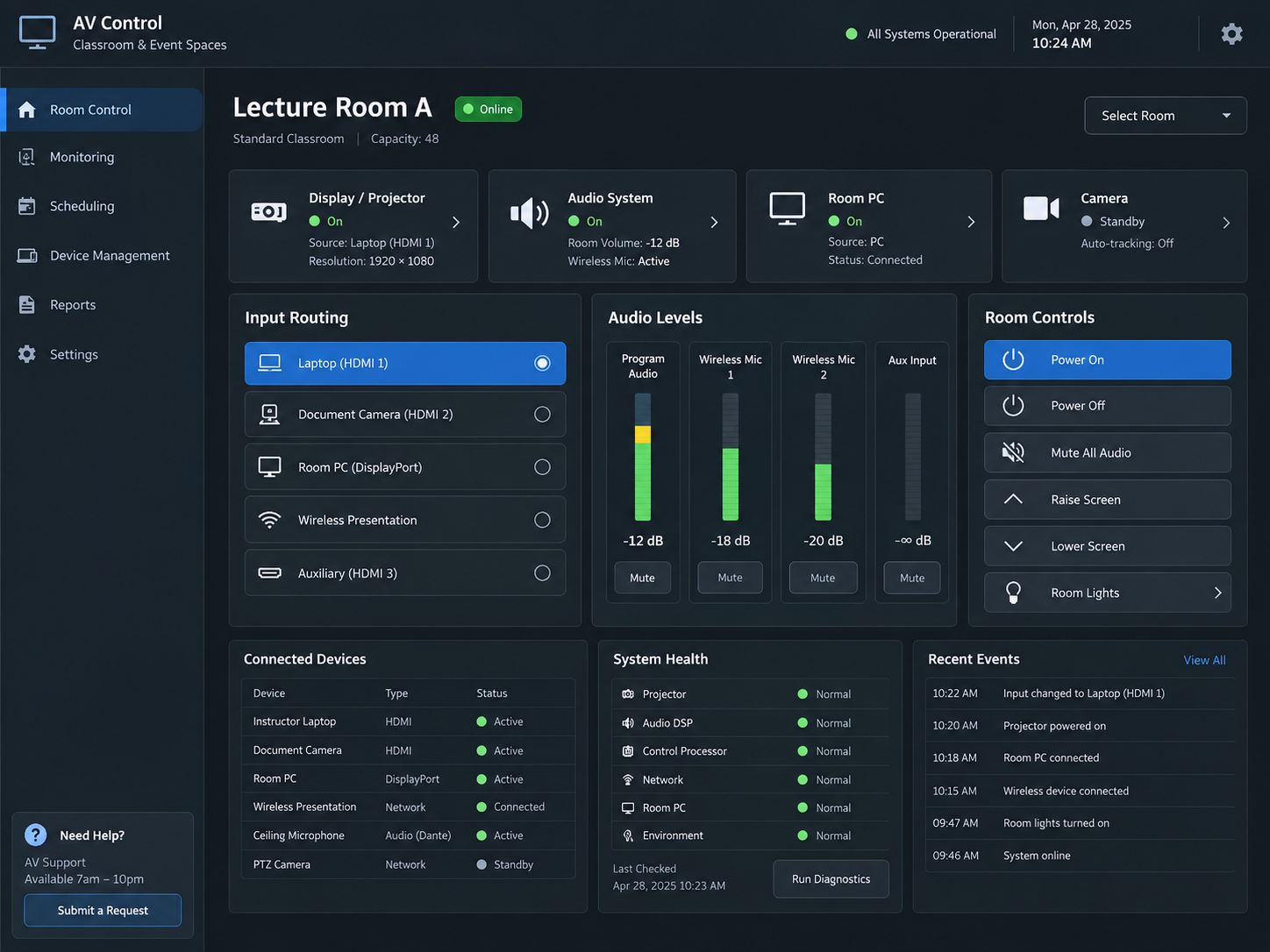
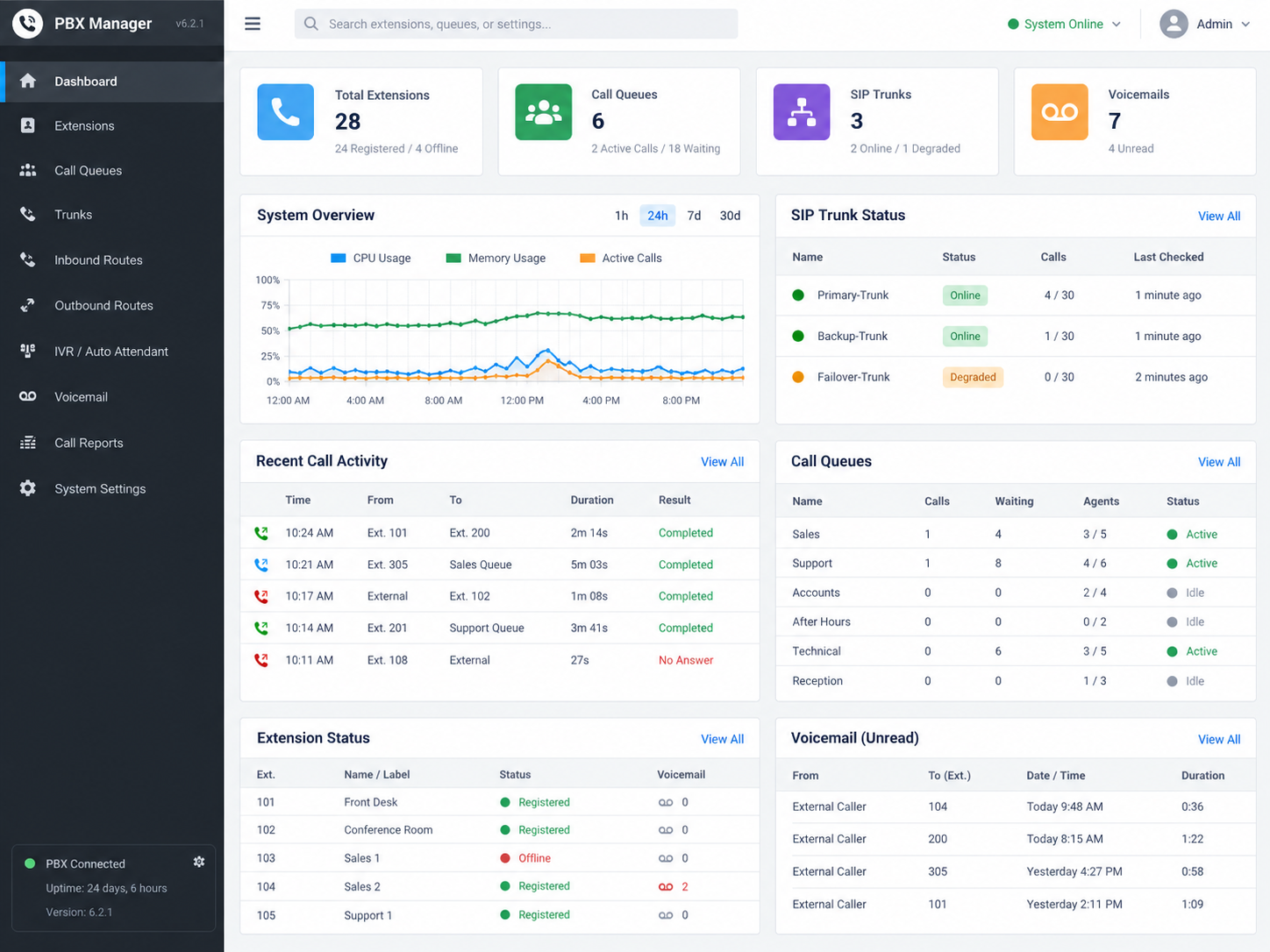
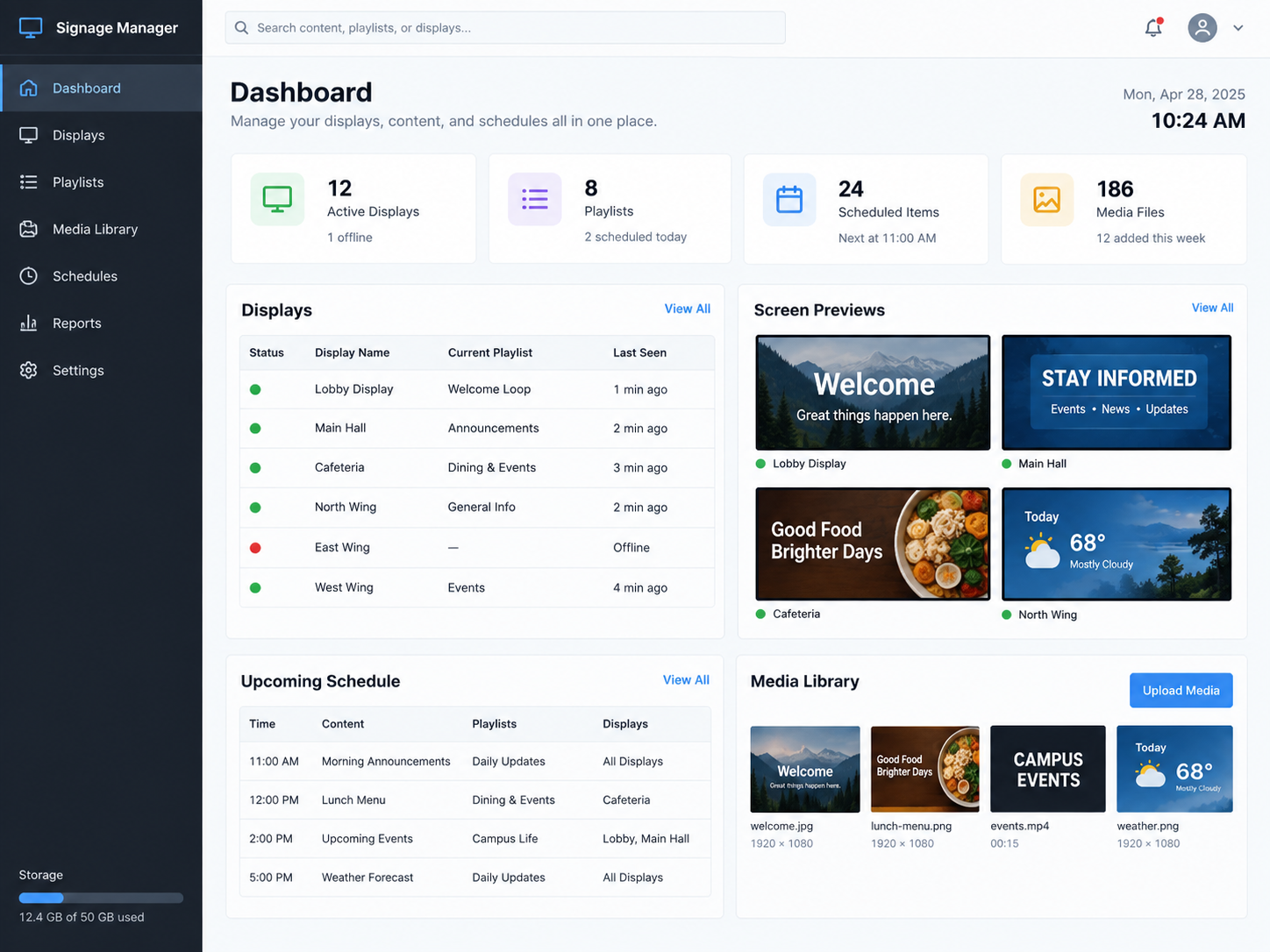
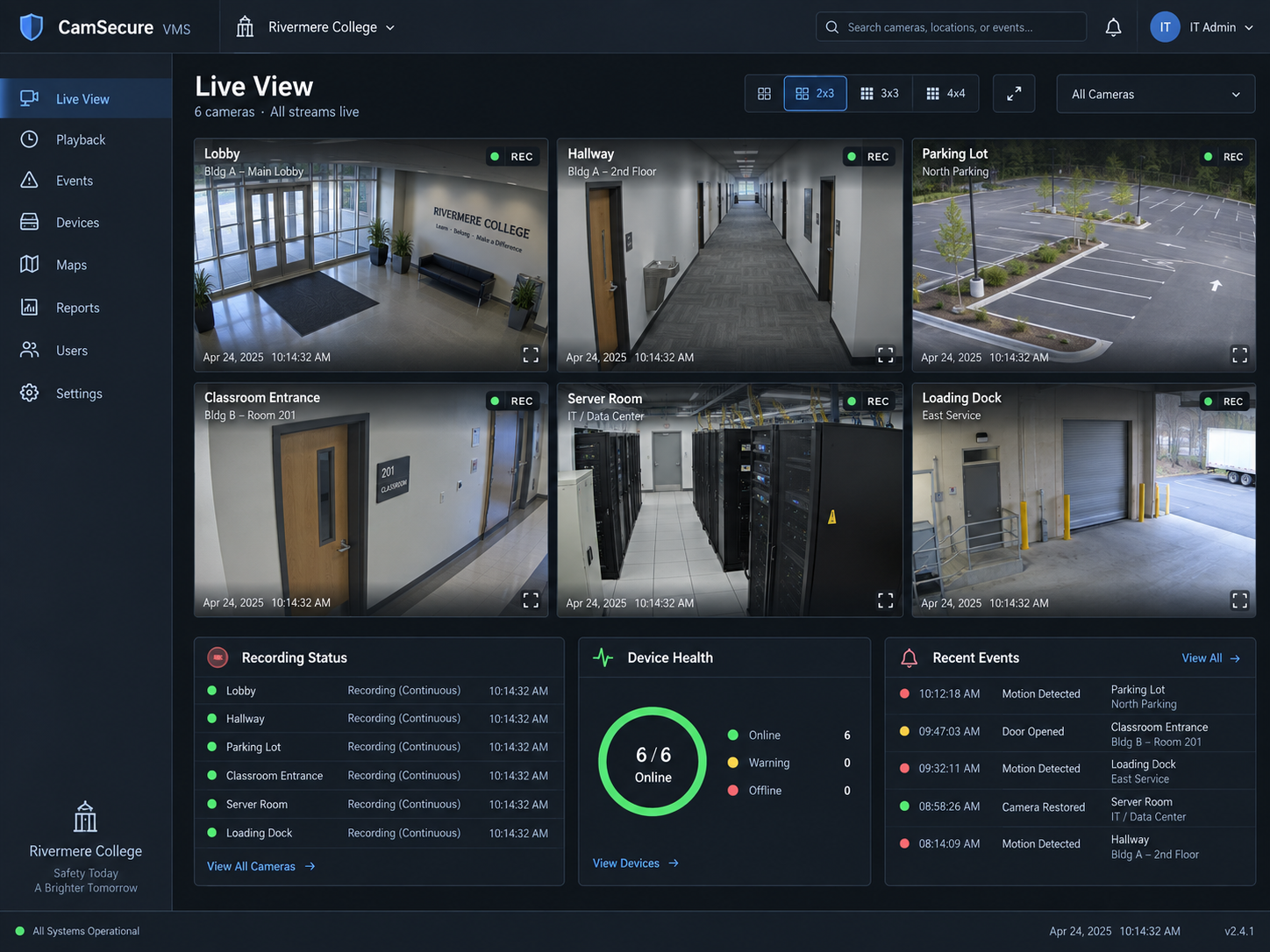
Administration and support of classroom AV, VoIP communications, digital signage, and network-connected video systems across shared technology environments.
EnvironmentLab / Demonstration Environment
ScopeAV, Communications & Connected Systems
PlatformsAV Control · VoIP/PBX · Digital Signage · Video Systems
Modern IT environments extend beyond servers and workstations to include classroom presentation systems, phones, digital displays, and network-connected video equipment. This project highlights administration and monitoring across several technology platforms commonly used to support classrooms, offices, events, shared spaces, and day-to-day institutional operations.
Classroom AV & Presentation
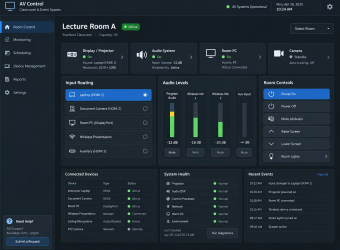
Centralized AV controls provide visibility into displays, projectors, audio systems, microphones, room computers, cameras, input sources, and connected devices. Monitoring system health and routing helps keep classrooms and event spaces ready for daily use.
Communications & Telephony
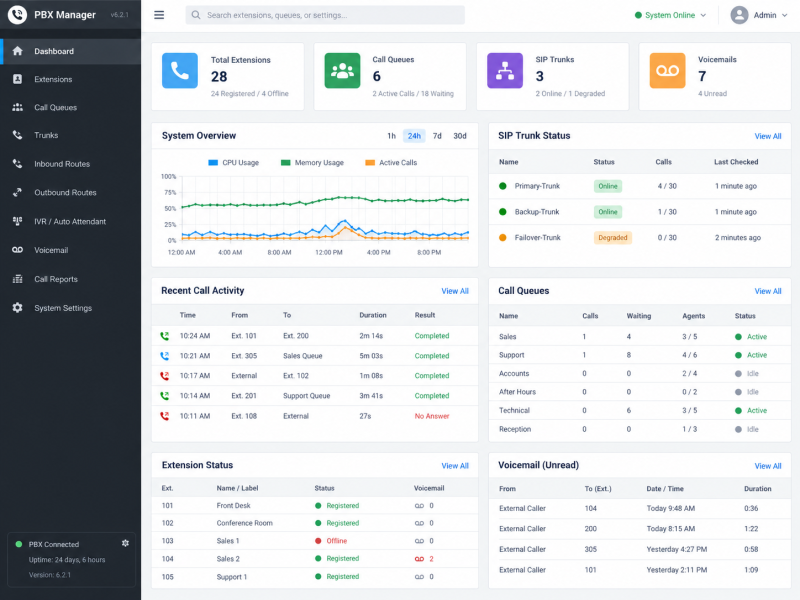
VoIP and PBX administration brings together extensions, phones, trunks, call routing, queues, voicemail, and system status. Centralized management helps support reliable internal and external communications while simplifying troubleshooting and configuration.
Digital & Connected Systems
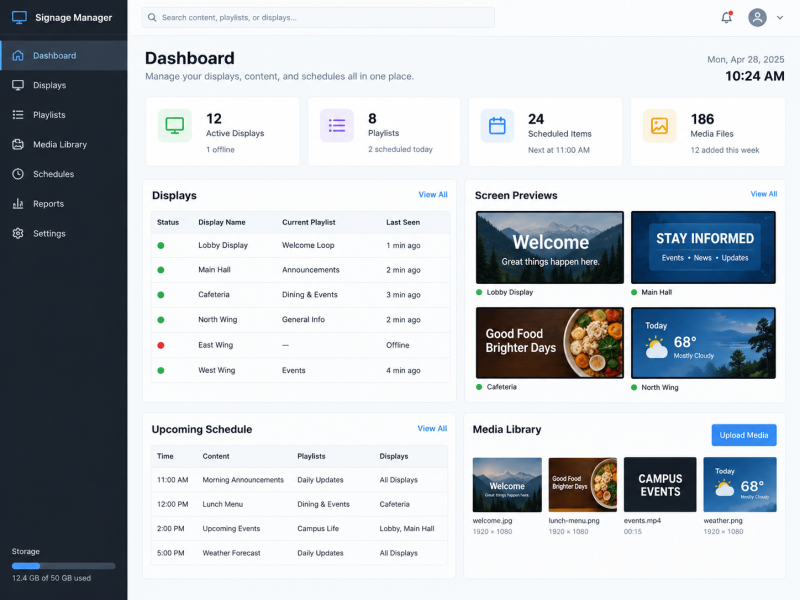
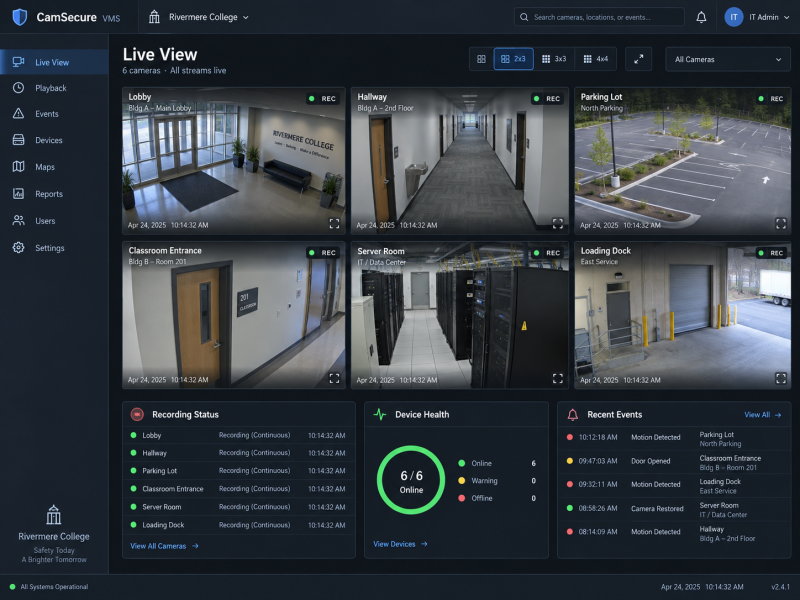
Digital signage and network-connected video systems extend IT support into shared displays, scheduled content, cameras, recording devices, and other connected technology. Central dashboards make it easier to monitor device health, availability, and operational status across multiple locations.
Classroom AV & Presentation Systems — Display, projector, audio, microphone, source routing, room PC, camera, and connected-device monitoring.VoIP & Phone System Administration — Extensions, trunks, call routing, queues, voicemail, system health, and communications monitoring.Digital Signage & Display Management — Screen status, scheduled content, media libraries, playlists, and centralized display administration.Network-Connected Video Systems — Camera availability, recording status, device health, event visibility, and centralized video-system monitoring.
Supporting these systems requires a combination of networking knowledge, hardware troubleshooting, software administration, and user support. Familiarity with AV, communications, signage, and connected-device platforms helps bridge traditional IT infrastructure with the technology people rely on throughout classrooms, offices, and shared spaces.
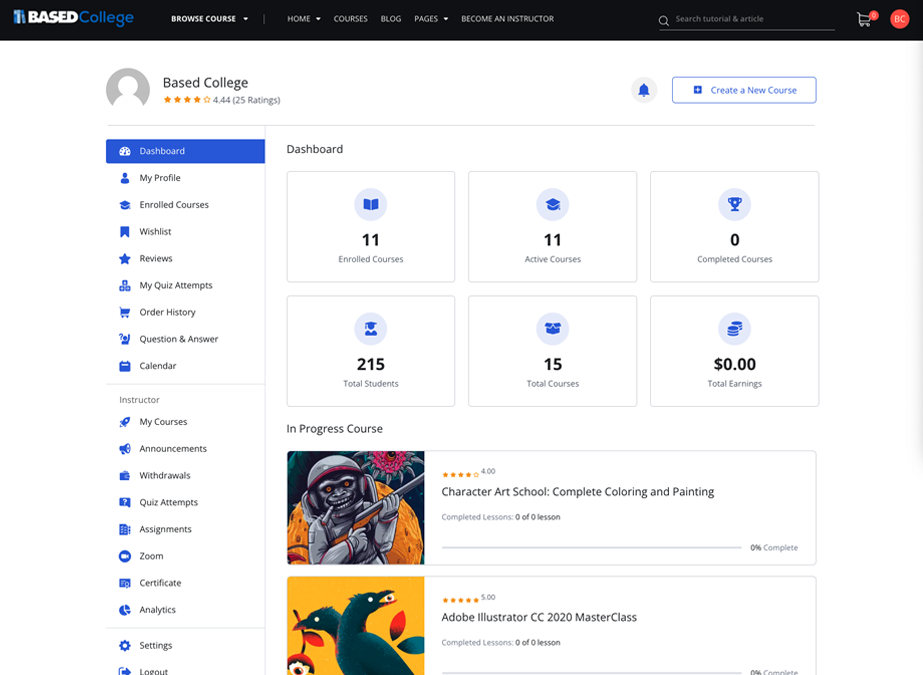
Development and customization of an online learning platform supporting course discovery, student activity, instructor tools, and educational content management.
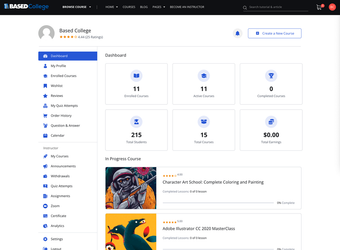
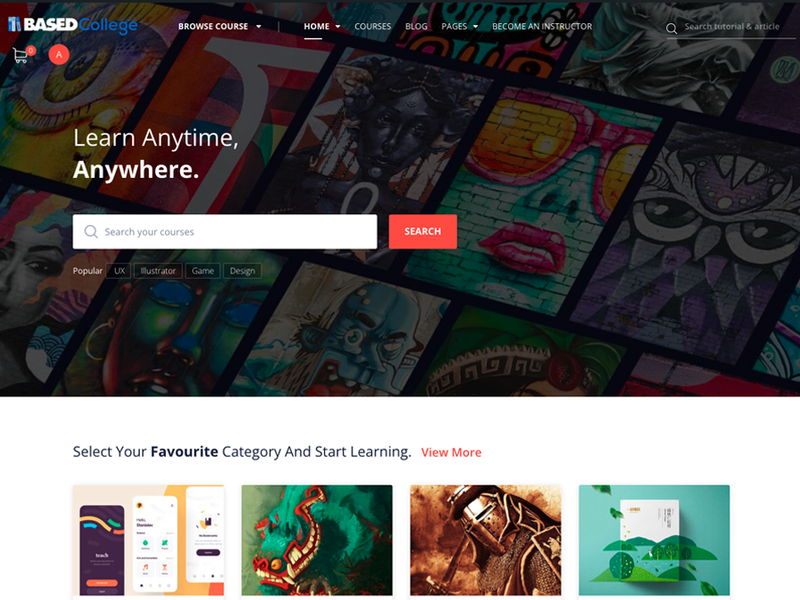
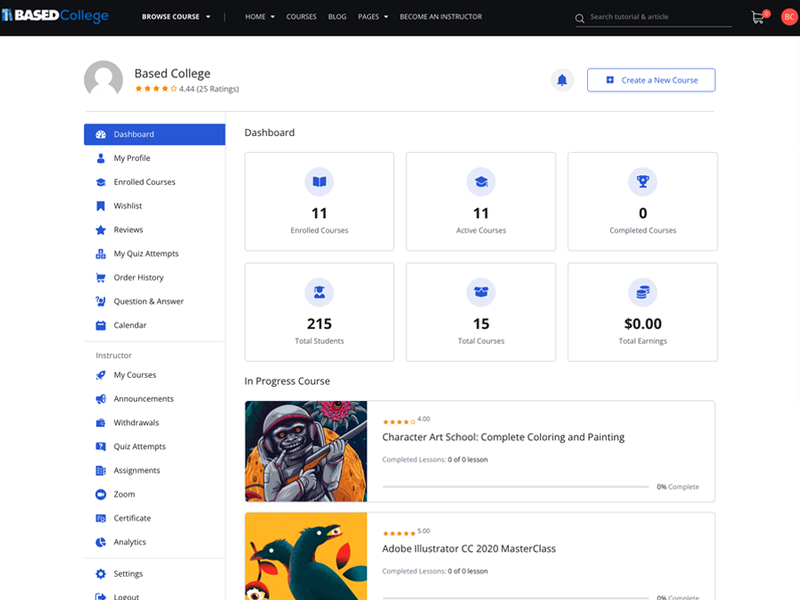
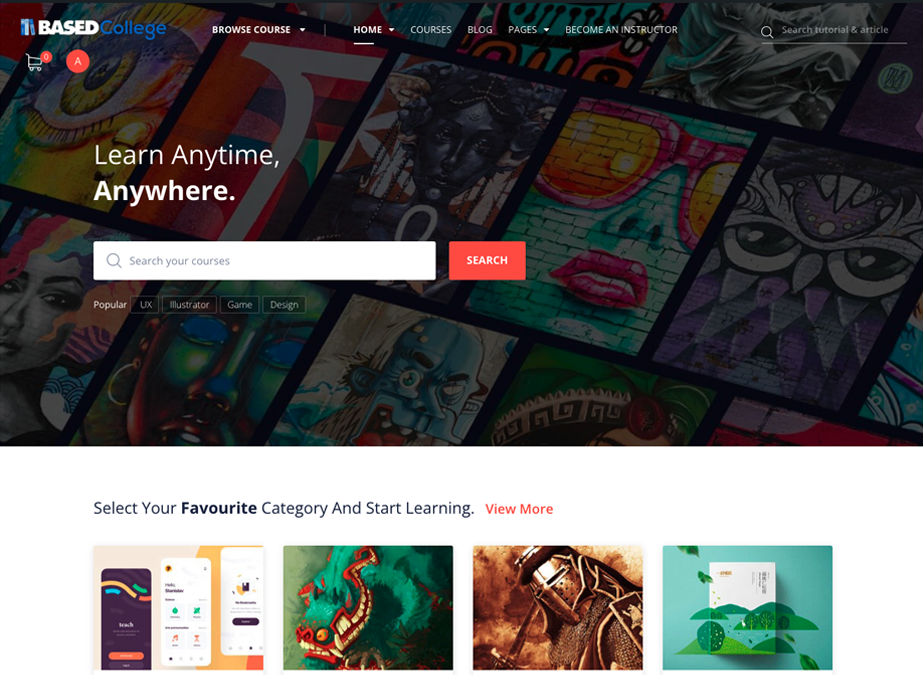
This project demonstrates the design and implementation of a web-based learning environment built around course access, student engagement, instructor administration, and educational content delivery. The platform combines a public-facing course experience with authenticated dashboards for managing courses, progress, assignments, and related learning activities.
Learning Experience
The public-facing interface is structured to help users discover courses, browse categories, search educational content, and move easily between learning resources.
Student & Instructor Tools
Authenticated dashboards support activities such as enrolled courses, quizzes, assignments, announcements, progress tracking, course management, and instructor administration.
Platform Administration
The system brings together content management, user accounts, course organization, analytics, certificates, and other learning-related functions within a centralized web environment.
A learning platform requires more than visual design; it must also organize users, course content, administrative tools, and ongoing educational activity in a way that remains easy to manage. This project demonstrates experience working with both the public-facing and administrative sides of an LMS-based web environment.
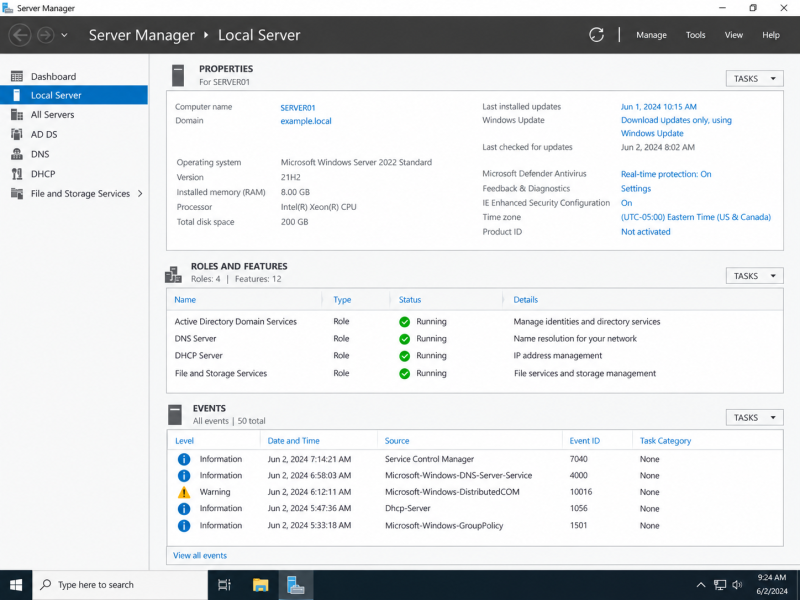
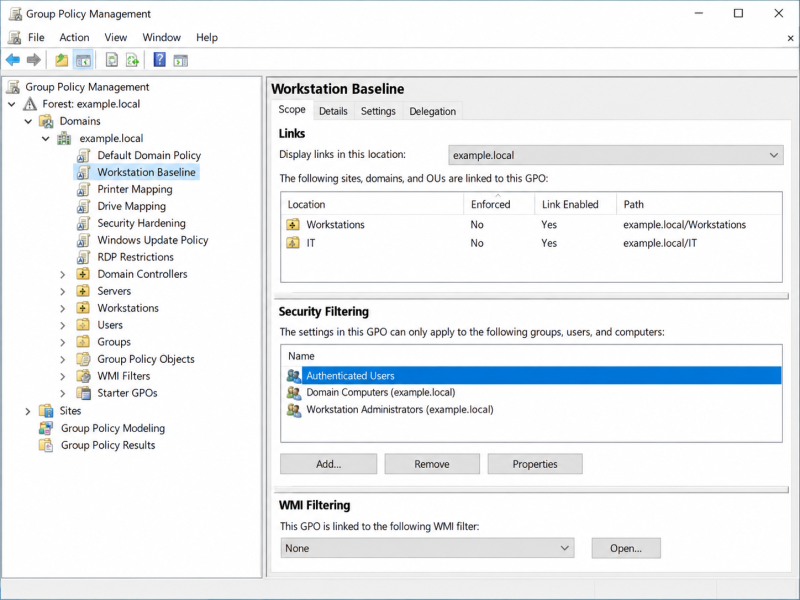
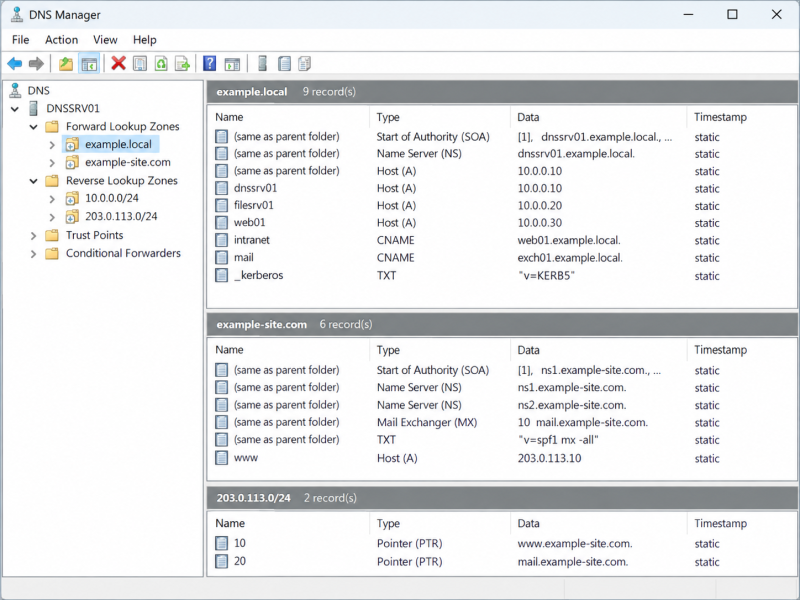
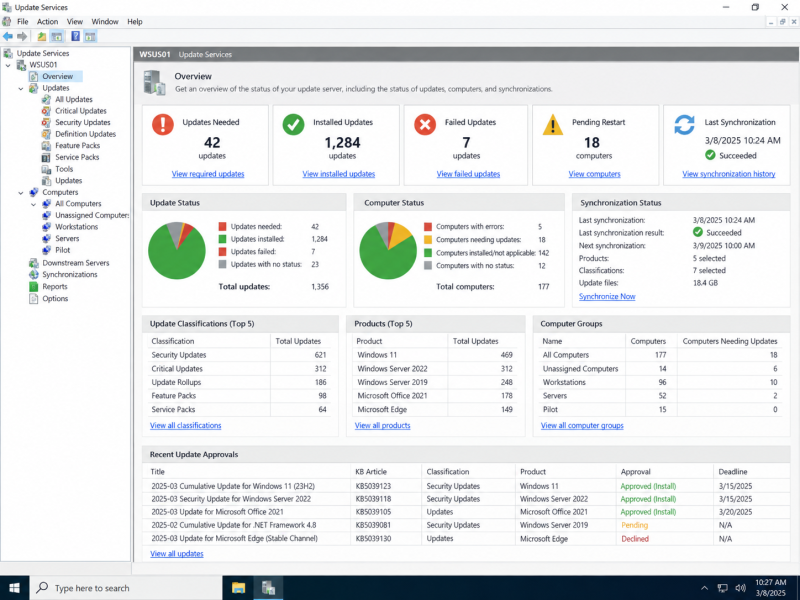
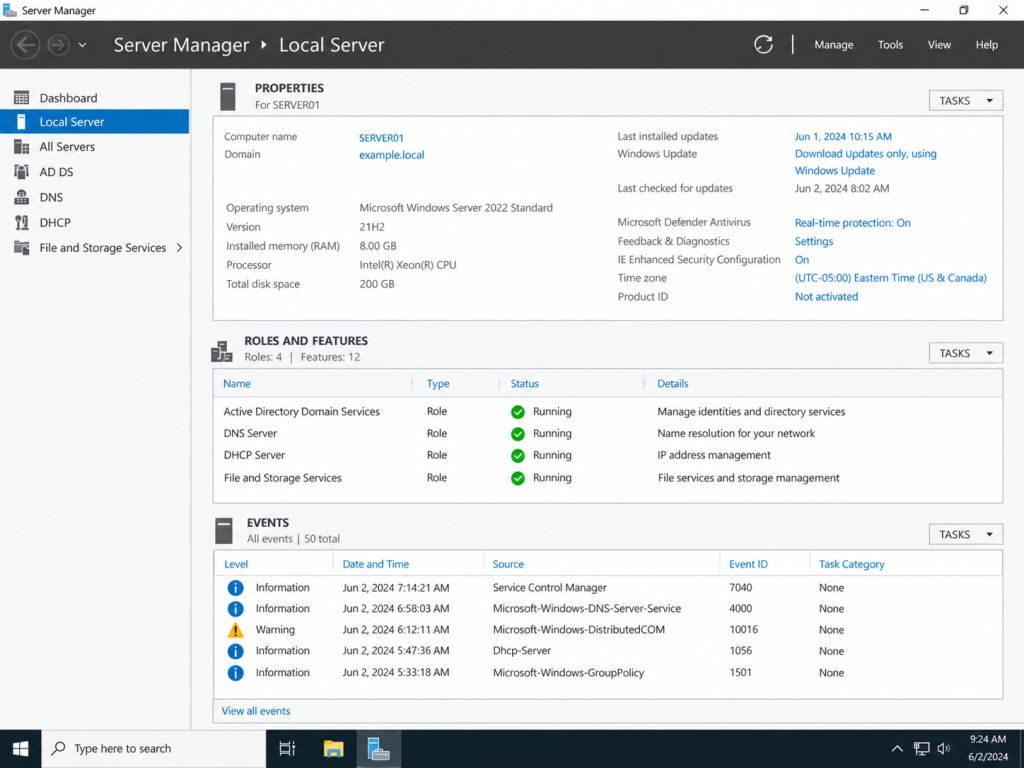
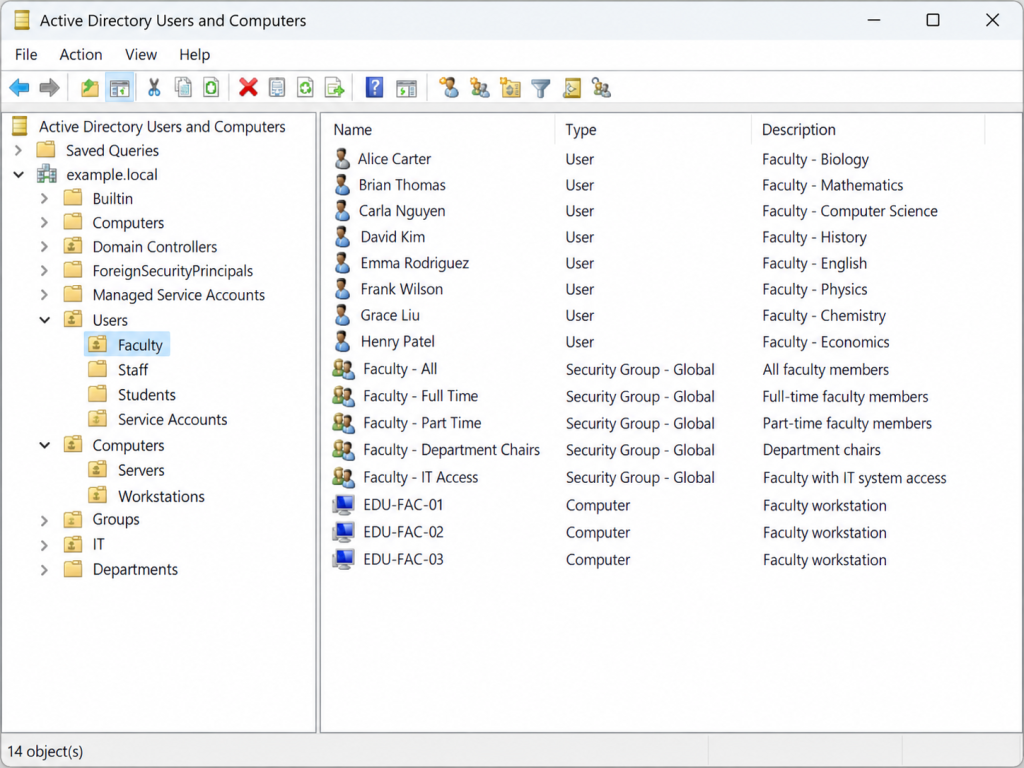
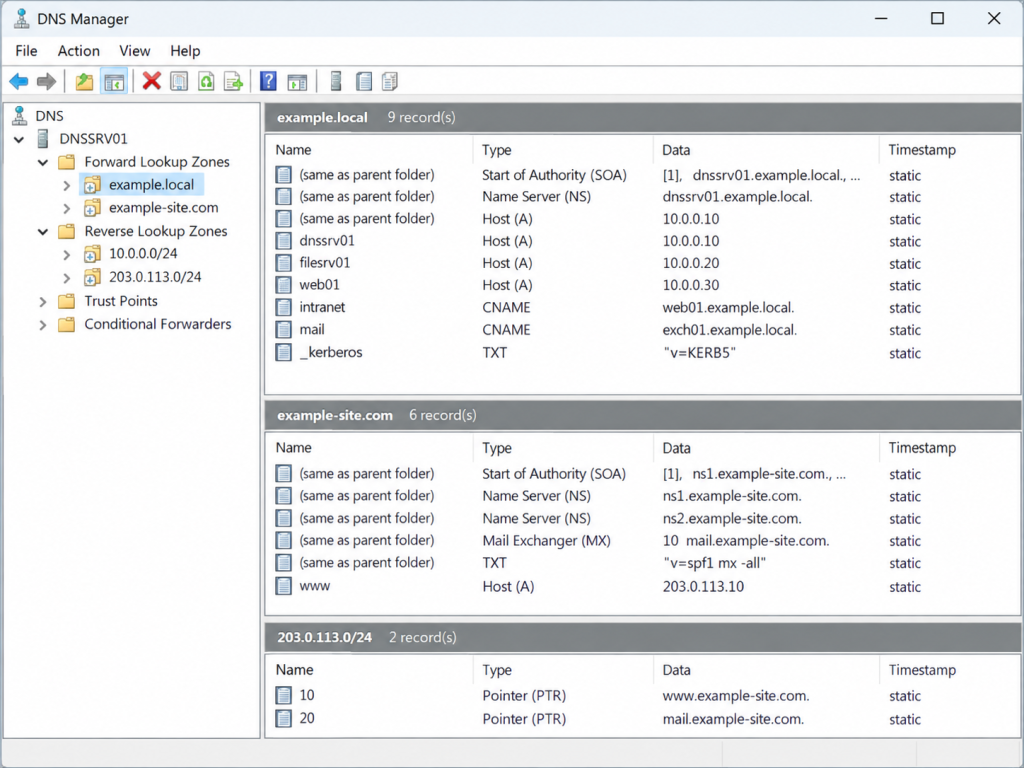
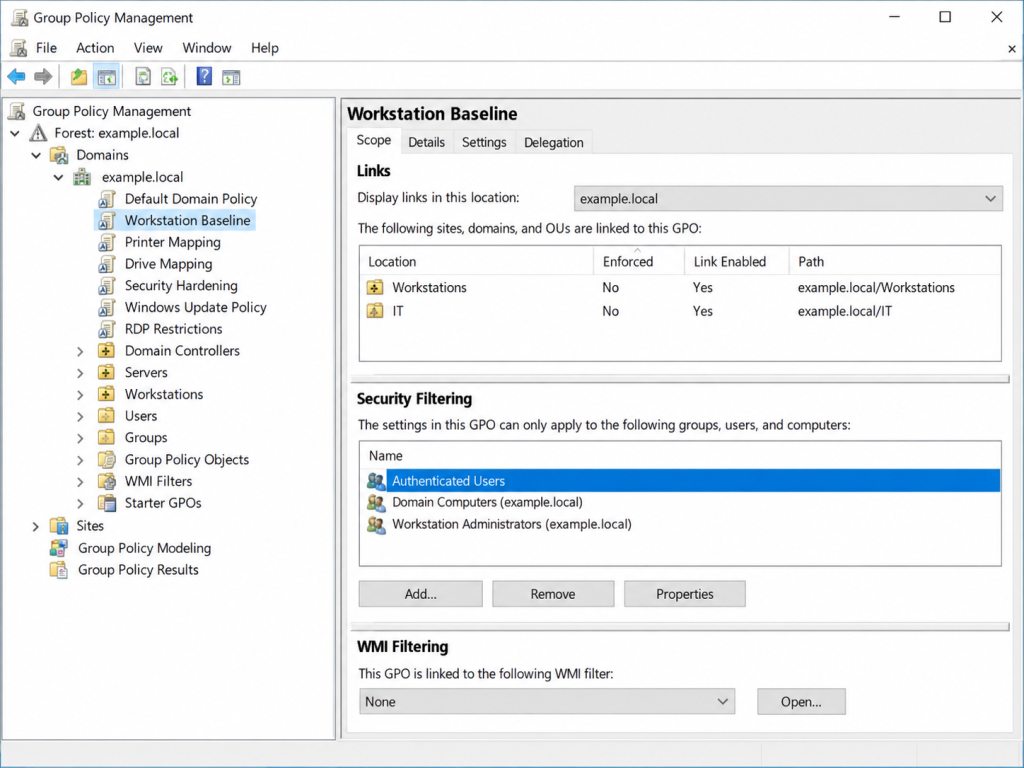
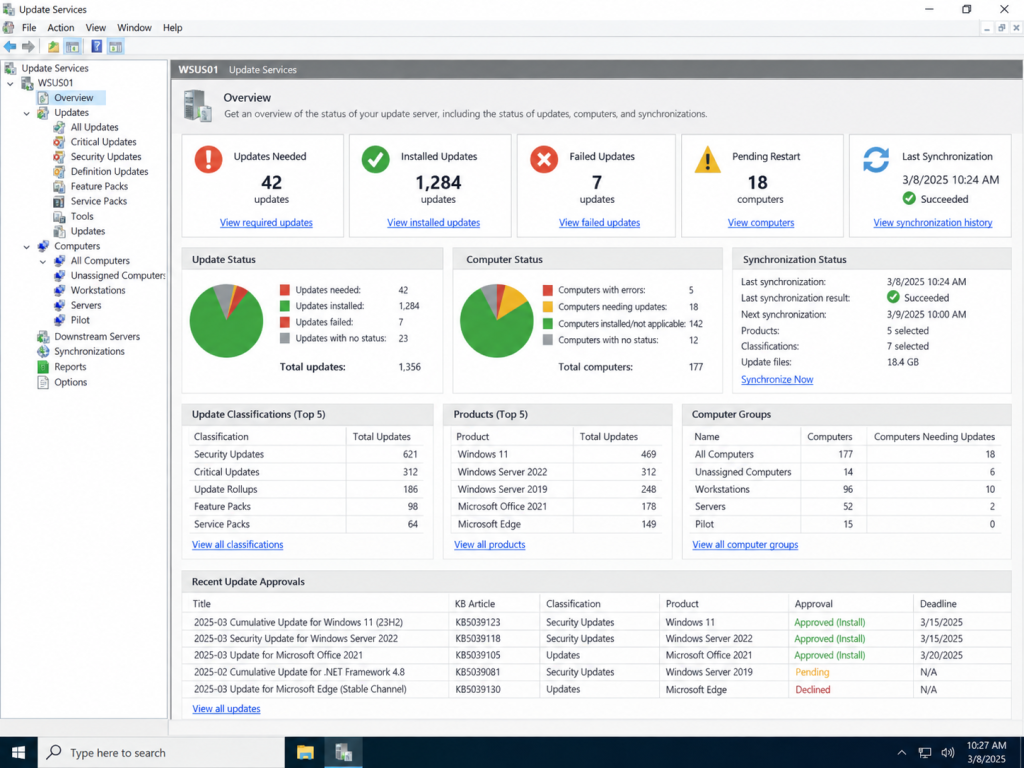
Windows infrastructure often brings multiple administrative services together into one environment. This project demonstrates server management, directory-based user and computer administration, name resolution, centralized policy configuration, and update management across core Windows Server tools.
Identity & Access Management
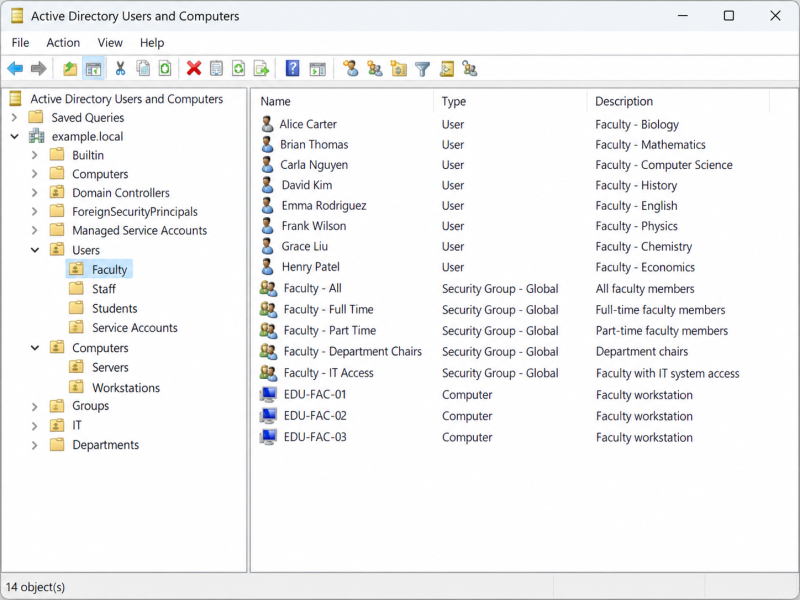
Active Directory provides centralized administration of users, computers, organizational units, and security groups. A structured directory environment supports account management, permissions, device organization, and consistent access across network resources.
Policy & Configuration Management
Group Policy allows common workstation, security, access, and system settings to be applied from a central management point. Organized policies help standardize configurations across users and computers while reducing repetitive manual administration.
Core Services & Updates
DNS supports internal name resolution and service discovery, while Windows Server Update Services provides centralized visibility and control over operating-system and Microsoft software updates. Together, these services support reliable day-to-day administration of Windows environments.
Windows Server Administration — Server roles, local configuration, system status, services, and infrastructure health.Active Directory Administration — Management of users, computers, organizational units, and security groups within a centralized directory structure.DNS & Name Resolution — Administration of forward and reverse lookup zones, host records, aliases, and internal network name resolution.Group Policy Administration — Centralized workstation, security, access, and configuration policies applied across directory-based systems.Centralized Update Management — Update status, computer groups, synchronization, approvals, and patch-management visibility across managed Windows systems.
Effective Windows infrastructure administration depends on understanding how identity, policy, name resolution, server roles, and system maintenance work together. Managing these services from centralized tools provides greater consistency, visibility, and control across users, computers, and network resources.
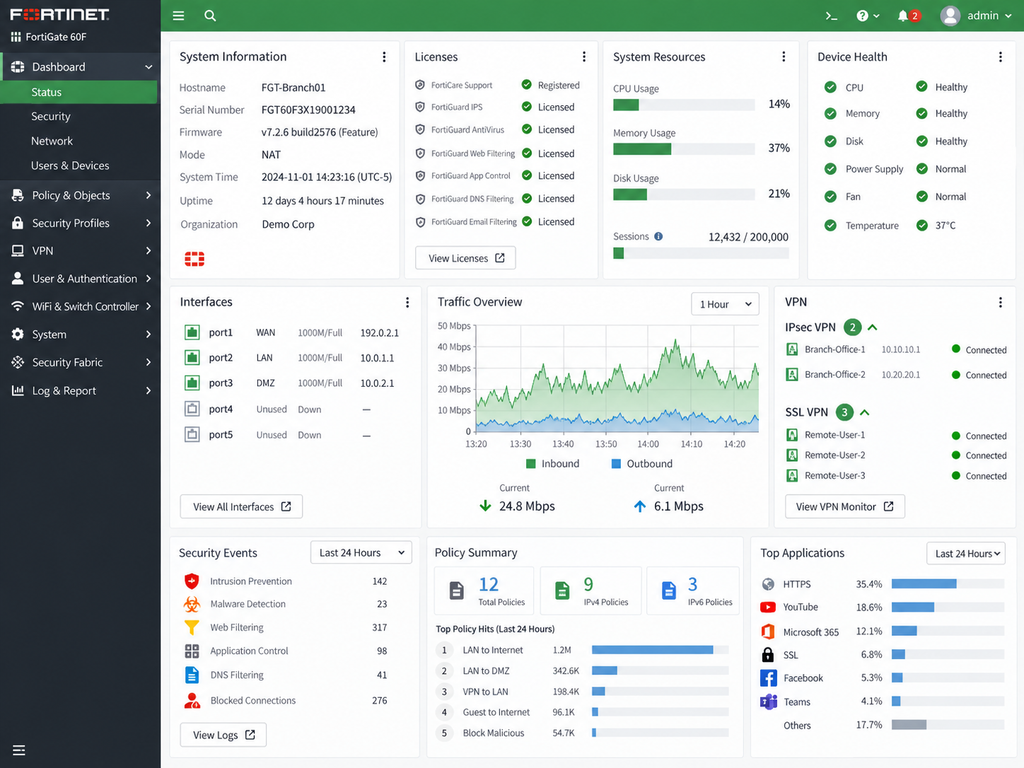
Firewall administration and network security across multiple platforms, including traffic policies, segmentation, VPN connectivity, monitoring, and security visibility.
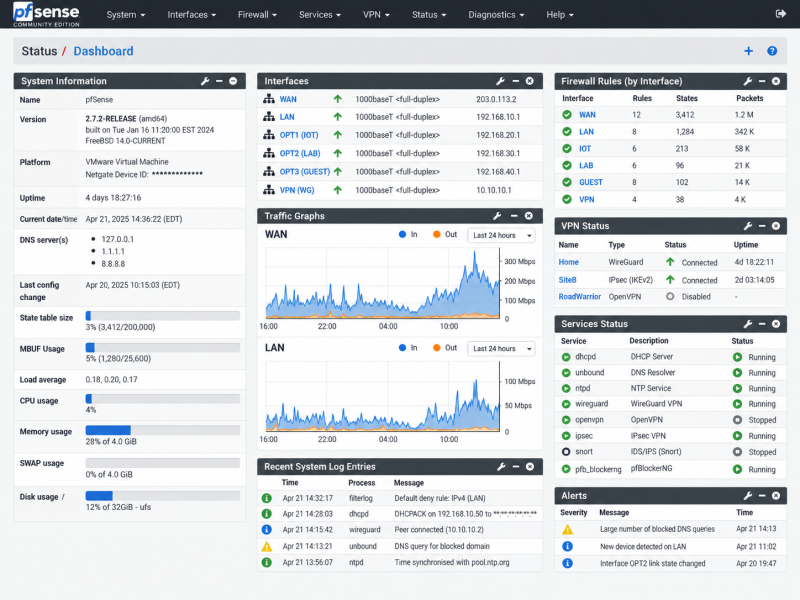
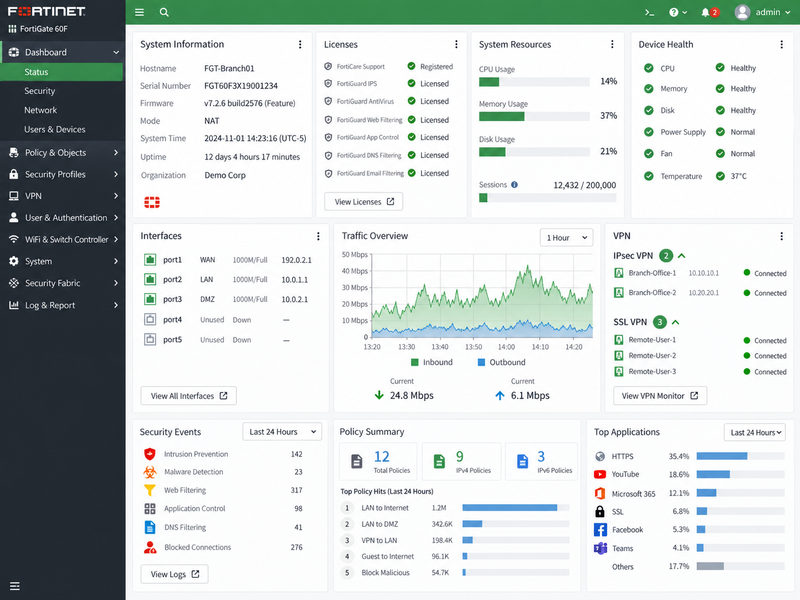
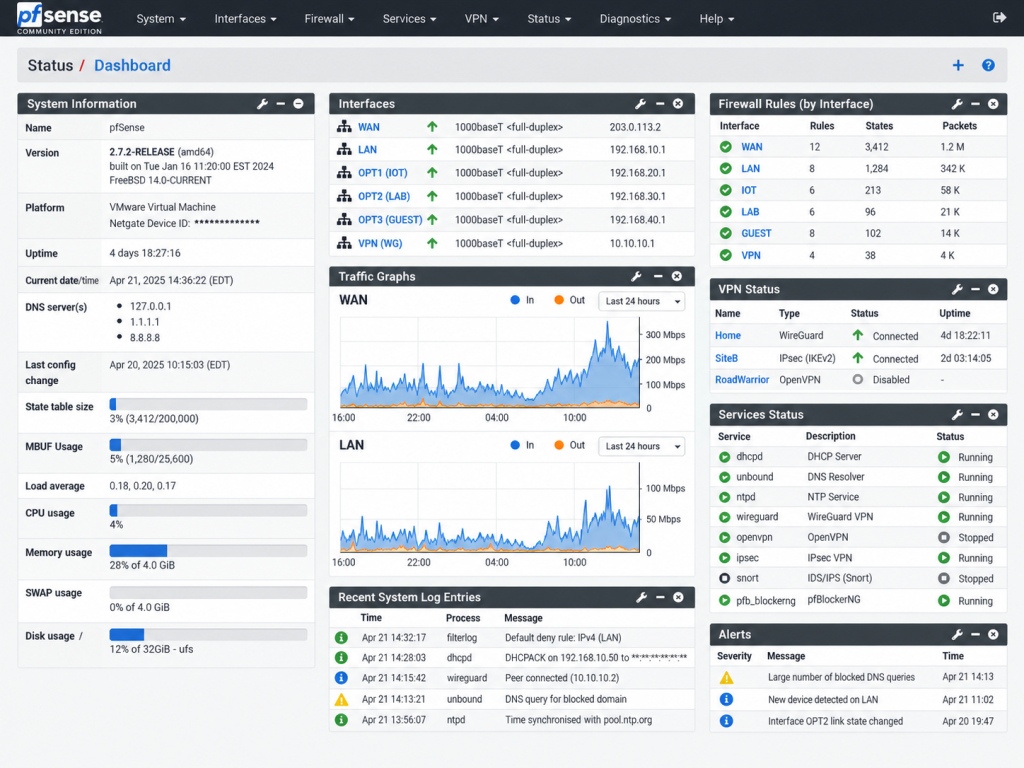
Firewall management is a core part of maintaining a secure and reliable network environment. This project highlights administration across pfSense and FortiGate platforms, including interface management, traffic policies, VPN connectivity, network segmentation, system health, and security monitoring.
Firewall Policy & Segmentation
Firewall rules and network interfaces are organized to control traffic between internal networks, internet-facing services, VPN users, and isolated segments. Clear policy structure helps reduce unnecessary access while maintaining reliable connectivity.
VPN & Secure Access
VPN services provide protected connectivity for remote users and site-to-site communication. Monitoring tunnel status, authentication, routing, and access policies helps maintain dependable and secure remote access.
Security Monitoring
Firewall dashboards provide visibility into traffic, blocked connections, system resources, security events, application activity, and network health. This information supports troubleshooting and helps identify unusual or potentially unwanted activity.
Working with different firewall platforms reinforces the underlying concepts of policy-based access control, segmentation, routing, VPN connectivity, and network monitoring. Familiarity with multiple interfaces also makes it easier to adapt to existing security infrastructure and troubleshoot mixed-vendor environments.
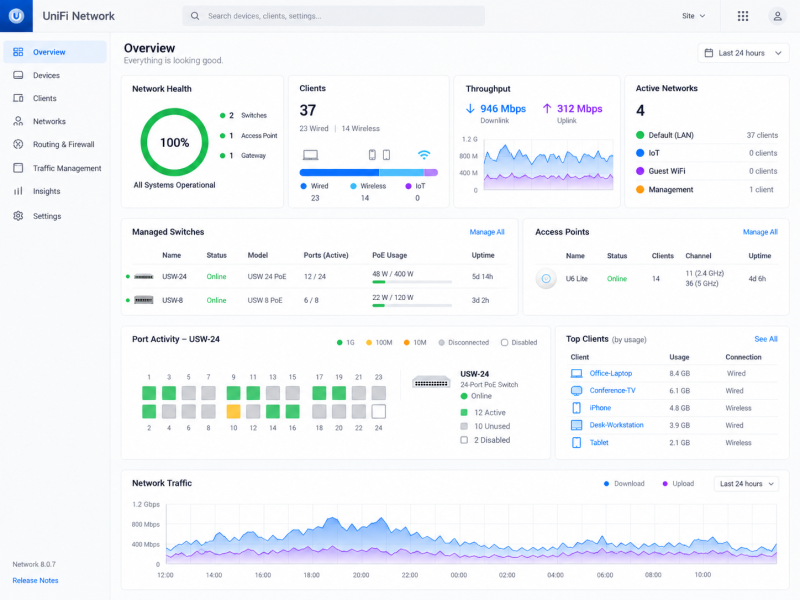
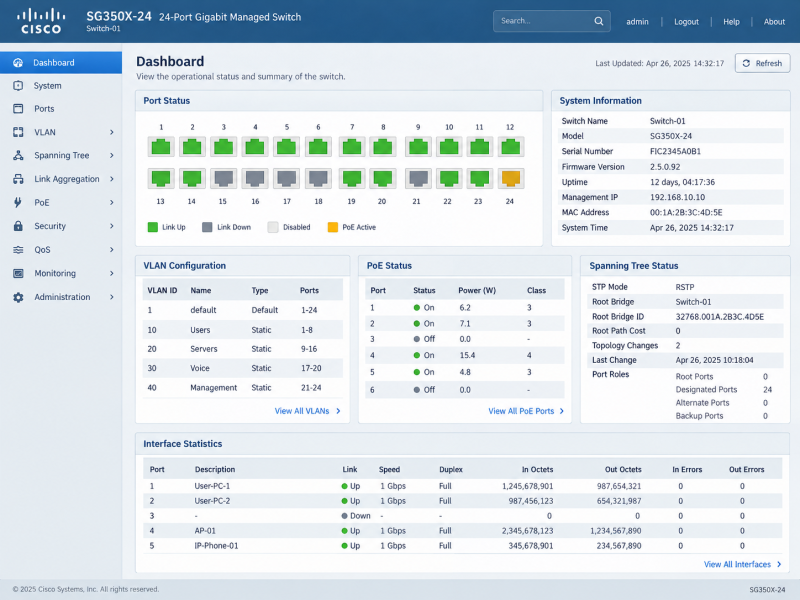
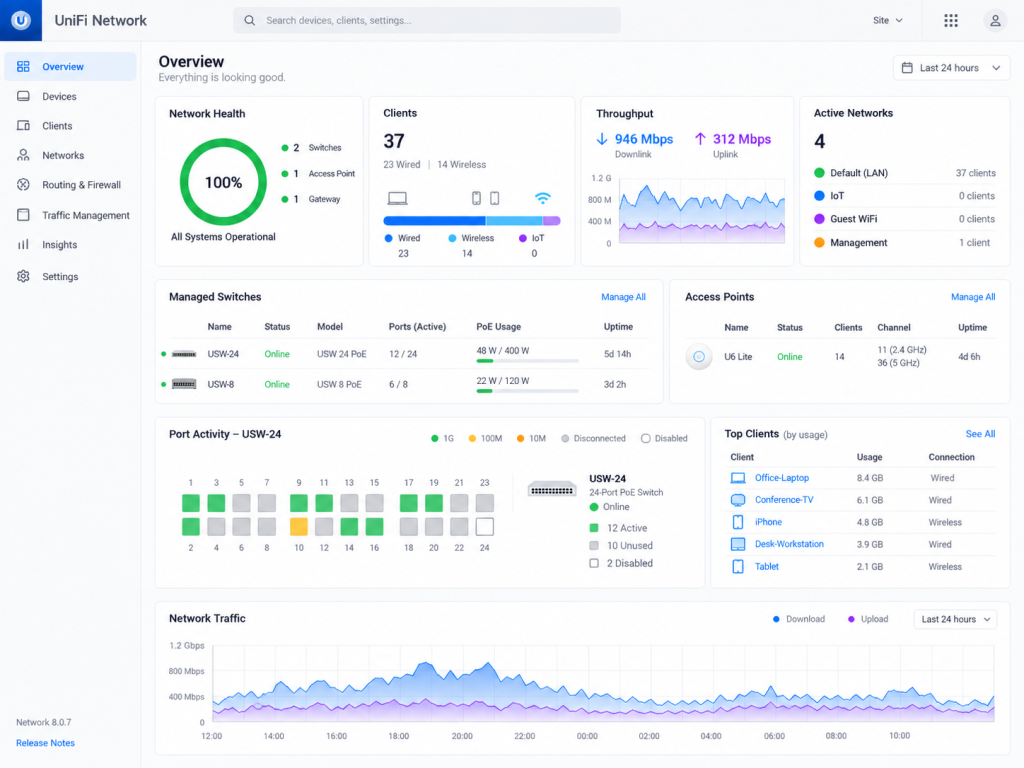
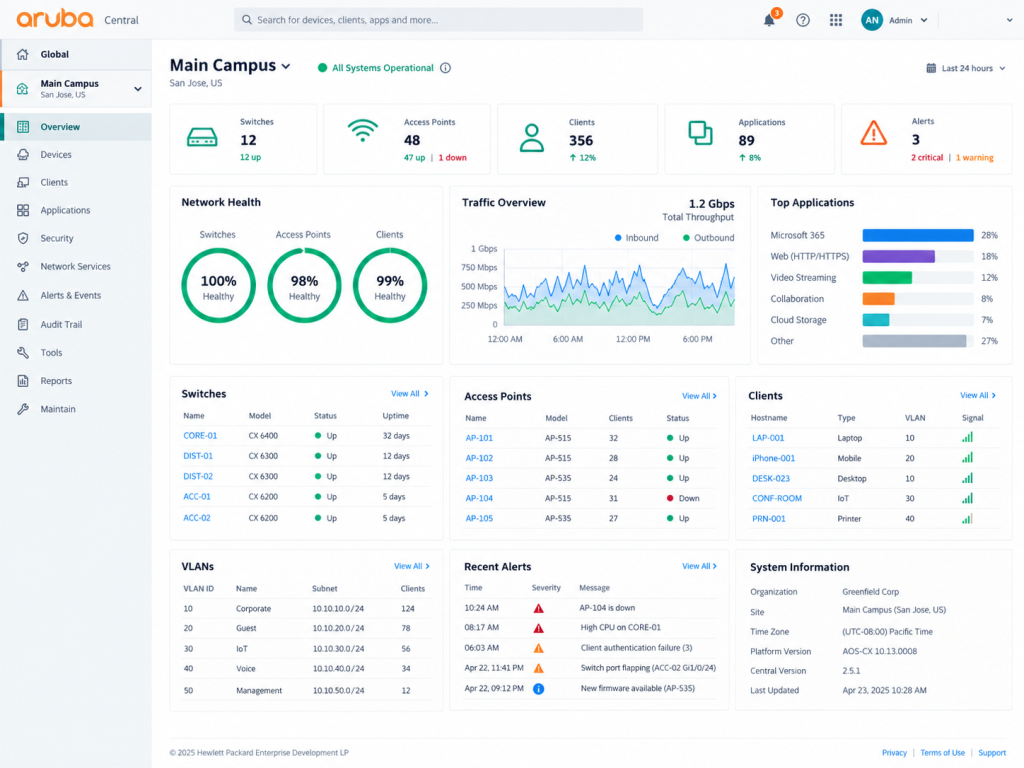
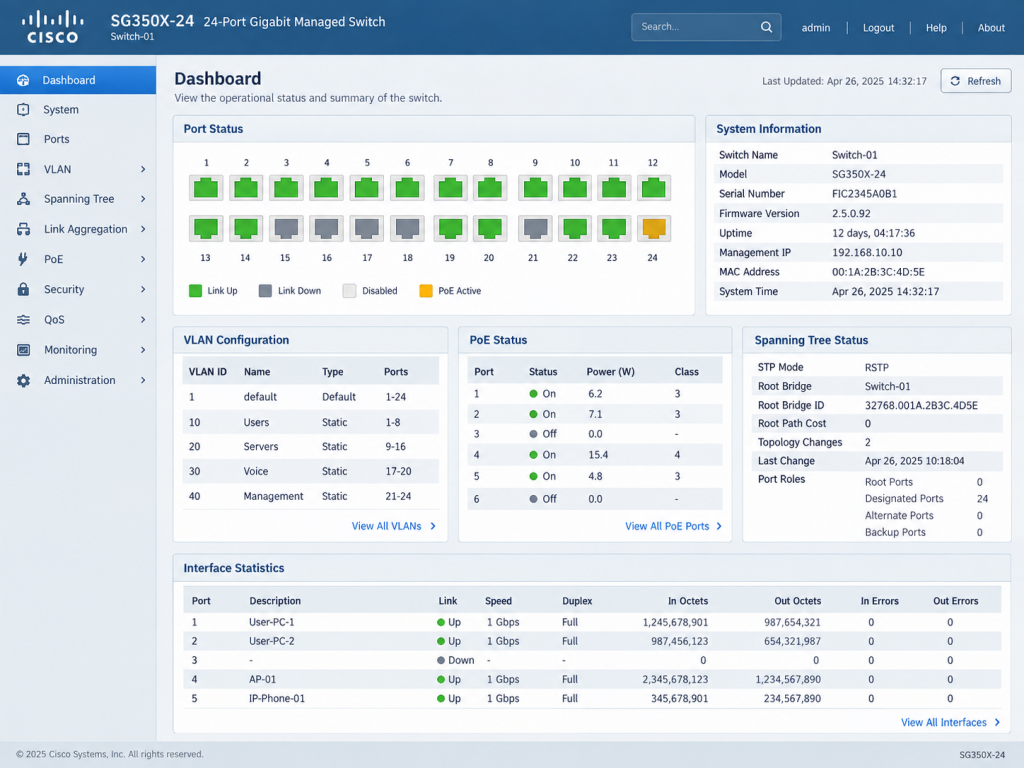
Modern network environments often combine equipment from multiple vendors, each with different management tools and workflows. This project highlights experience working across managed network platforms to organize switching, wireless access, VLANs, connected devices, PoE resources, and overall network health from centralized administration interfaces.
Network Architecture
Network infrastructure is organized around clear device roles, logical segmentation, and reliable connectivity between users, servers, wireless systems, and network services. Centralized management provides visibility into device health, connected clients, traffic, and infrastructure status.
Switching & Segmentation
Managed switching supports VLAN configuration, port administration, PoE devices, uplinks, and separation of traffic across user, voice, server, wireless, and management networks. These controls help maintain an organized and manageable network environment.
Monitoring & Troubleshooting
Network dashboards provide real-time insight into switches, access points, connected clients, interface utilization, alerts, and performance trends. This visibility helps identify connectivity issues, overloaded interfaces, offline devices, and other conditions requiring attention.
Centralized switching, wireless, client, and network-health visibility through the UniFi management interface.Multi-device monitoring of switches, wireless access points, clients, VLANs, traffic, and infrastructure alerts.Switch-level administration including ports, VLAN configuration, PoE, spanning tree, and interface statistics.
Working across different network platforms requires understanding the underlying networking concepts rather than relying on a single vendor interface. Familiarity with multiple management environments makes it easier to adapt to existing infrastructure, troubleshoot mixed-vendor networks, and support technology as organizational needs change.