IT systems professional with hands-on experience in networking, Windows and Linux servers, virtualization, firewalls, web applications, WordPress, hosting, and technical infrastructure. Explore selected projects and services.
An experimental LLM and retrieval-augmented generation system combining cryptocurrency information, AI interaction, external data, and automated trading components.
This prototype explored how large language models and retrieval-augmented generation could be combined with cryptocurrency information and an automated trading component. The concept was intended to make market information easier to query through an AI-driven interface while also exploring how LLM-based systems could interact with external data and application logic.
LLM & RAG Architecture
The project incorporated LLM and retrieval concepts so the system could work with external information instead of relying only on a model’s built-in knowledge. This provided hands-on exposure to retrieval pipelines, context handling, model integration, and the surrounding application architecture.
Application Shell & Integration
My work focused primarily on portions of the application shell, configuration, integration, and understanding how the system components fit together. I was not the primary developer of the core trading logic or the underlying model technology.
Lightweight Model Testing
I also configured and tested smaller language models, gaining practical experience with deployment considerations, resource requirements, model behavior, and the tradeoffs involved in running AI systems outside of a fully managed platform.
LLM + RAG Market Intelligence · Concept Mockup
Market Feed
External Data Input
Retrieval
RAG Context Layer
Model
LLM Analysis
Prototype
Trading Integration
Illustrative Market View — No Live Prices
Pipeline
1. Retrieve Market + reference context
2. Analyze LLM-assisted interpretation
3. Integrate Prototype application logic
LLM & RAG Crypto Prototype — Concept Interface — AI-generated illustrative mockup representing market-data retrieval, RAG context, LLM analysis, and prototype trading integration. It contains no live market data and does not represent trading performance.
Prototype Evaluation
The project was ultimately discontinued after evaluating the development effort, operating cost, maintenance requirements, and whether continued investment made sense relative to rapidly advancing commercial AI platforms. The experience was still valuable as a technical prototype and provided direct exposure to the practical complexity behind maintaining an AI-enabled application.
What the Project Demonstrates
The project represents hands-on learning across LLM integration, RAG concepts, smaller model deployment, application architecture, AI-enabled interfaces, and the practical decision-making involved in determining whether a prototype is worth continuing into production.
This project demonstrates a practical AI-assisted administration and knowledge system built around real files, documents, trackers, recurring responsibilities, research, and day-to-day workflows. The goal is to move beyond using AI only as a chat interface and instead organize information so an assistant can work with useful context, repeatable processes, and structured systems.
Assistant & Administrative Workflows
AI-assisted workflows support research, planning, document creation, reminders, recurring tasks, project follow-up, and administrative work while keeping the user in control of the underlying information and decisions.
Structured Knowledge Systems
Google Drive, documents, spreadsheets, trackers, and reference material are organized into a clearer knowledge structure so relevant information can be located, interpreted, updated, and reused more efficiently.
Automation & Monitoring
Repeatable workflows can include scheduled tasks, reminders, monitoring, status checks, reports, and multi-step research or document processes designed to reduce repetitive manual work.
AI Admin Console · Concept Mockup
Workspace
Today
Knowledge
Workflows
Reports
Archive
Knowledge
Drive + Docs + Sheets
Automation
Recurring Workflows
Control
Human Review
Sample Task Queue
Organize project files Review → classify → update tracker
Prepare weekly research brief Collect → summarize → flag decisions
Check recurring responsibilities Monitor → remind → record status
AI Assistant & Knowledge System — Concept Interface — AI-generated illustrative mockup showing how structured knowledge, recurring workflows, research, and human review can come together in a single administrative workspace. This is a portfolio visualization, not a screenshot of private data.
Applied AI Rather Than a Standalone Chatbot
The system is designed around how the person actually works: what information they maintain, what tasks repeat, what needs review, and where time is being lost. AI becomes one component in a larger operating structure rather than a separate tool that has to be prompted from scratch every time.
Privacy-Aware Demonstration
Portfolio visuals use sanitized, illustrative structures rather than exposing private documents, account information, or personal records. The emphasis is on system design, workflow architecture, and practical implementation.
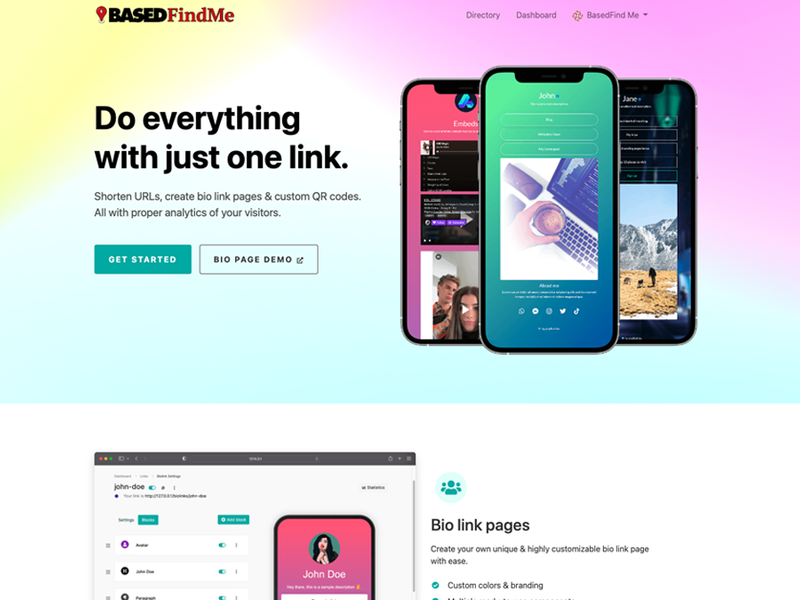
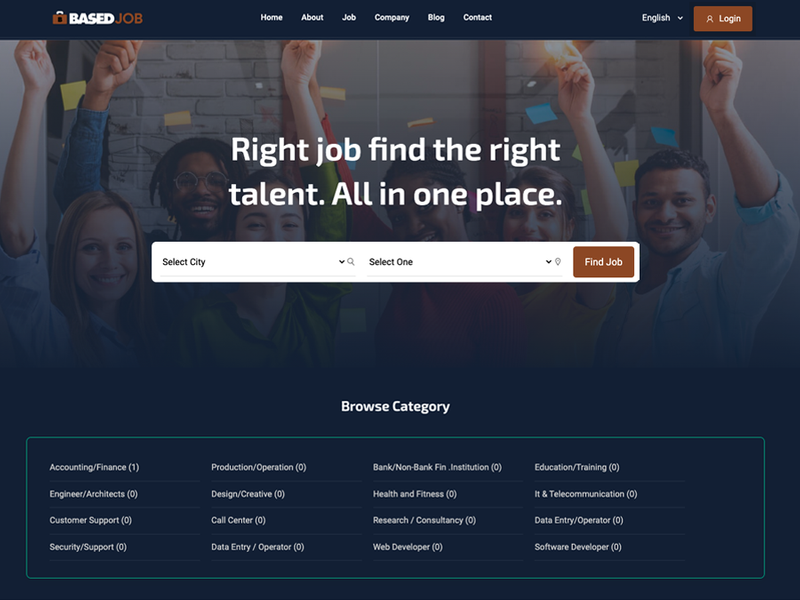
A selection of web application concepts demonstrating search, listings, user-facing dashboards, profile experiences, marketplaces, and content-driven platforms.
This collection brings together several web application projects built around different user needs and interaction models. The examples demonstrate experience organizing content, presenting searchable information, structuring listings and profiles, and creating application-style interfaces that extend beyond traditional informational websites.
Application Structure
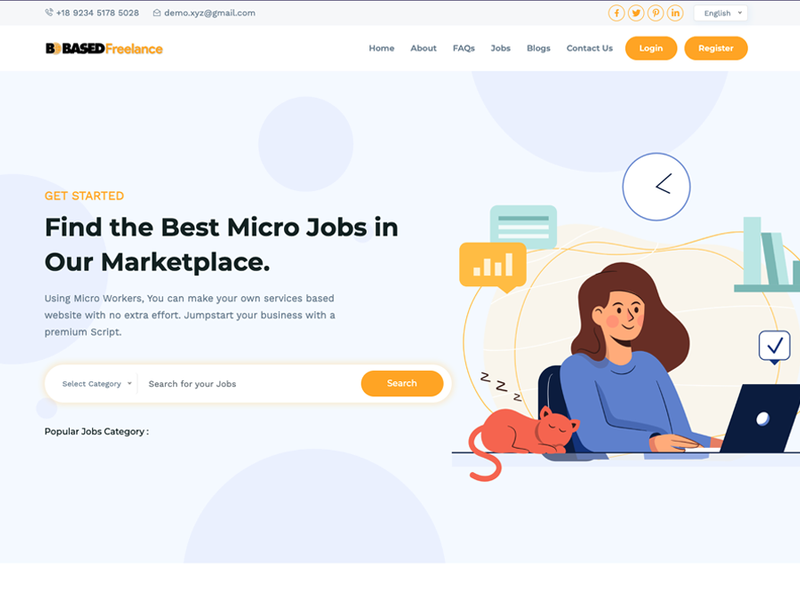
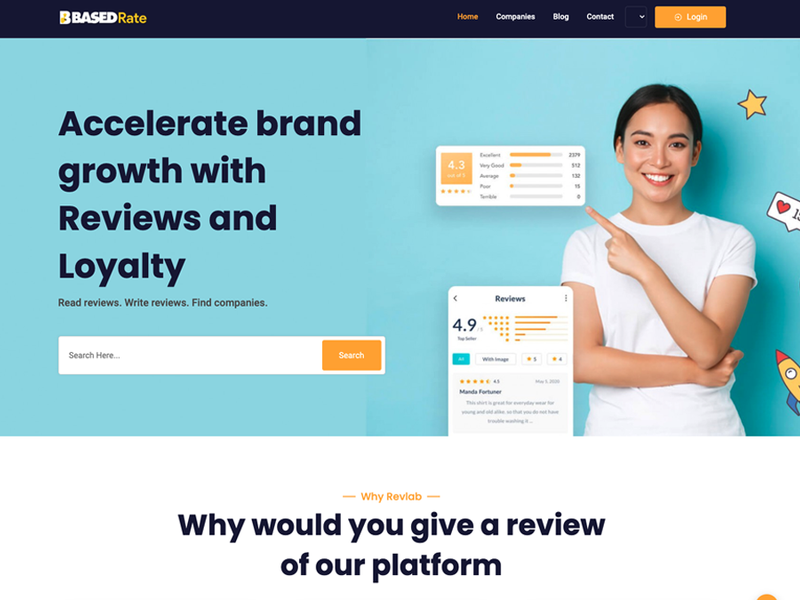
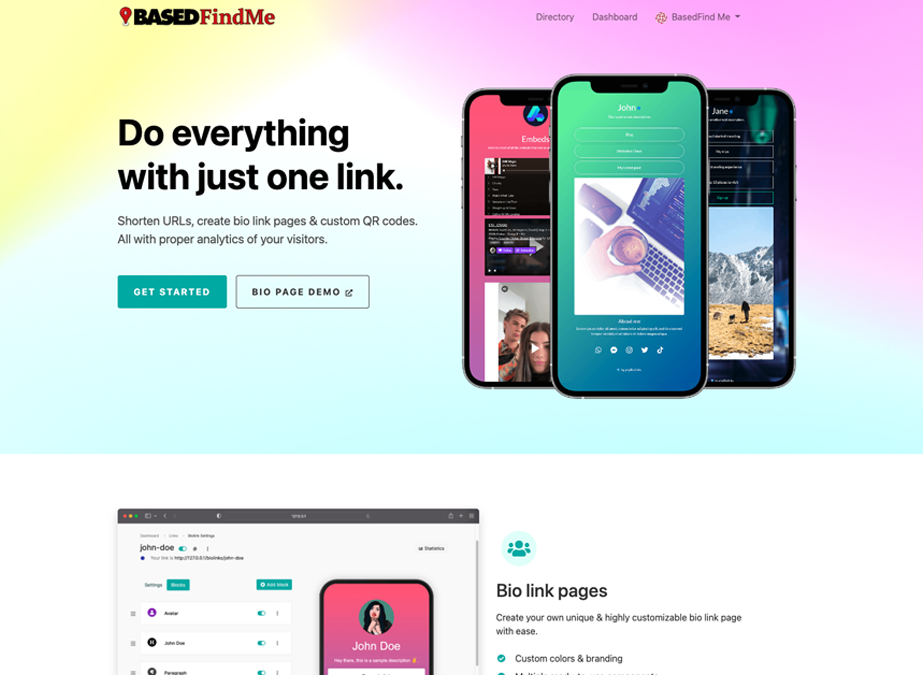
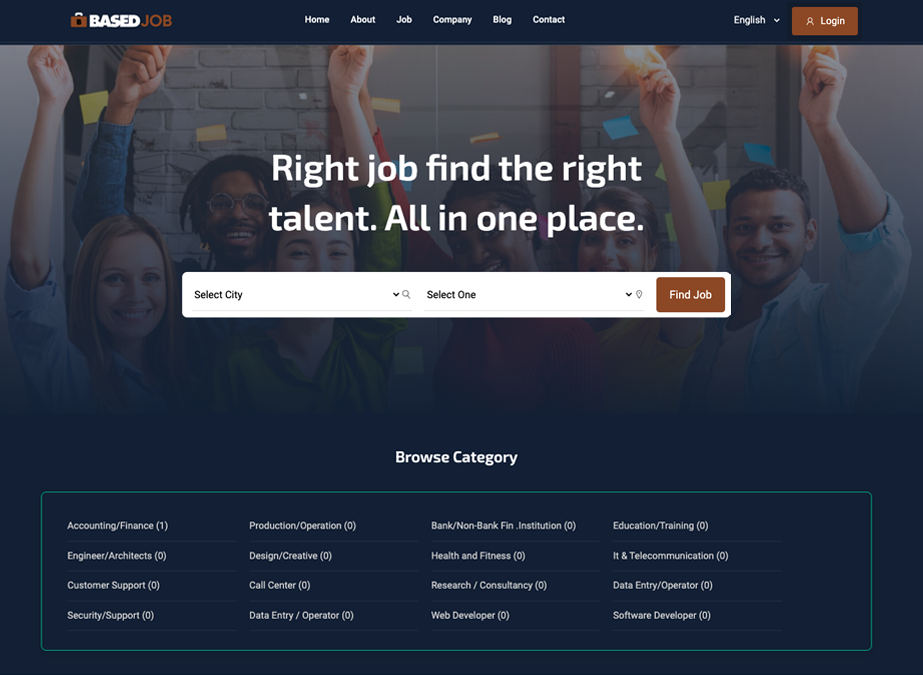
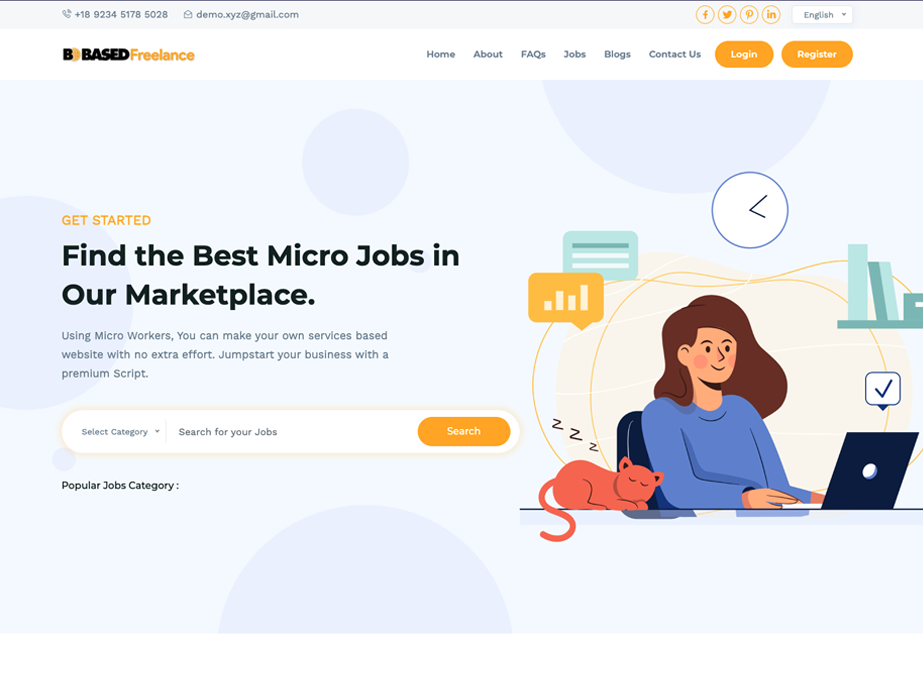
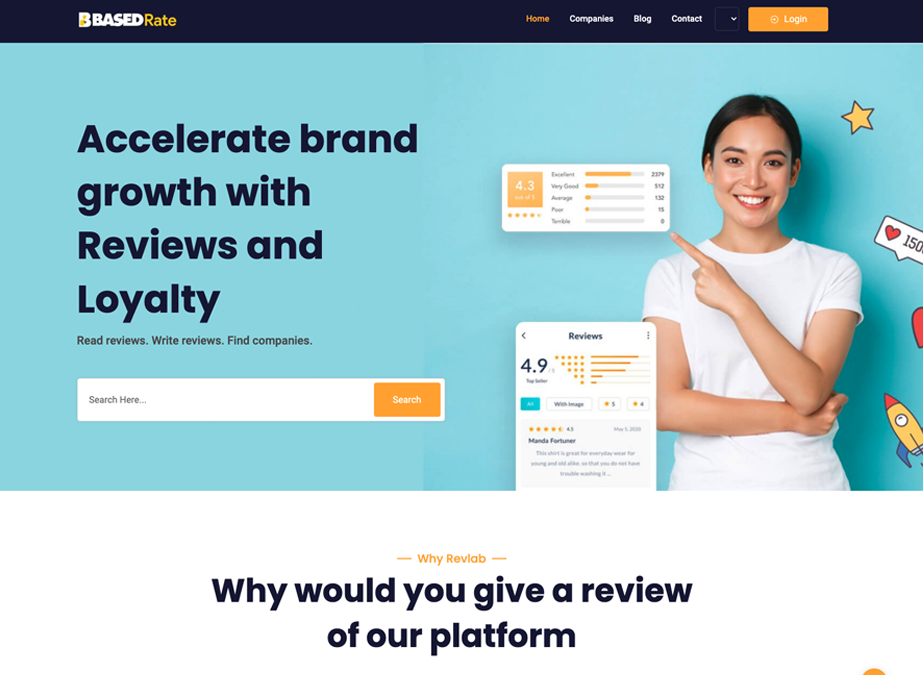
Each platform is organized around a specific type of user activity, from profile and link management to employment listings, service marketplaces, and review discovery. Navigation and content hierarchy are structured around the primary task users are expected to complete.
Search & Discovery
Search tools, categories, listings, and structured content help users move through larger amounts of information efficiently. These patterns are especially important for marketplace, directory, employment, and review-oriented applications.
User-Facing Experience
Dashboards, profiles, calls to action, account access, and responsive page layouts create a more interactive experience than a standard brochure website. Consistent interface patterns help users understand where to go and what actions are available.
Profile & Link Management Platform — User-focused profile pages, custom links, content blocks, and centralized management of an online presence.Employment & Talent Marketplace — Job search, location and category filtering, employer and candidate navigation, and structured employment listings.Freelance Services Marketplace — Service discovery, category selection, search functionality, user accounts, and marketplace-oriented navigation.Reviews & Discovery Platform — Company search, review-oriented content, ratings, user participation, and business discovery.
Developing different types of web applications requires adapting the interface and content structure to the task users are trying to accomplish. These projects demonstrate experience working across profile platforms, marketplaces, directories, search-driven applications, and other interactive web environments while maintaining clear navigation and consistent user experiences.
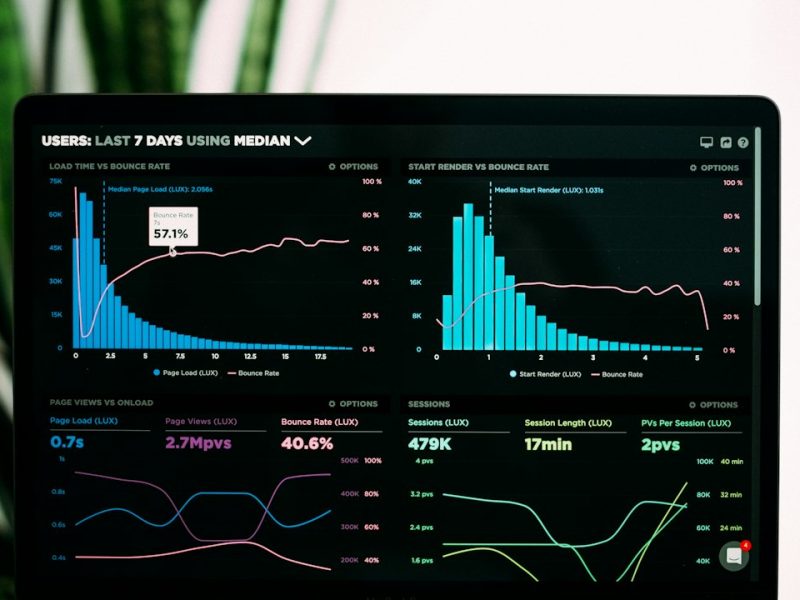
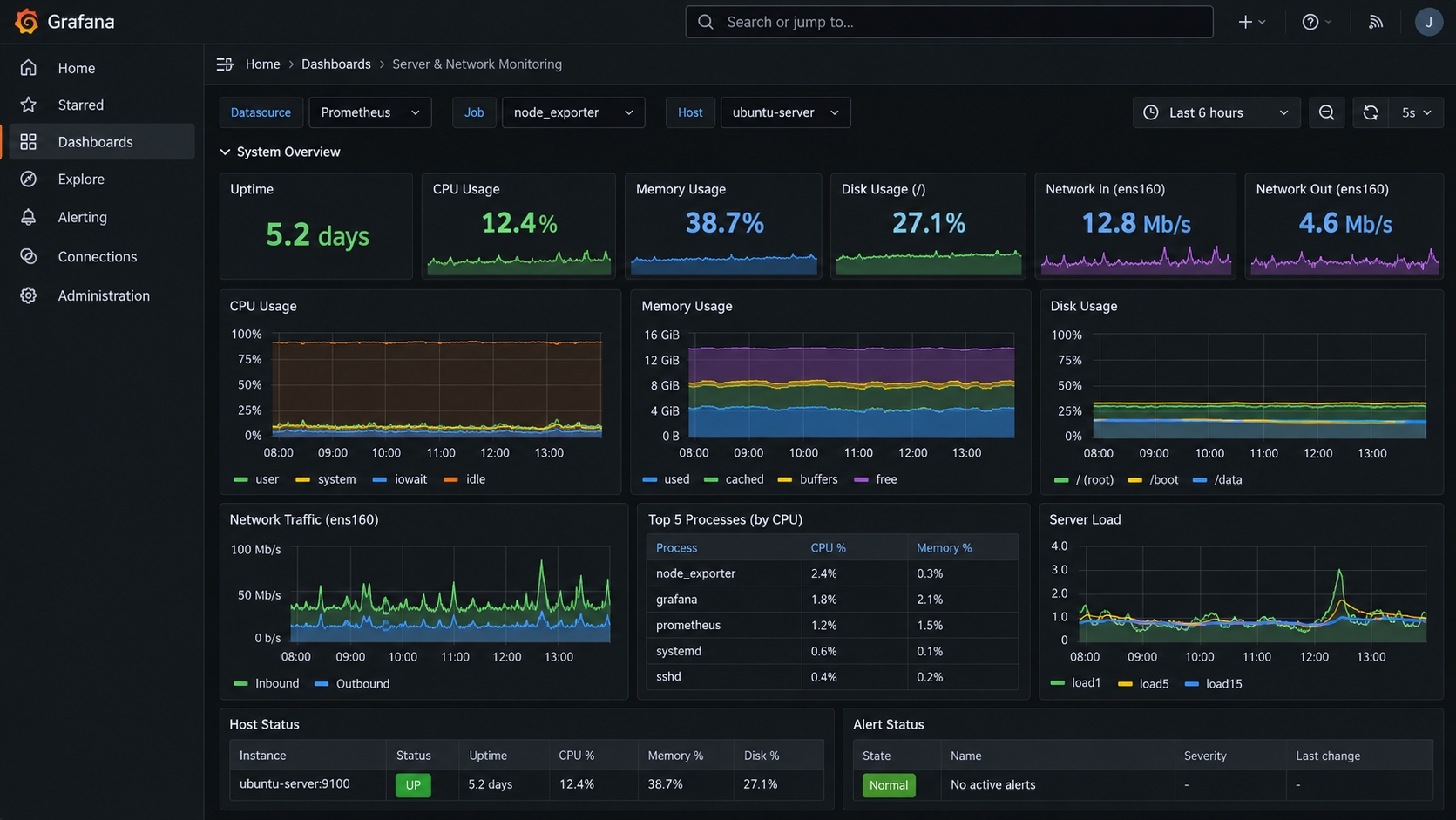
Centralized monitoring of server health, network traffic, system resources, uptime, and performance trends through dashboard-based infrastructure visibility.
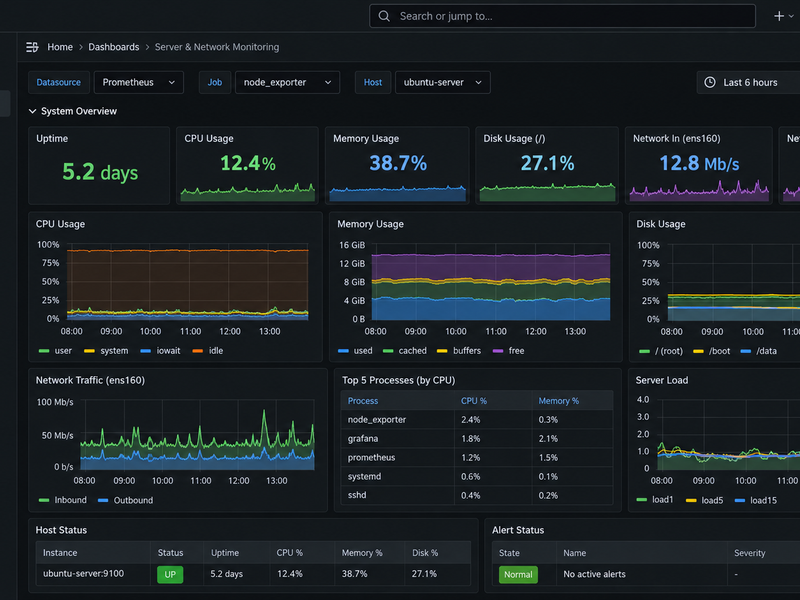
Monitoring provides visibility into the health and performance of systems before issues become service interruptions. This project demonstrates centralized tracking of server resources, network traffic, system load, disk utilization, uptime, and service status through a dashboard designed for quick operational awareness.
System Health Monitoring
CPU, memory, disk utilization, system load, uptime, and active services can be monitored from a centralized dashboard to help identify resource pressure, abnormal activity, or degraded system performance.
Network Performance Visibility
Network traffic metrics provide insight into inbound and outbound utilization, interface activity, throughput, and usage trends over time. This visibility helps support troubleshooting and capacity planning.
Alerts & Operational Awareness
Dashboard status indicators and alerting provide a fast way to identify systems or services requiring attention. Centralized monitoring reduces the need to check individual hosts and creates a clearer view of overall infrastructure health.
Grafana Infrastructure Monitoring — Server uptime, CPU, memory, disk usage, network traffic, system load, process activity, host status, and alert visibility from a centralized monitoring interface.
Effective monitoring connects server and network metrics into a single operational view, making it easier to identify trends, investigate performance issues, and respond to system conditions before they affect users. Centralized dashboards also provide a more consistent way to track the health of multiple systems over time.
Development and customization of a booking-focused web application supporting property discovery, listing details, availability inputs, and reservation-oriented user flows.
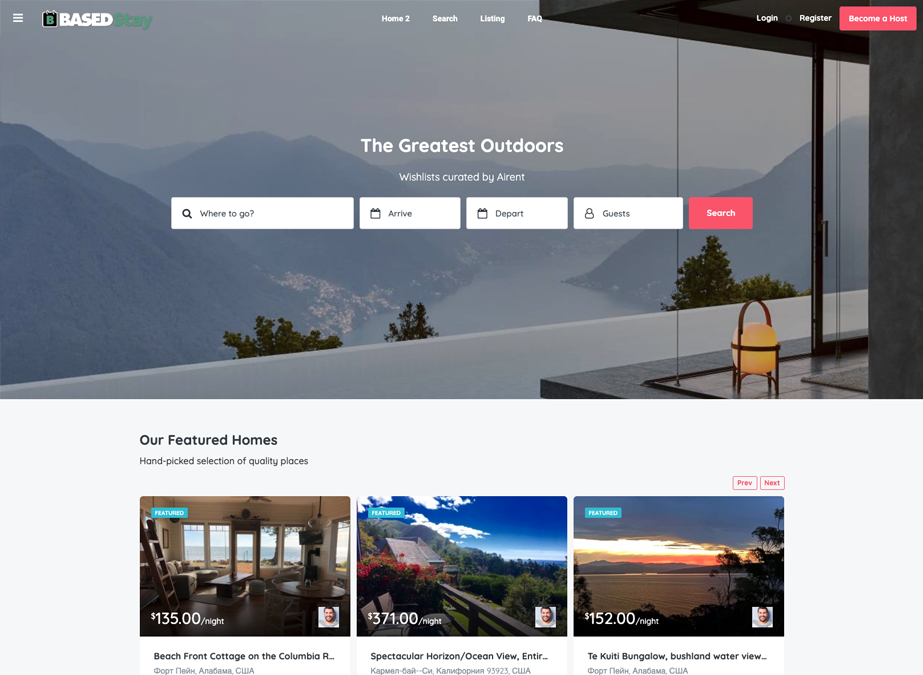
Booking platforms need to bring search, listings, availability information, property details, and user actions together in a clear and consistent experience. This project demonstrates the development of a web application that guides users from property discovery through detailed listing information and reservation-oriented interactions.
Search & Discovery
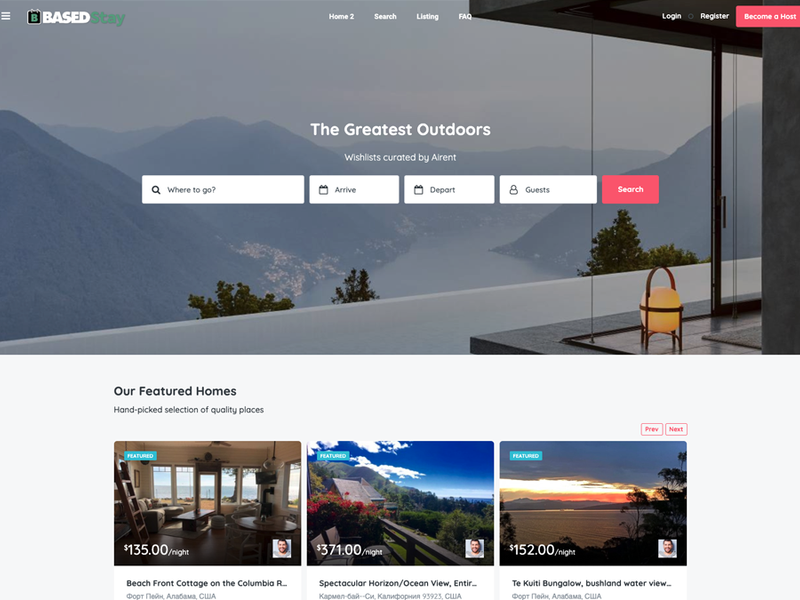
The platform provides a structured starting point for users to search destinations, enter arrival and departure information, select guests, and browse available properties through a centralized interface.
Listing & Content Management
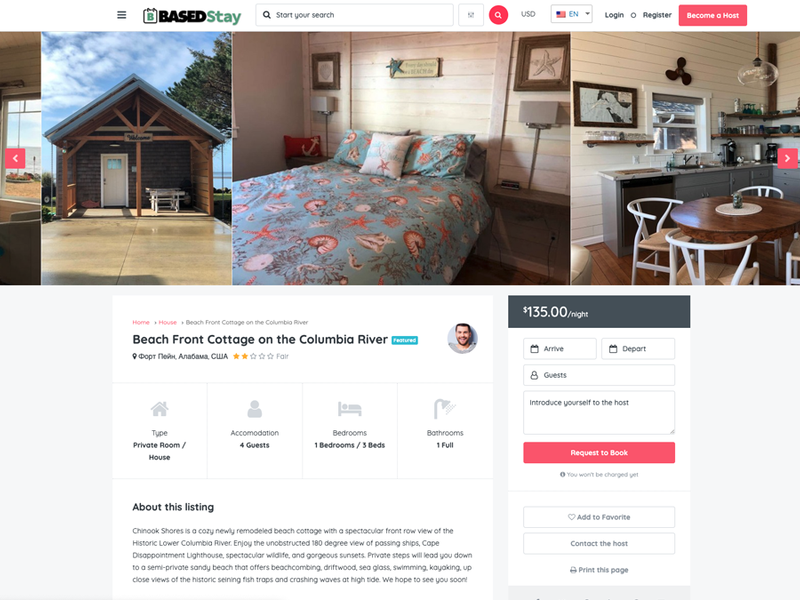
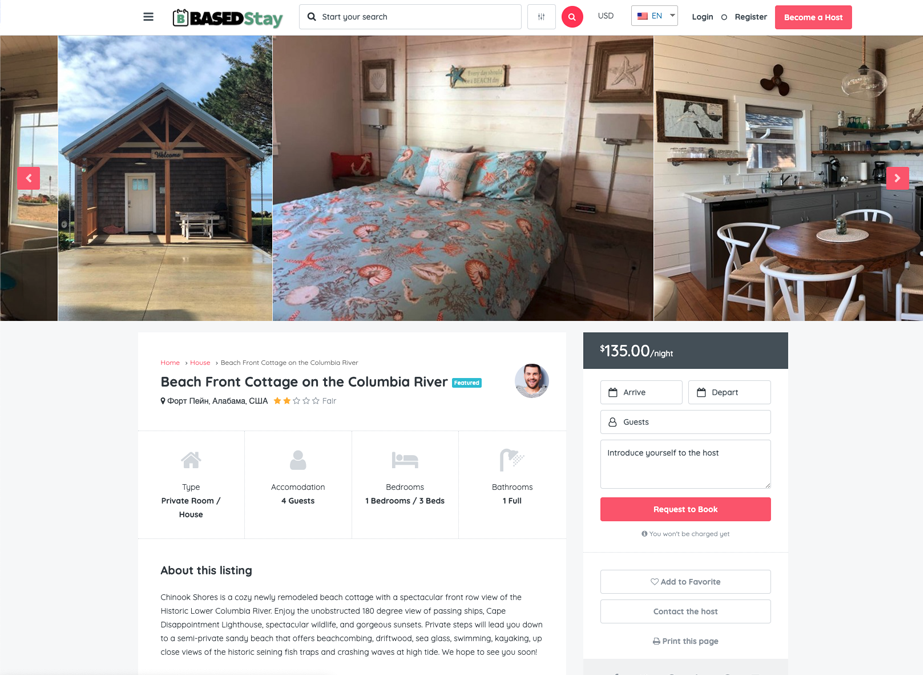
Individual listings combine property imagery, descriptions, pricing, accommodation details, amenities, and related information into a consistent presentation that helps users evaluate available options.
Booking Experience
The application connects property discovery with detailed listing pages and reservation-oriented controls, creating a clear path from browsing to selecting dates, entering guest information, and initiating a booking request.
Booking Platform Search Experience — Destination search, arrival and departure inputs, guest selection, featured properties, pricing, and listing discovery. Property Details & Reservation Flow — Listing images, accommodation details, pricing, availability inputs, guest selection, host contact, and booking-request controls.
A booking application depends on the relationship between search, content organization, listing detail, and user actions. Bringing these elements together creates a more complete web experience than a standard informational website and demonstrates experience working with application-style layouts and multi-step user flows.
Linux server administration across CentOS and Ubuntu environments, including remote access, service management, networking, system monitoring, and core server operations.
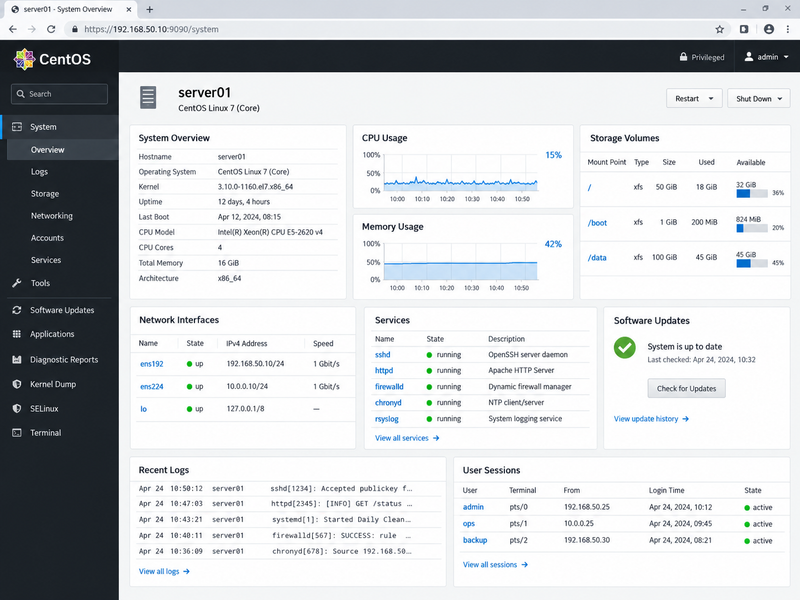
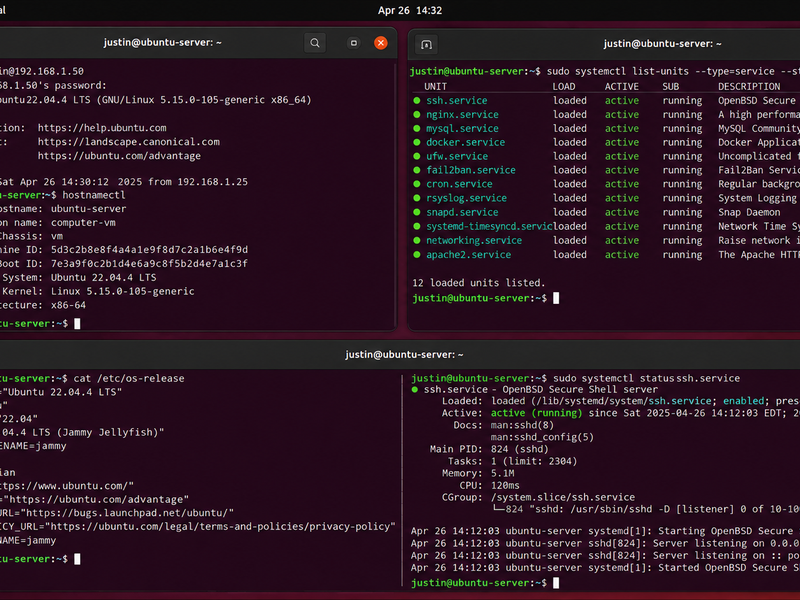
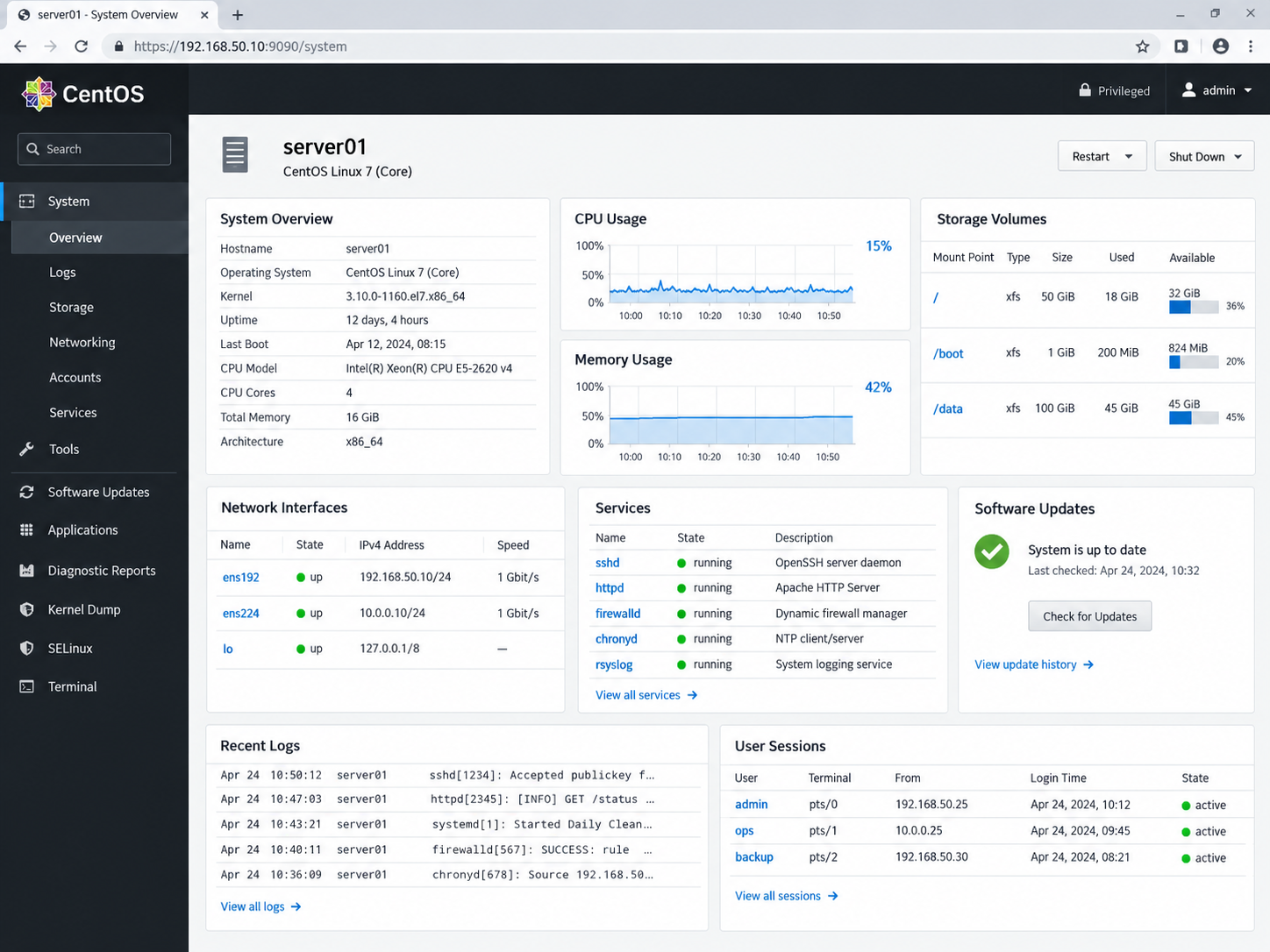
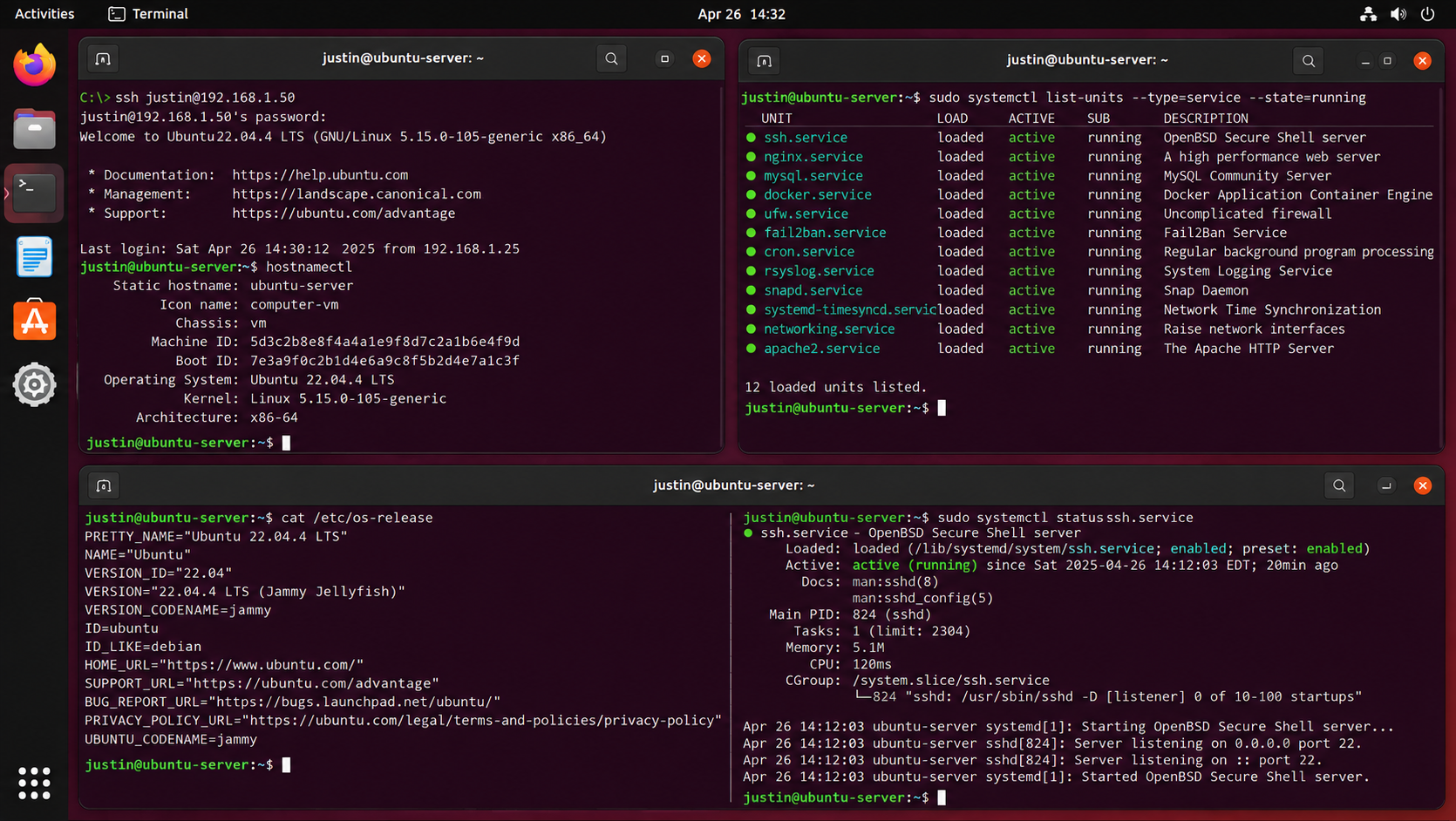
Linux servers provide the foundation for many web, database, infrastructure, and application services. This project highlights administration across CentOS and Ubuntu systems, including remote SSH access, service management, network configuration, resource monitoring, logging, security services, and general operating-system maintenance.
System & Service Administration
Linux services are managed through tools such as systemd to start, stop, enable, inspect, and troubleshoot background processes. Monitoring service state and system resources helps maintain reliable operation of web, database, networking, and infrastructure workloads.
Remote Access & Command Line
SSH provides secure remote administration of Linux servers for configuration, maintenance, troubleshooting, and monitoring. Command-line tools provide direct visibility into operating-system information, interfaces, processes, logs, services, and resource utilization.
Monitoring & Security
Linux administration includes reviewing CPU, memory, disk, network activity, system logs, firewall status, and service health. Tools such as UFW and Fail2Ban can complement system monitoring by helping control network access and reduce repeated unauthorized login attempts.
CentOS Server Administration — System health, processor and memory utilization, storage volumes, network interfaces, running services, software updates, logs, and active user sessions.Ubuntu Server, SSH & Services — Remote administration, operating-system information, network configuration, systemd service status, SSH management, and command-line troubleshooting.
Working across multiple Linux distributions reinforces the core administration skills that remain consistent between environments: remote access, service management, networking, resource monitoring, security, logging, and troubleshooting. Familiarity with both graphical and command-line administration provides flexibility when supporting Linux-based infrastructure and applications.
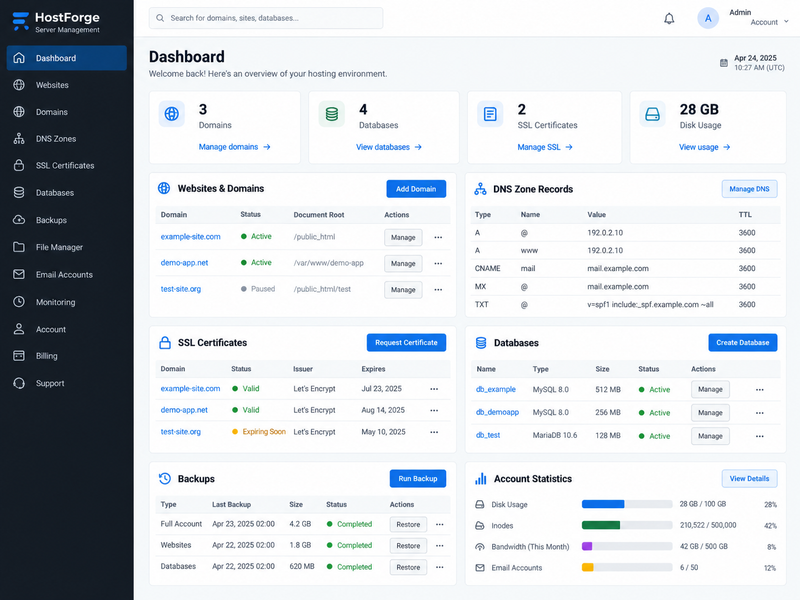
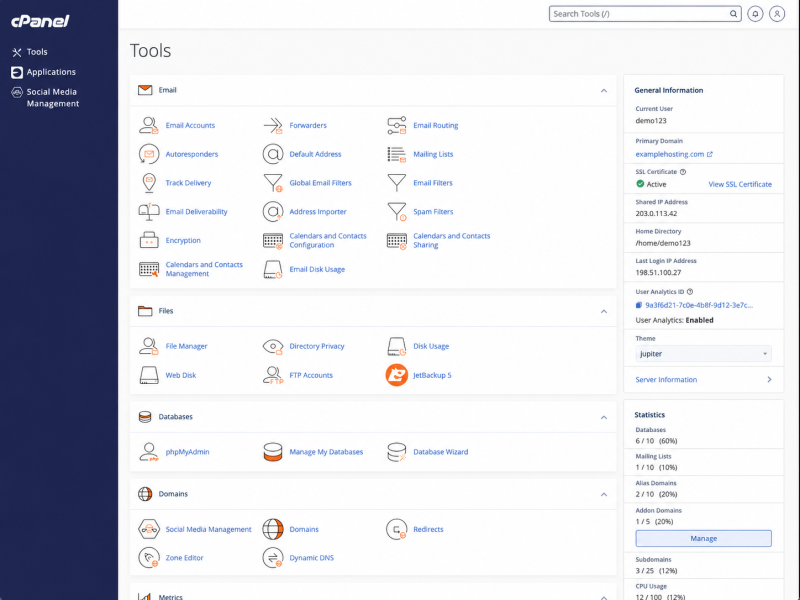
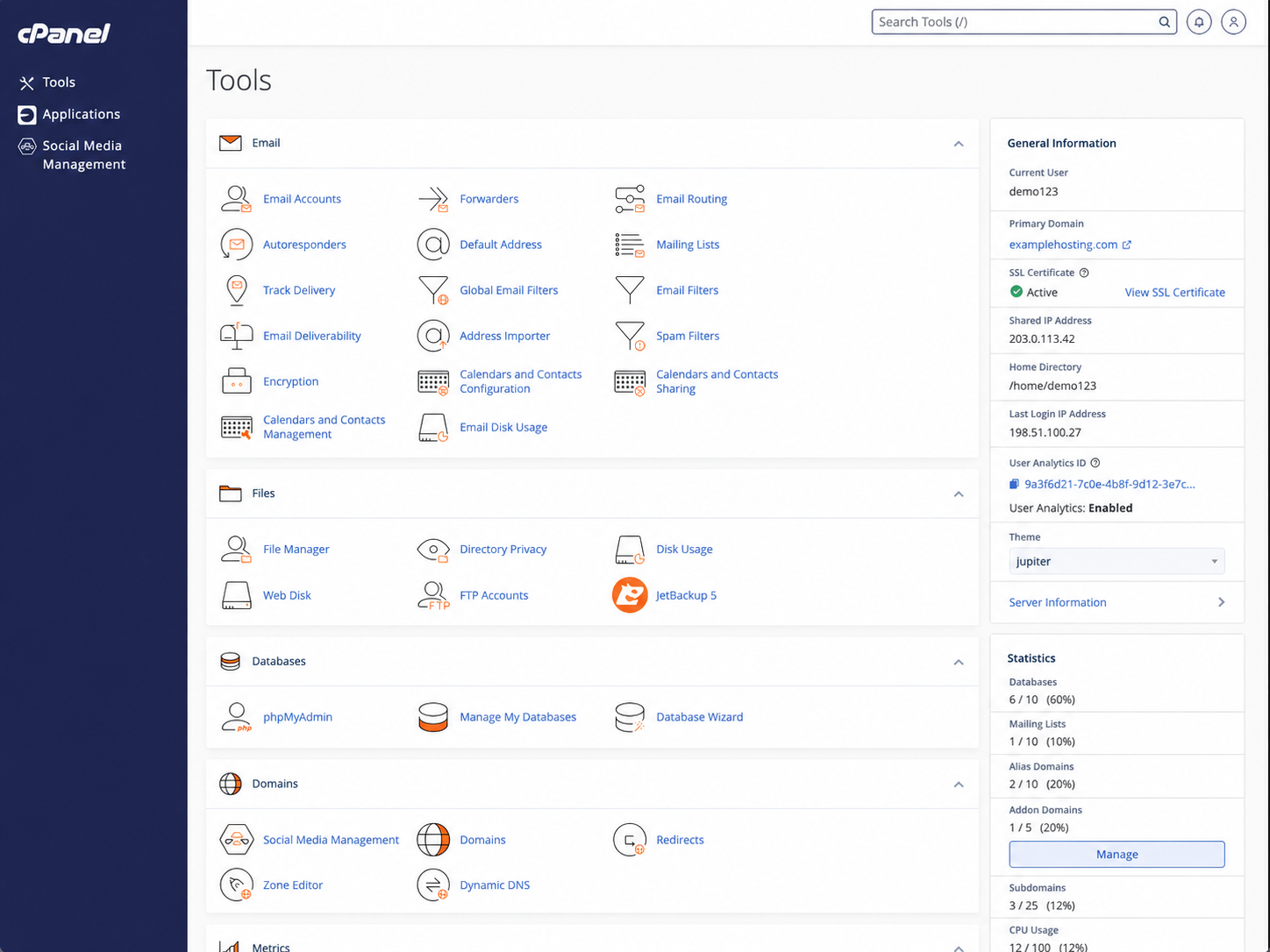
Web application administration extends beyond the visible website to the infrastructure that keeps it available and secure. This project highlights management of hosting environments, domain and DNS configuration, SSL/TLS certificates, database services, file and account administration, backups, and the server-side tools used to support deployed websites and applications.
Domains, DNS & Security
Hosting administration includes managing domains, subdomains, DNS records, redirects, and SSL/TLS certificates. These services connect users to the correct applications while providing encrypted access and maintaining the underlying configuration required for reliable website operation.
Database & Application Services
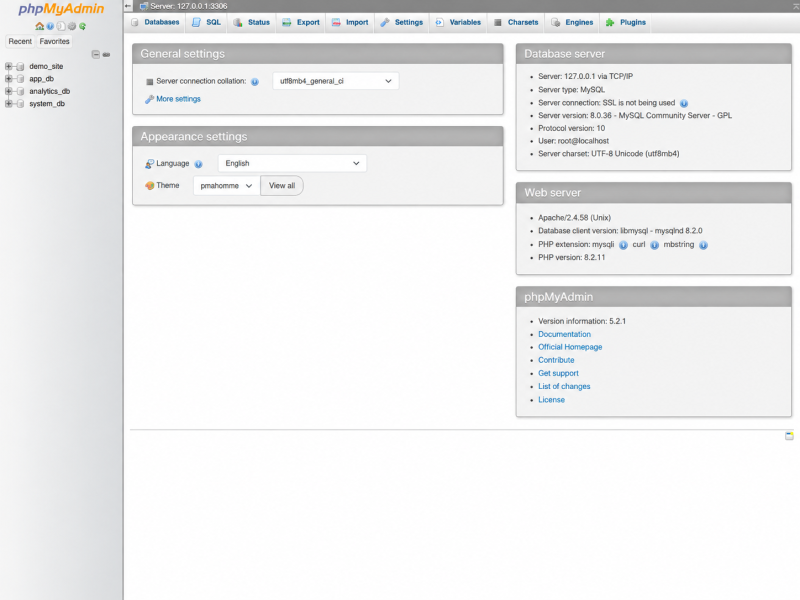
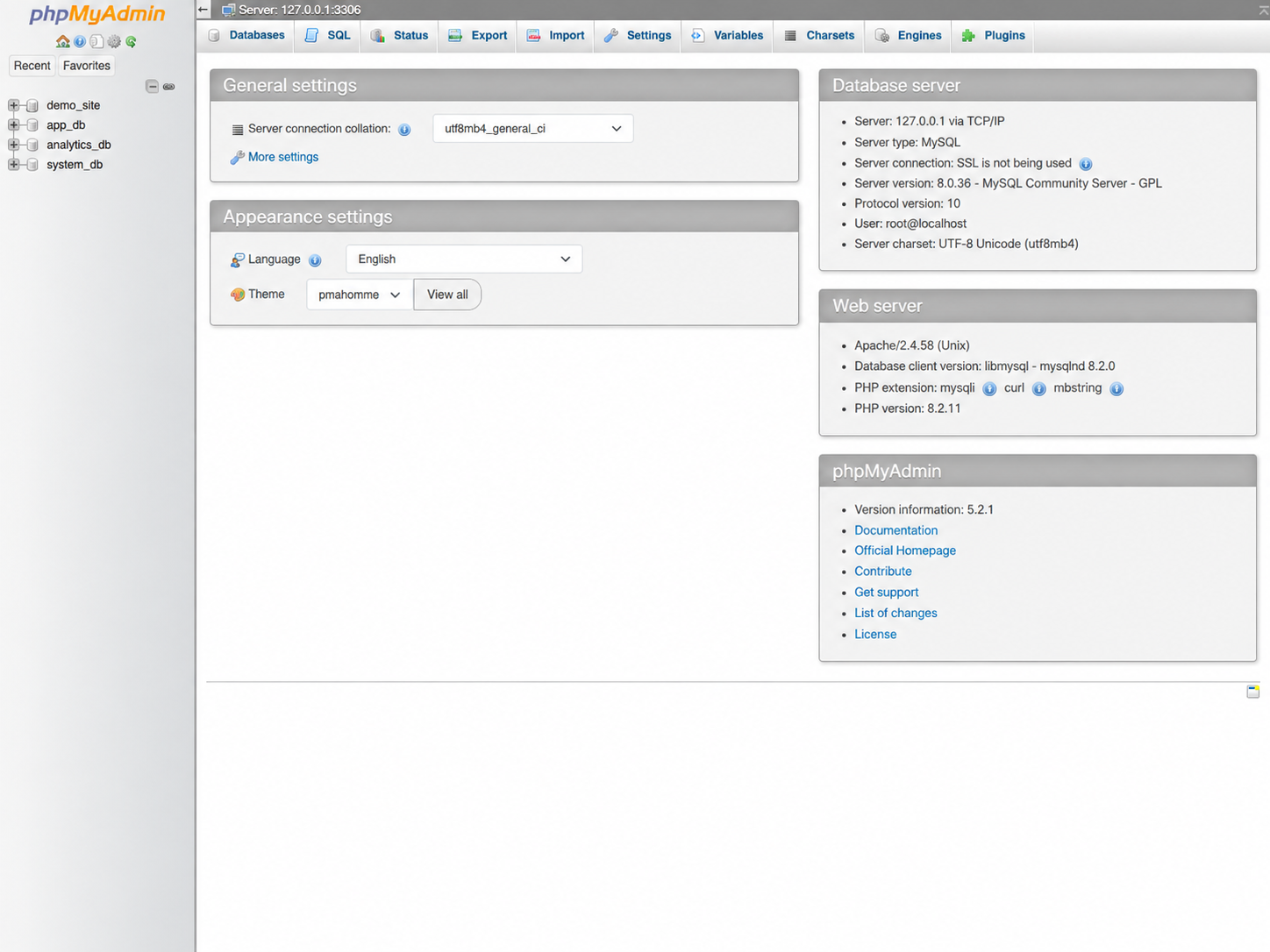
Web applications often depend on MySQL or MariaDB databases for content, accounts, configuration, and application data. Database administration includes creating and organizing databases, managing access, reviewing server settings, and using tools such as phpMyAdmin for database-level maintenance.
Hosting Operations & Recovery
Centralized hosting tools provide visibility into storage, bandwidth, files, email, account resources, software services, and scheduled backups. Maintaining backups and access to restore functions helps protect hosted applications and provides recovery options when files or databases need to be restored.
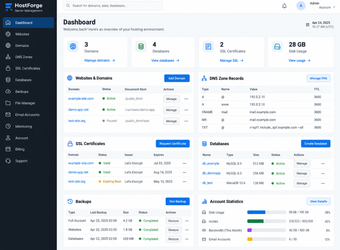
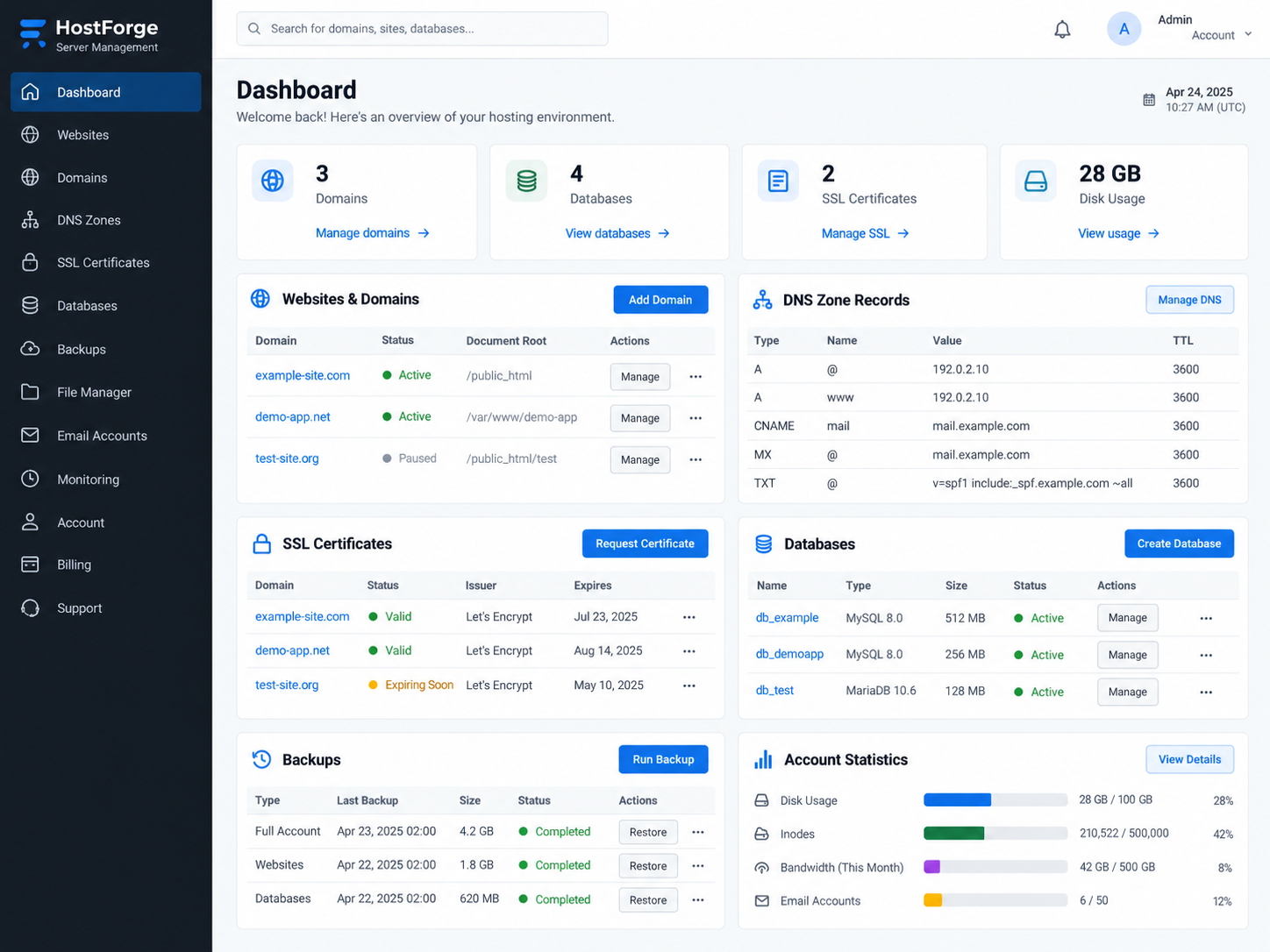
Hosting Environment Administration — Domains, DNS records, SSL certificates, databases, backups, resource usage, and hosted application management from a centralized control panel.cPanel Server & Account Management — File services, email administration, databases, DNS zone editing, domain configuration, SSL status, backups, and hosting-account resources.Database Administration — MySQL database access, server information, database organization, SQL tools, import/export functions, and application data management.
Reliable web hosting depends on the coordination of domain services, databases, security certificates, files, backups, and server resources behind the application itself. Experience with multiple hosting and database-management interfaces provides the flexibility to deploy, maintain, troubleshoot, and recover web applications across different hosting environments.
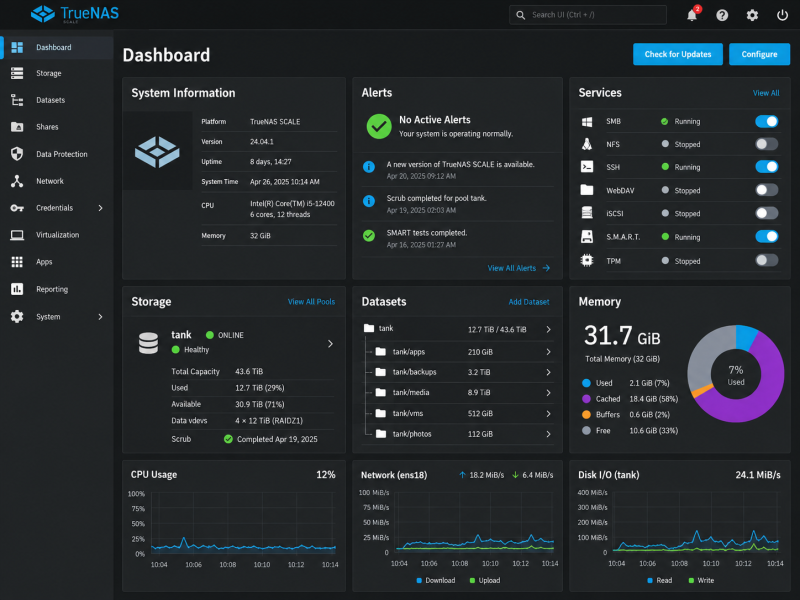
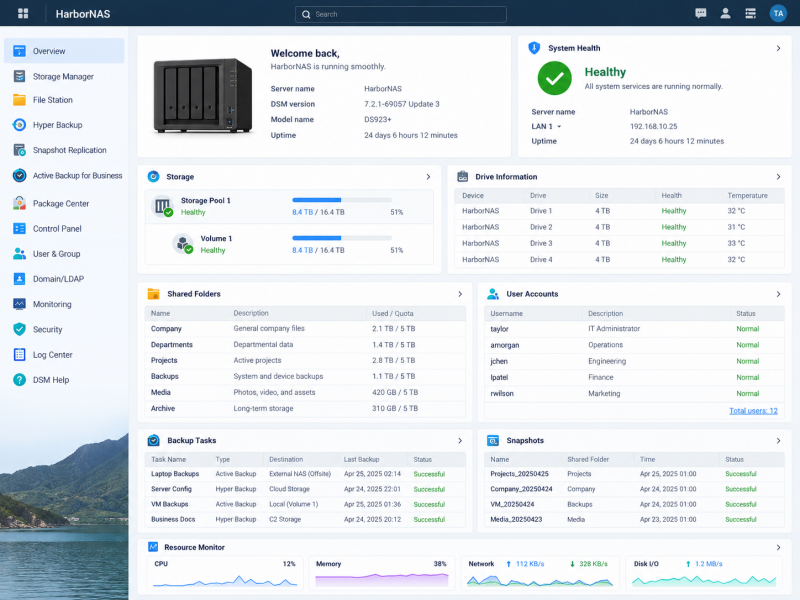
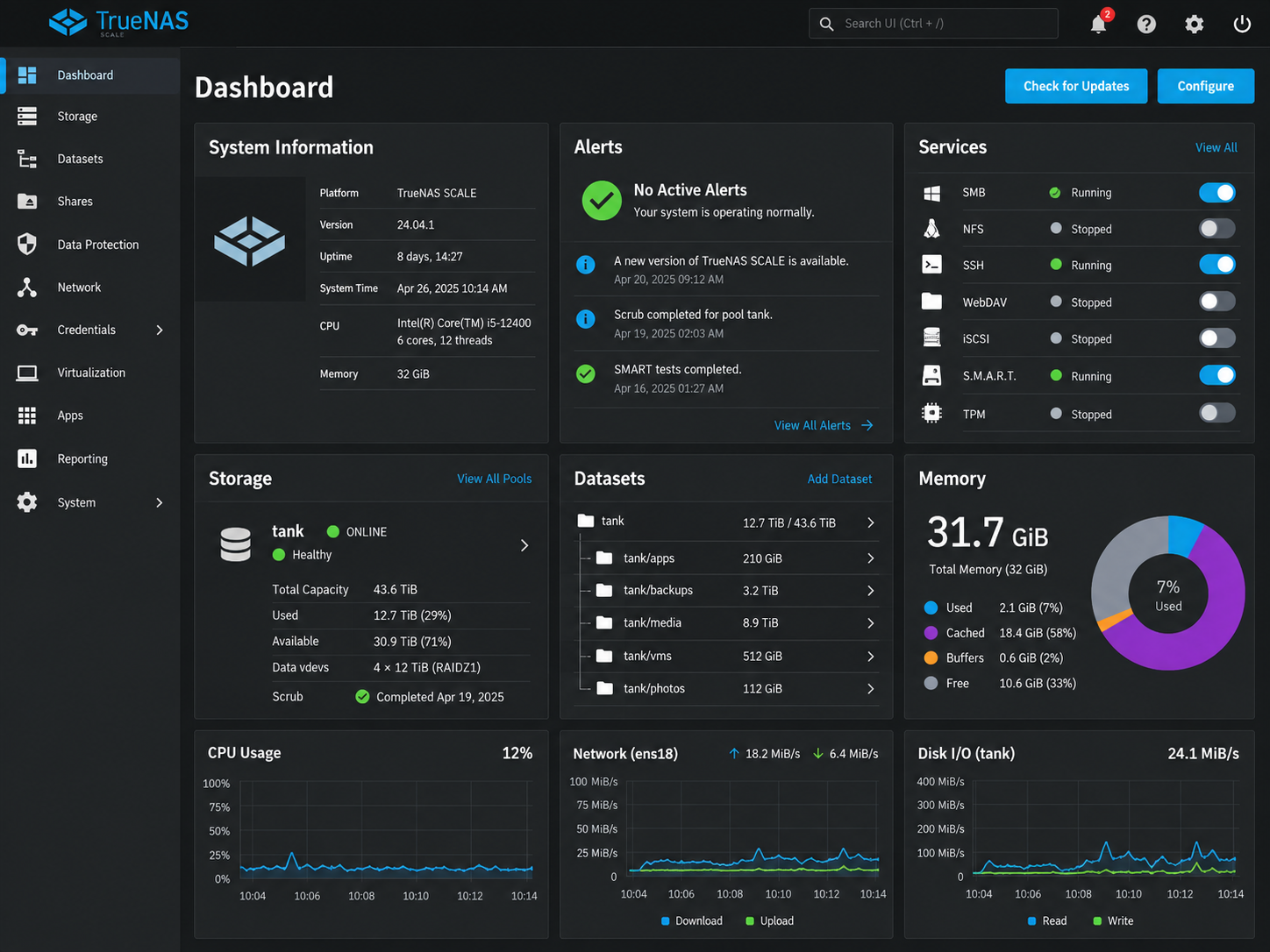
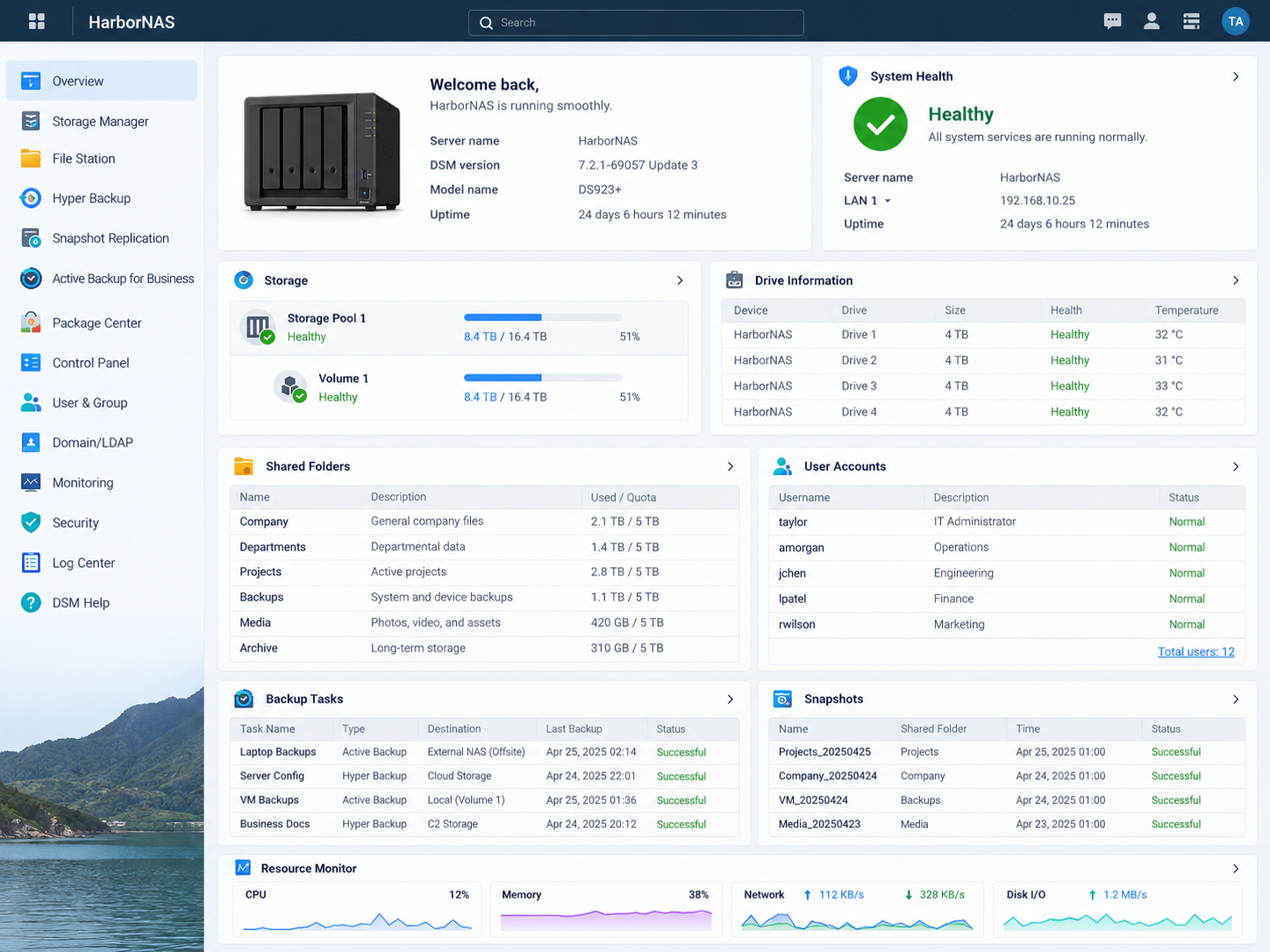
Reliable storage infrastructure requires more than available disk capacity. This project highlights administration of network-attached storage platforms used to organize shared data, monitor storage health, manage datasets and volumes, and support backup and replication workflows designed to improve data availability and recoverability.
Storage & File Services
Centralized storage platforms provide shared capacity for documents, application data, media, backups, and other organizational resources. Monitoring pools, volumes, datasets, disk health, and available capacity helps maintain reliable access to stored information.
Backup & Replication
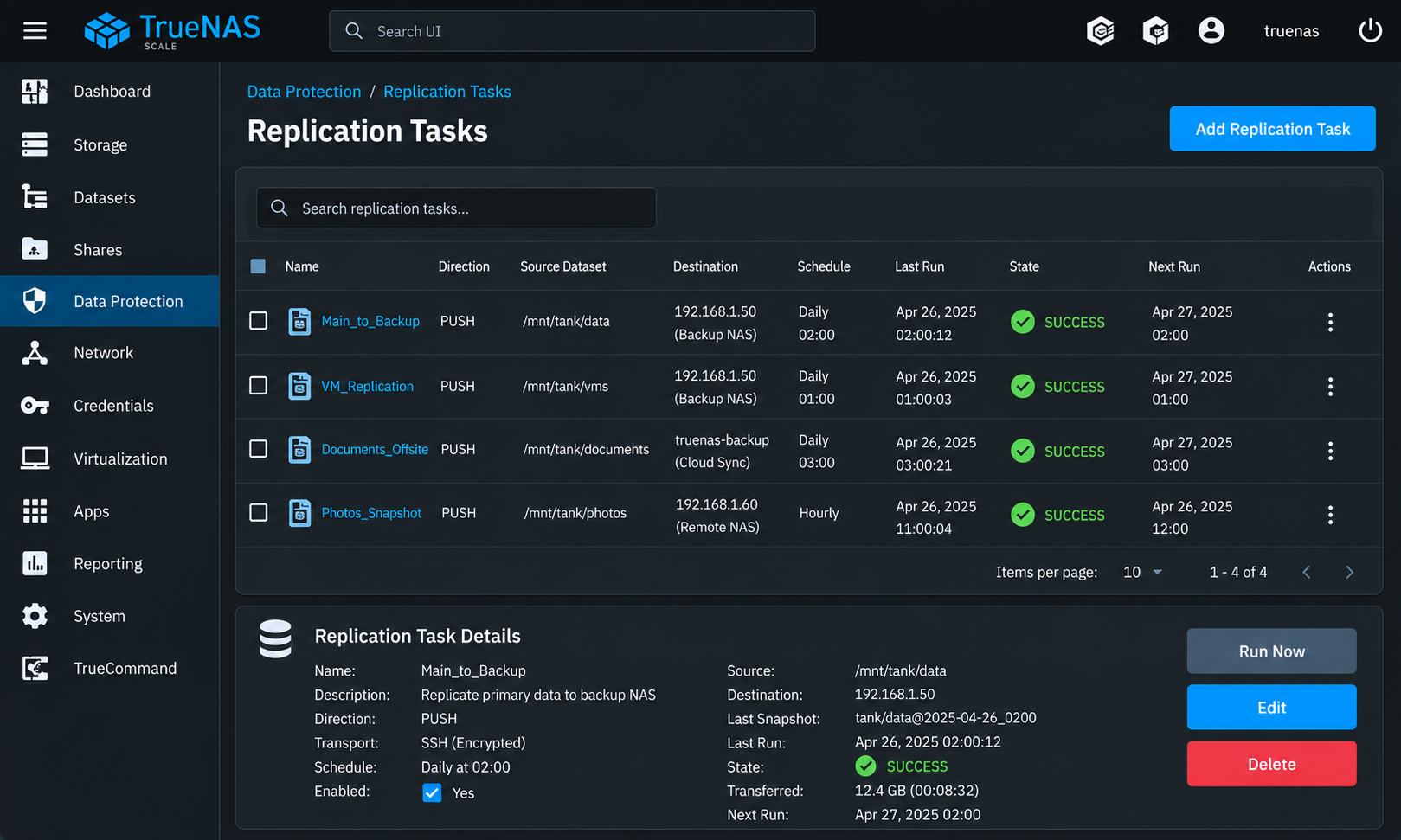
Scheduled backup and replication tasks provide additional copies of important data across local, remote, or secondary storage destinations. Task status, schedules, transfer history, and snapshot information provide visibility into whether protection jobs are completing successfully.
Data Protection & Recovery
Snapshots, replicated datasets, backup histories, and storage-health monitoring support recovery planning by preserving previous versions of data and maintaining additional copies outside the primary storage location.
TrueNAS Storage Administration — Storage capacity, datasets, system resources, service status, alerts, and overall NAS health monitoring. Snapshots & Data Replication — Scheduled replication jobs, source and destination datasets, run history, task status, and encrypted data-transfer configuration. Synology Storage & Backup Services — Storage pools, shared folders, disk health, user access, backup tasks, snapshots, and system-resource monitoring.
Storage and backup administration requires balancing capacity, availability, performance, and data protection. Familiarity with multiple NAS platforms provides flexibility when managing shared storage, monitoring disk and system health, maintaining backups, and supporting recovery strategies across different environments.
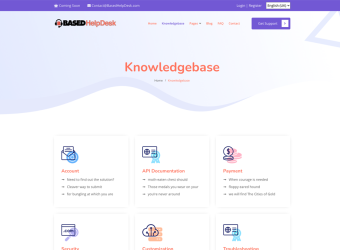
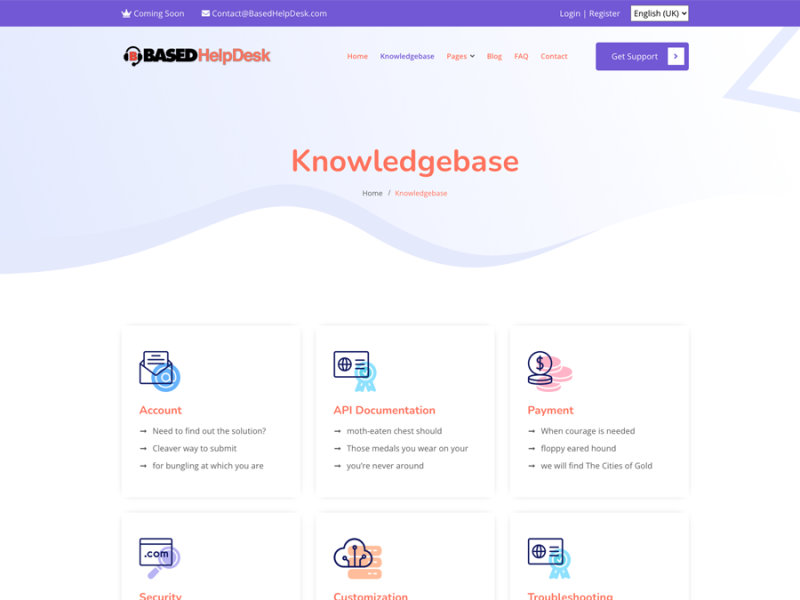
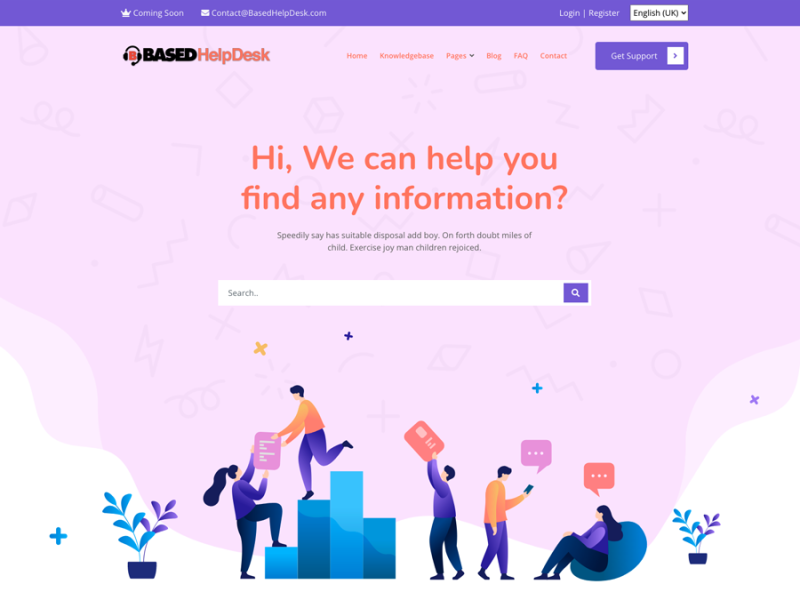
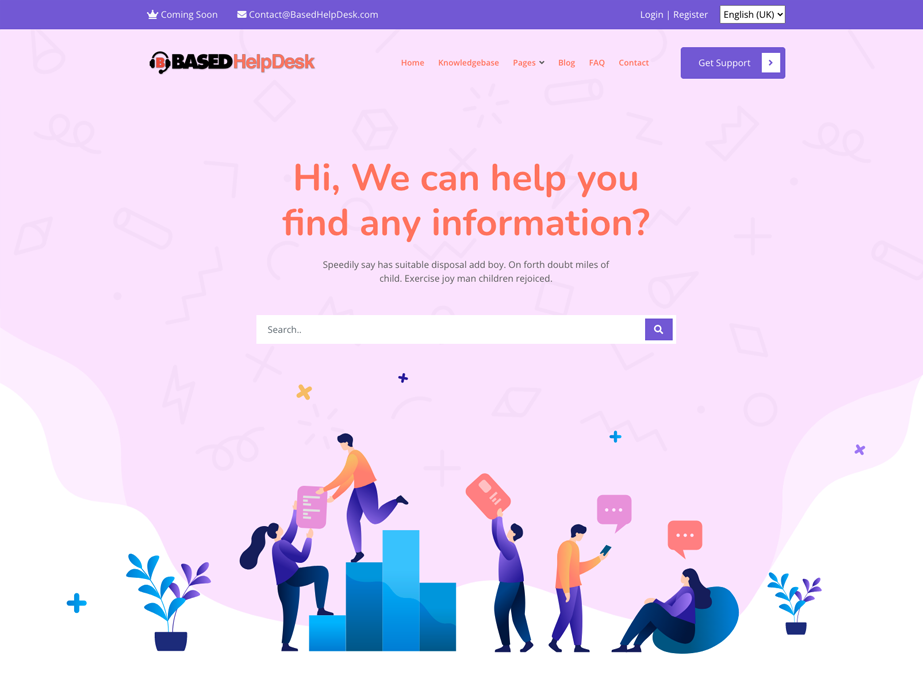
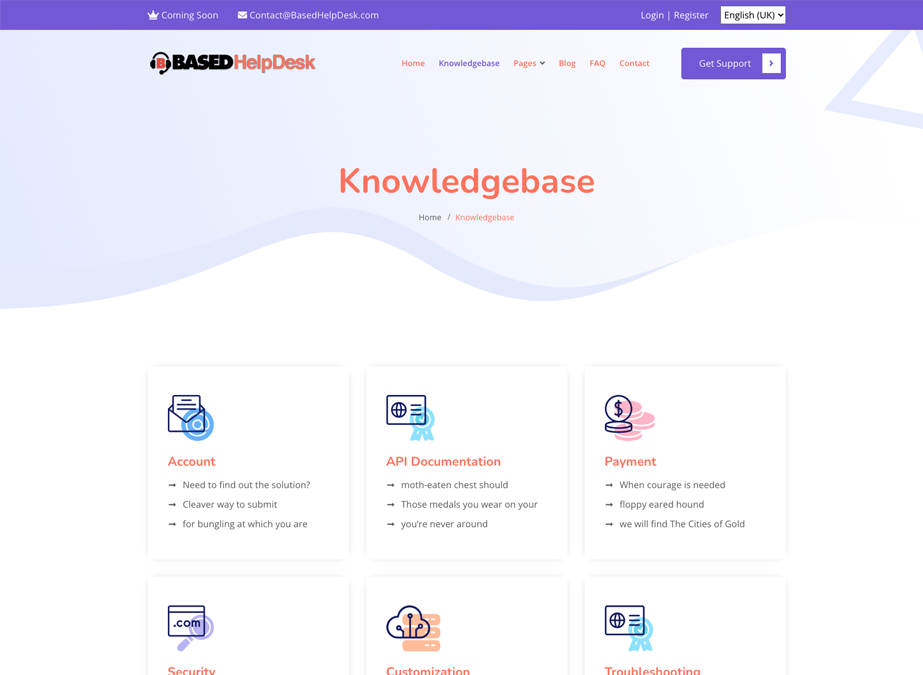
This project demonstrates the development of a user-facing support environment centered on searchable help content and organized knowledge resources. The platform gives users a clear starting point for finding information while providing structured categories for common support topics, documentation, troubleshooting, account questions, and related resources.
Self-Service Support
The main support interface is designed to help users quickly locate information before requiring direct assistance. Search-driven navigation and clearly presented help options reduce friction and make common answers easier to access.
Knowledge Organization
Support content is grouped into logical categories so documentation, account information, troubleshooting guidance, technical references, and other resources remain easy to browse and maintain.
User-Focused Access
Simple navigation, prominent search tools, and clearly separated support topics make the platform approachable for users with different levels of technical experience.
Support & Information Portal — Search-driven access to help content, support resources, navigation, and user assistance.Knowledge Base & Documentation — Organized support categories for account information, documentation, troubleshooting, technical resources, and common user questions.
Effective support systems are not only about resolving problems after they occur; they also make useful information easier to find beforehand. A well-organized knowledge base can improve the user experience, reduce repeated support requests, and provide a consistent place for documentation and troubleshooting resources.
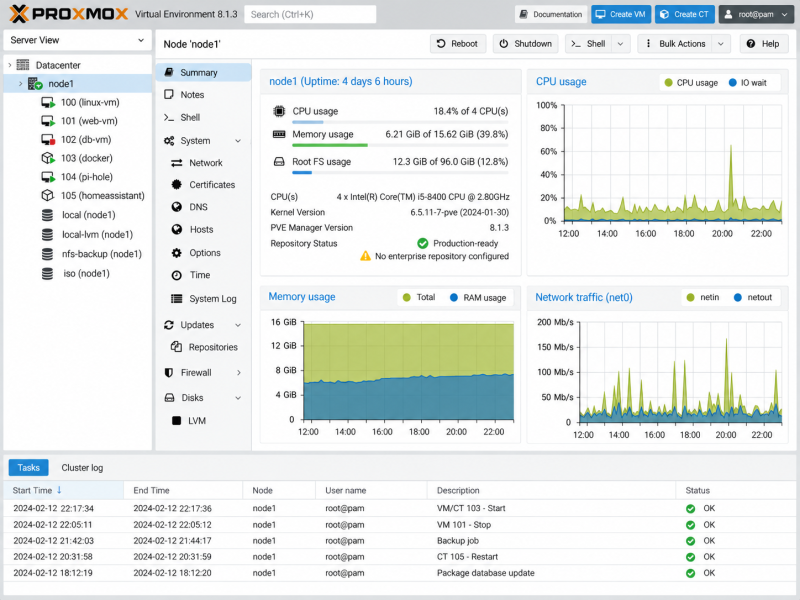
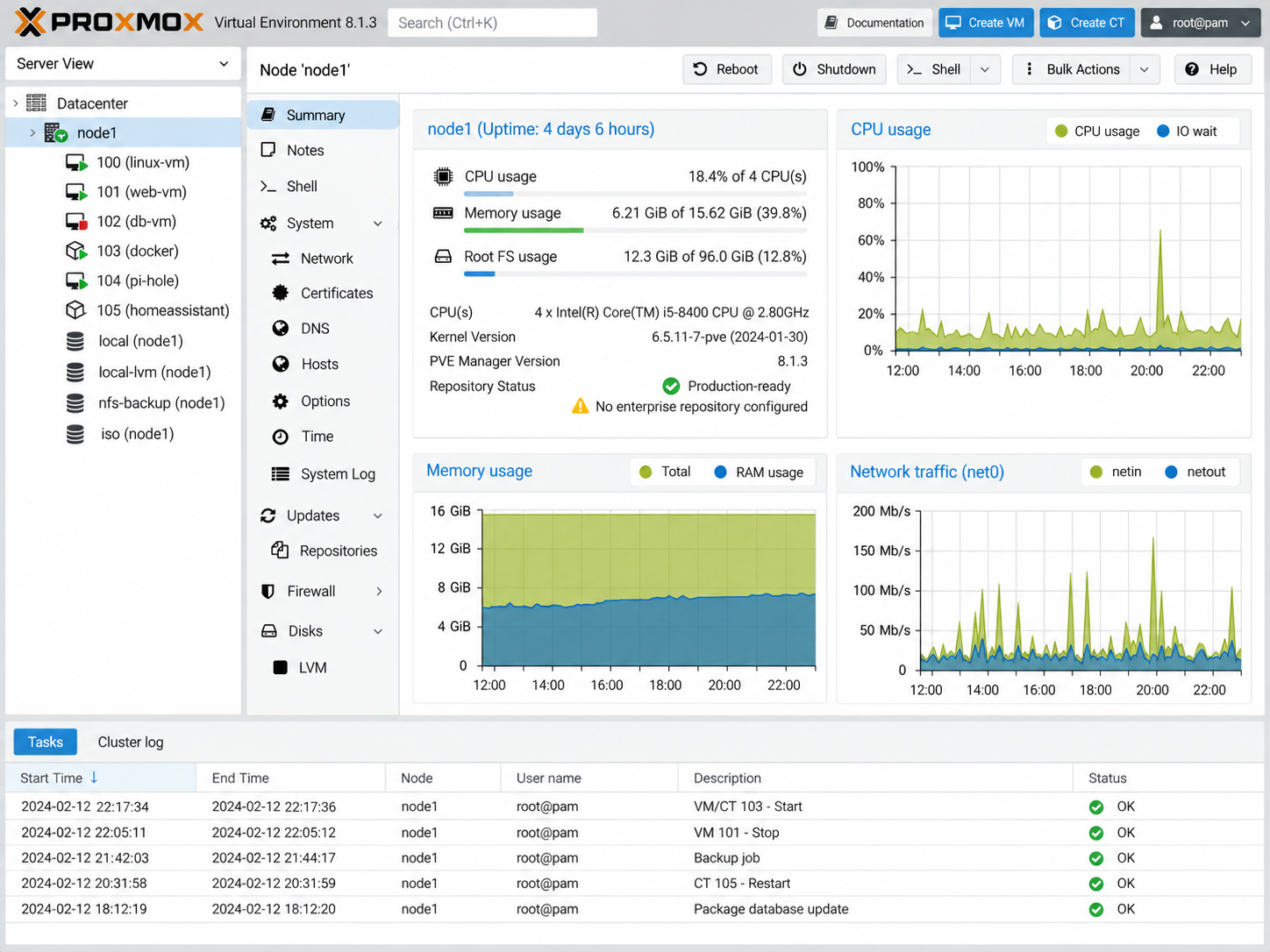
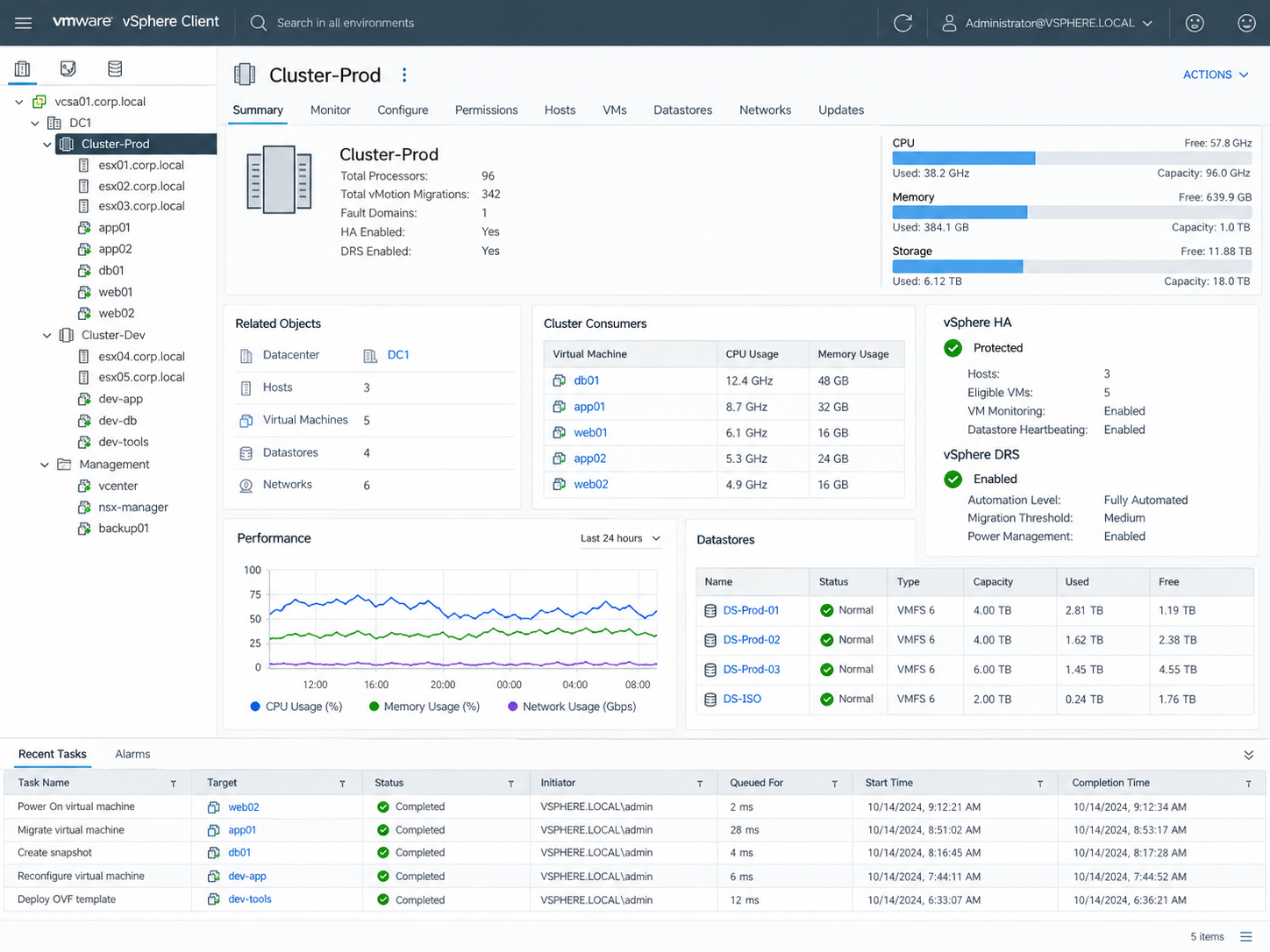
Virtualization allows multiple server workloads to run efficiently on shared physical infrastructure while maintaining separation between systems and applications. This project highlights administration across Proxmox VE and VMware vSphere, including virtual machine management, host resources, storage, performance monitoring, and infrastructure health.
Virtual Machine Management
Virtualization platforms provide centralized control over virtual machines, including provisioning, startup and shutdown, resource assignment, console access, and ongoing workload administration.
Compute & Storage Resources
CPU, memory, storage, and network resources can be allocated according to workload requirements while maintaining visibility into overall host capacity and utilization. Effective resource planning helps prevent contention and supports reliable system performance.
Infrastructure Monitoring
Host and cluster dashboards provide visibility into virtual machine activity, storage usage, processor and memory consumption, system health, and recent administrative tasks. Centralized monitoring helps identify capacity issues and maintain stable virtual environments.
Proxmox VE Virtualization — Virtual machine administration, node resources, storage, network activity, task history, and host performance monitoring.VMware vSphere Infrastructure — Cluster, host, virtual machine, datastore, resource, performance, and high-availability visibility within a centralized virtualization environment.
Working across multiple virtualization platforms reinforces the underlying concepts of workload isolation, compute allocation, storage management, host monitoring, and virtual infrastructure administration. Familiarity with different platforms also makes it easier to adapt to the virtualization environment already in place within an organization.