IT systems and infrastructure specialist with experience in networking, servers, CMS/WordPress, hosting, security, virtualization, and technical troubleshooting.
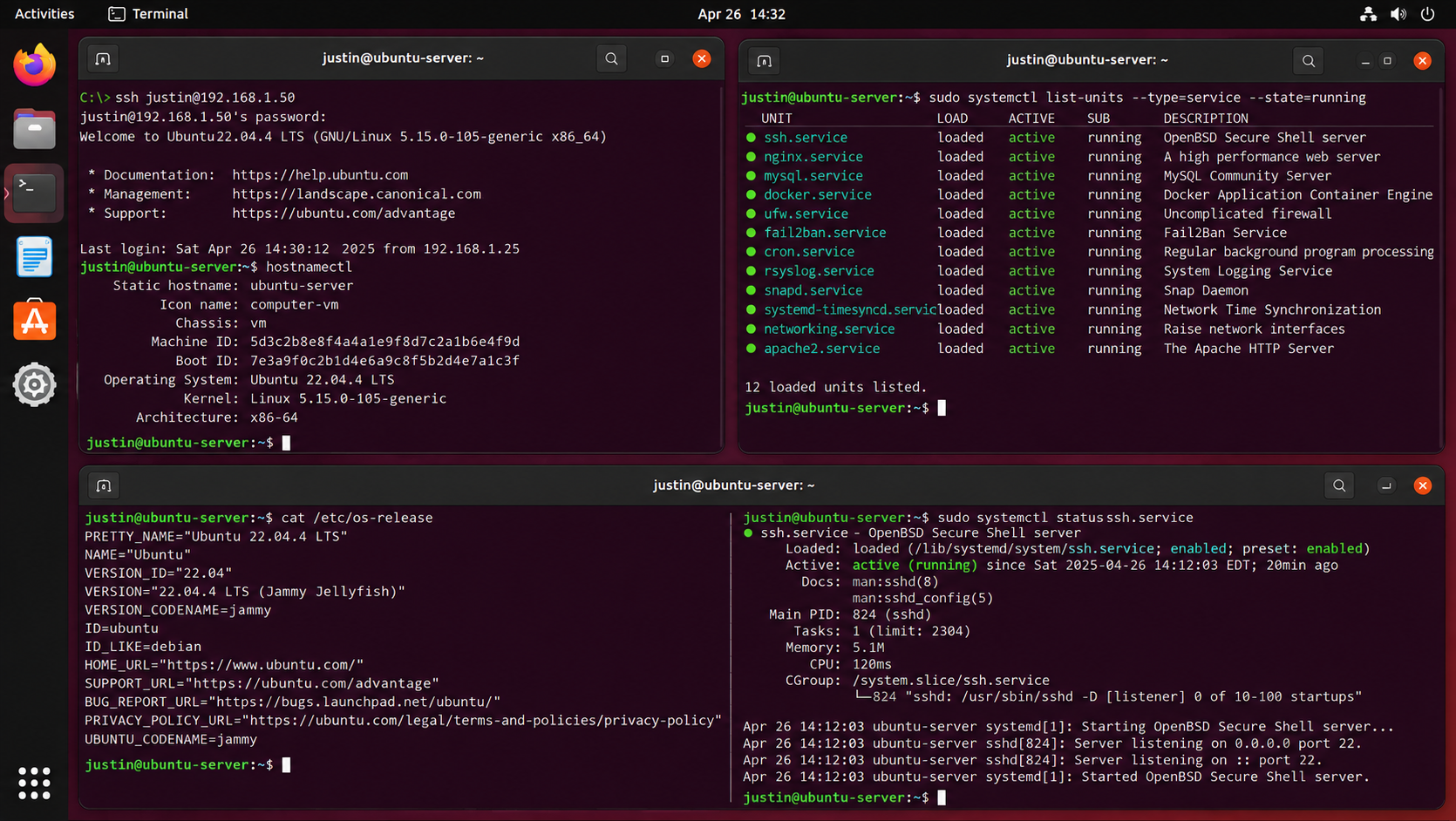
Linux server administration across CentOS and Ubuntu environments, including remote access, service management, networking, system monitoring, and core server operations.
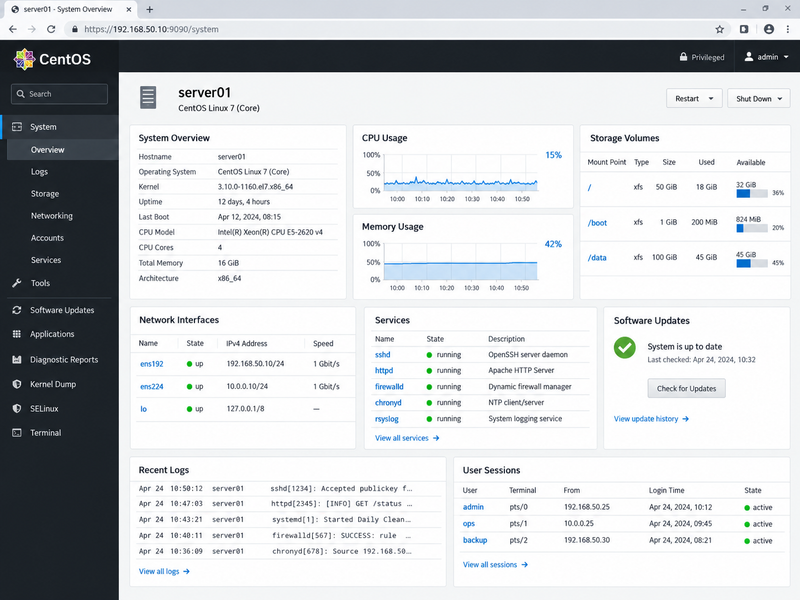
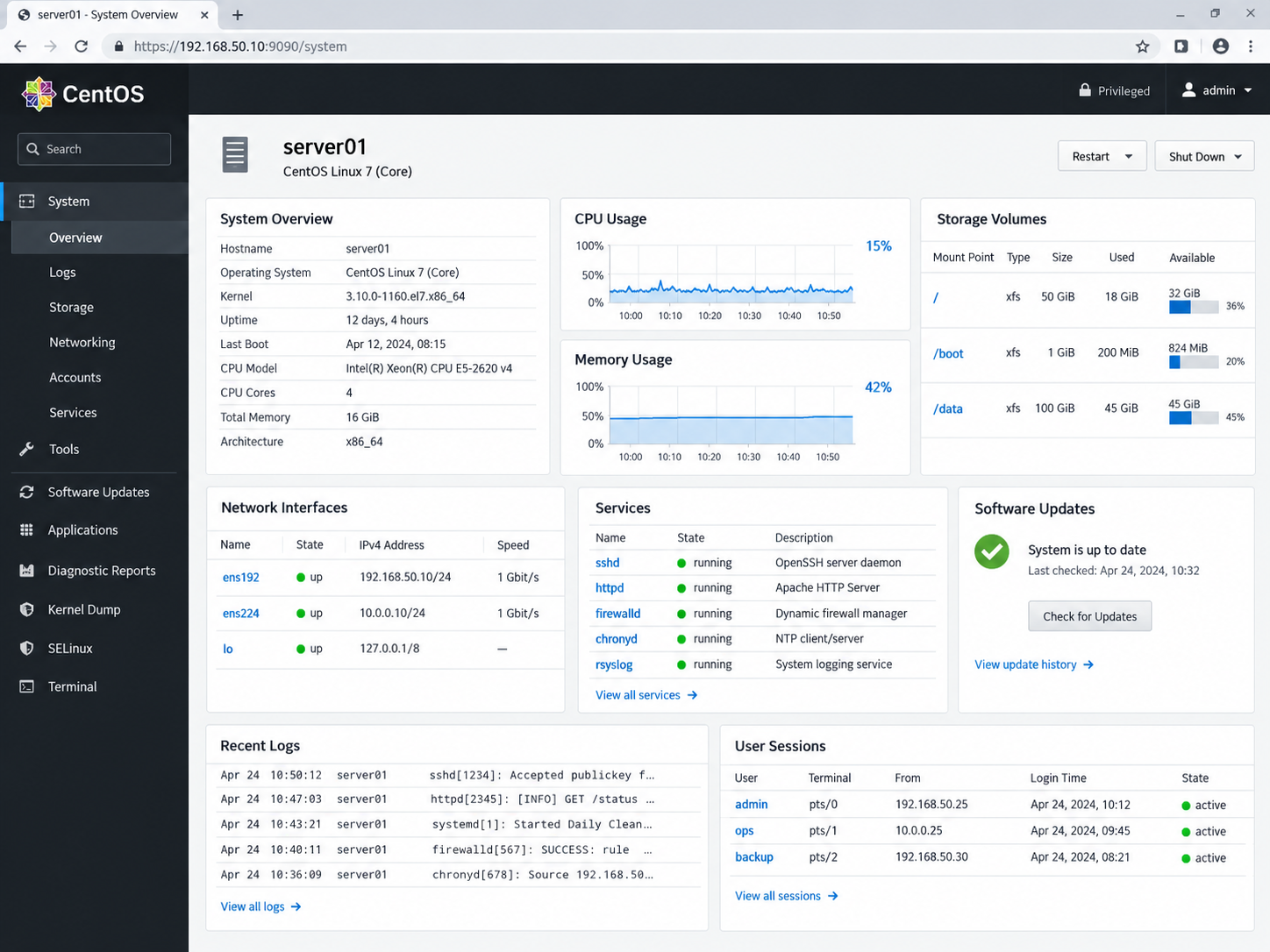
Linux servers provide the foundation for many web, database, infrastructure, and application services. This project highlights administration across CentOS and Ubuntu systems, including remote SSH access, service management, network configuration, resource monitoring, logging, security services, and general operating-system maintenance.
System & Service Administration
Linux services are managed through tools such as systemd to start, stop, enable, inspect, and troubleshoot background processes. Monitoring service state and system resources helps maintain reliable operation of web, database, networking, and infrastructure workloads.
Remote Access & Command Line
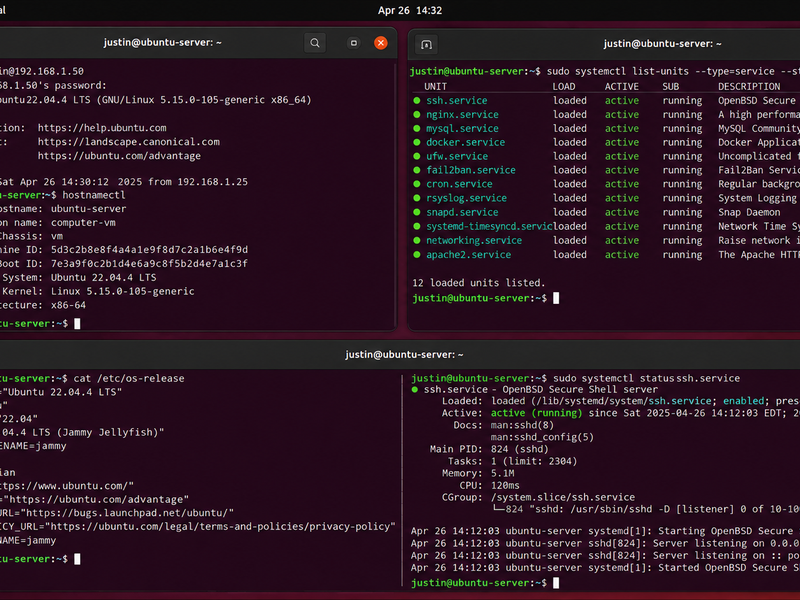
SSH provides secure remote administration of Linux servers for configuration, maintenance, troubleshooting, and monitoring. Command-line tools provide direct visibility into operating-system information, interfaces, processes, logs, services, and resource utilization.
Monitoring & Security
Linux administration includes reviewing CPU, memory, disk, network activity, system logs, firewall status, and service health. Tools such as UFW and Fail2Ban can complement system monitoring by helping control network access and reduce repeated unauthorized login attempts.
CentOS Server Administration — System health, processor and memory utilization, storage volumes, network interfaces, running services, software updates, logs, and active user sessions.Ubuntu Server, SSH & Services — Remote administration, operating-system information, network configuration, systemd service status, SSH management, and command-line troubleshooting.
Working across multiple Linux distributions reinforces the core administration skills that remain consistent between environments: remote access, service management, networking, resource monitoring, security, logging, and troubleshooting. Familiarity with both graphical and command-line administration provides flexibility when supporting Linux-based infrastructure and applications.
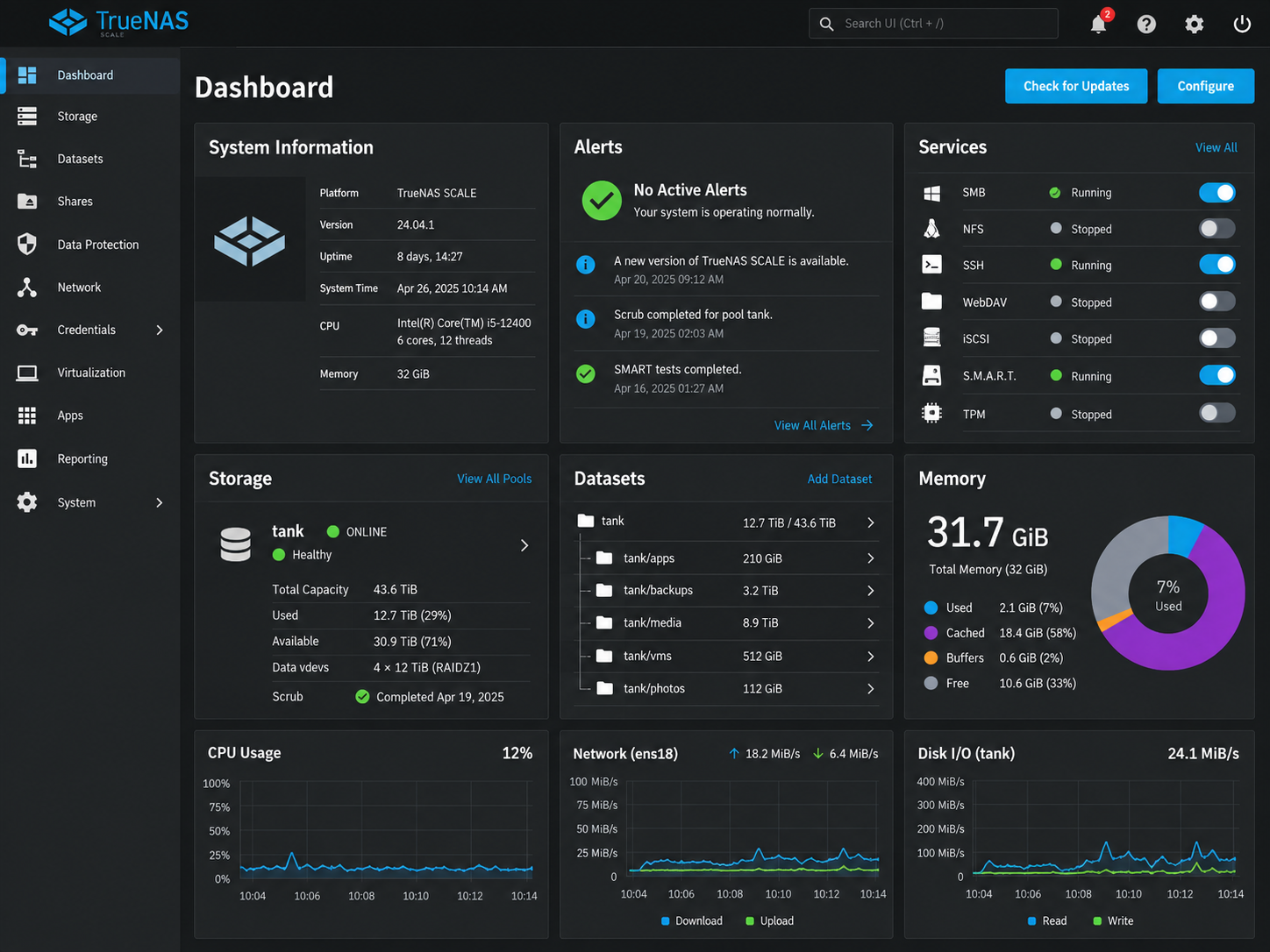
Reliable storage infrastructure requires more than available disk capacity. This project highlights administration of network-attached storage platforms used to organize shared data, monitor storage health, manage datasets and volumes, and support backup and replication workflows designed to improve data availability and recoverability.
Storage & File Services
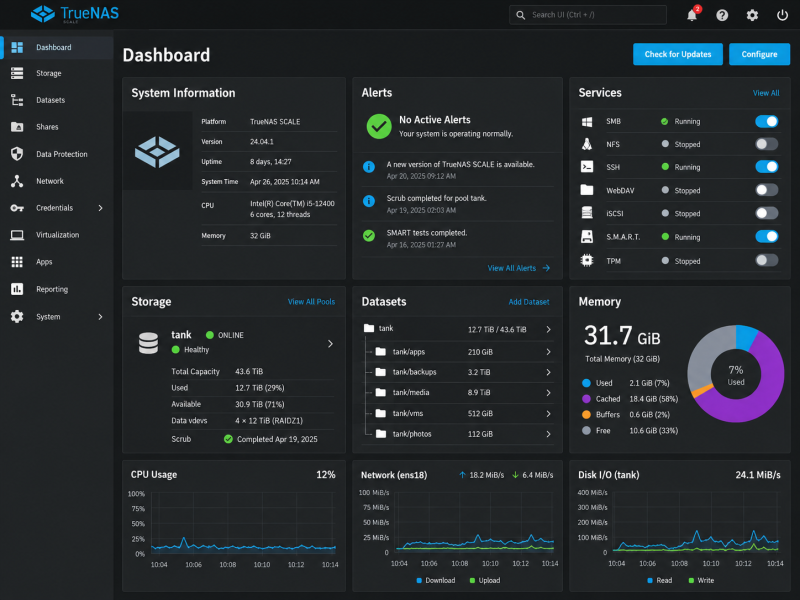
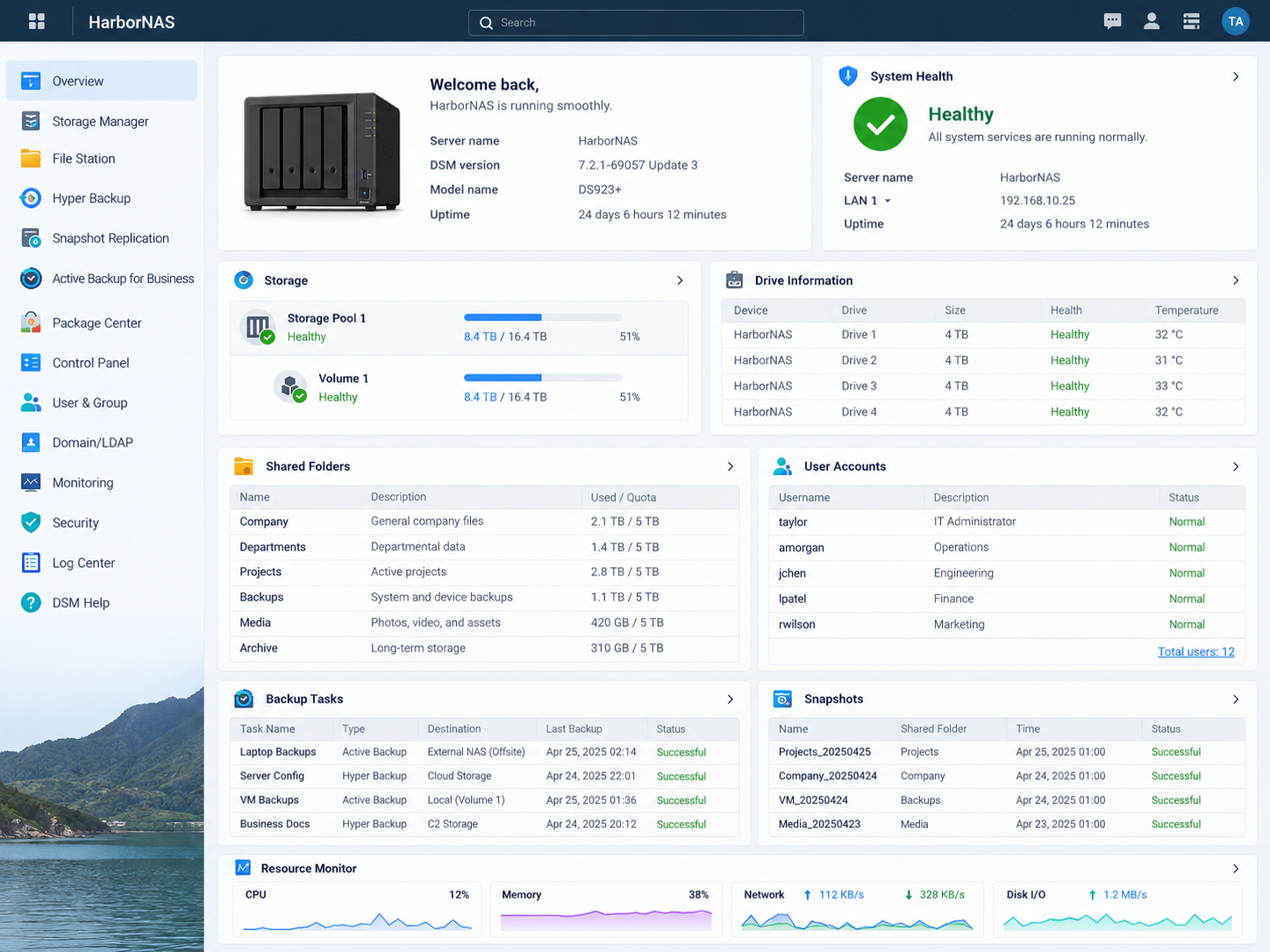
Centralized storage platforms provide shared capacity for documents, application data, media, backups, and other organizational resources. Monitoring pools, volumes, datasets, disk health, and available capacity helps maintain reliable access to stored information.
Backup & Replication
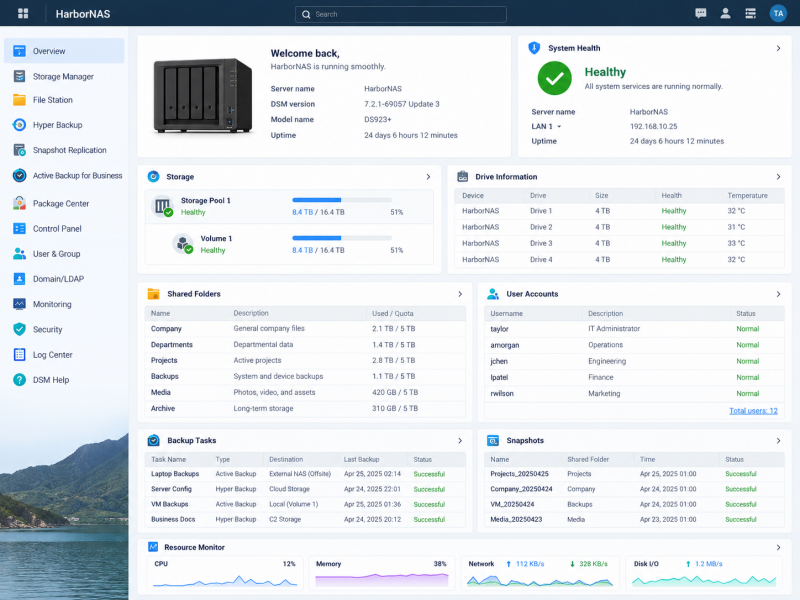
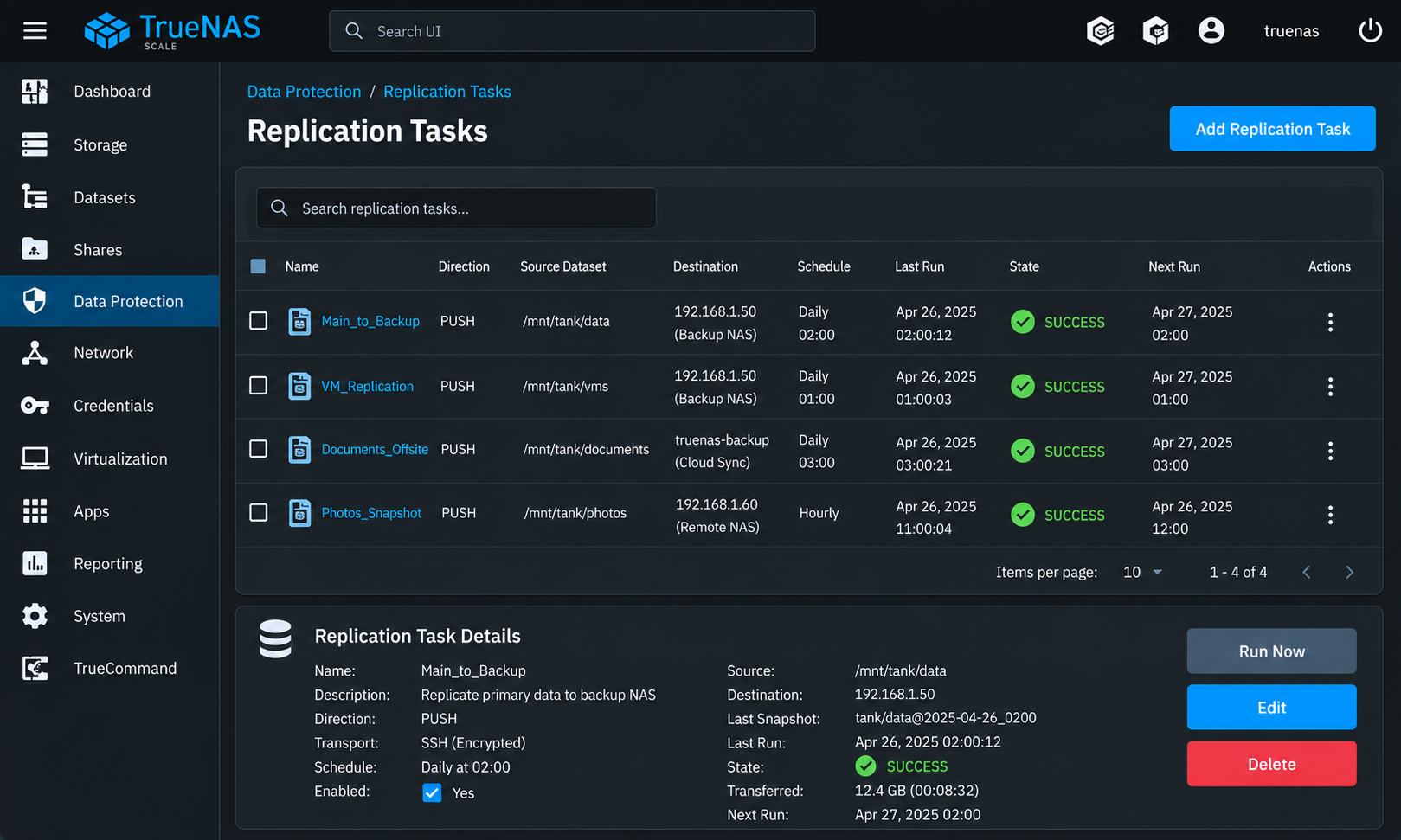
Scheduled backup and replication tasks provide additional copies of important data across local, remote, or secondary storage destinations. Task status, schedules, transfer history, and snapshot information provide visibility into whether protection jobs are completing successfully.
Data Protection & Recovery
Snapshots, replicated datasets, backup histories, and storage-health monitoring support recovery planning by preserving previous versions of data and maintaining additional copies outside the primary storage location.
TrueNAS Storage Administration — Storage capacity, datasets, system resources, service status, alerts, and overall NAS health monitoring. Snapshots & Data Replication — Scheduled replication jobs, source and destination datasets, run history, task status, and encrypted data-transfer configuration. Synology Storage & Backup Services — Storage pools, shared folders, disk health, user access, backup tasks, snapshots, and system-resource monitoring.
Storage and backup administration requires balancing capacity, availability, performance, and data protection. Familiarity with multiple NAS platforms provides flexibility when managing shared storage, monitoring disk and system health, maintaining backups, and supporting recovery strategies across different environments.
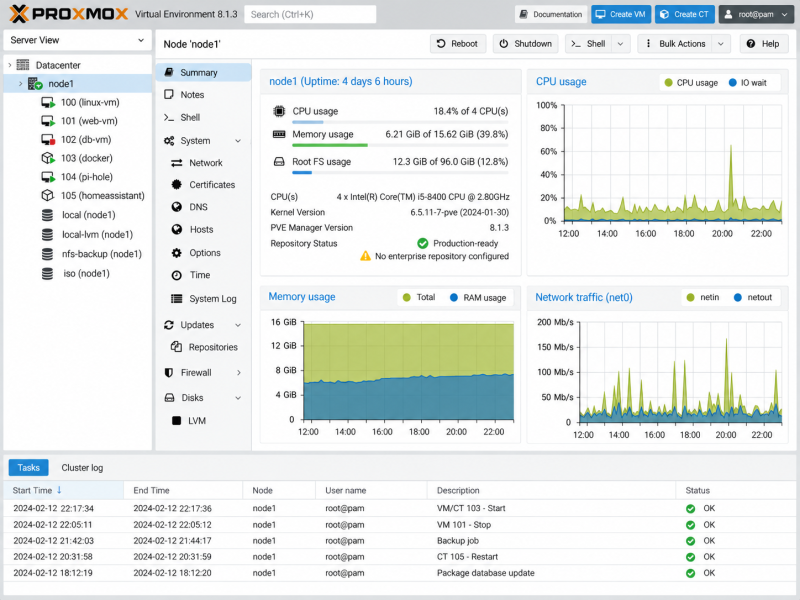
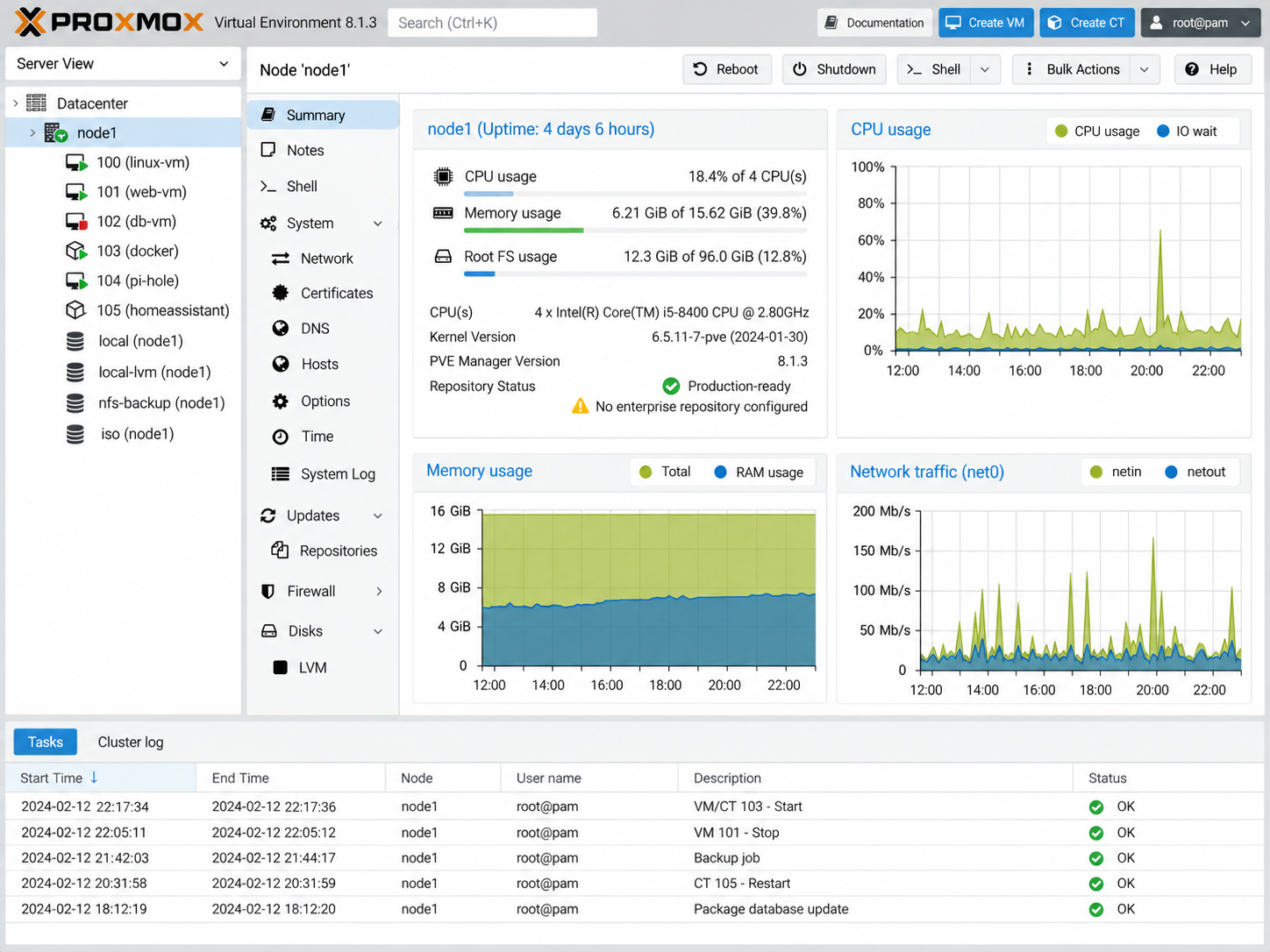
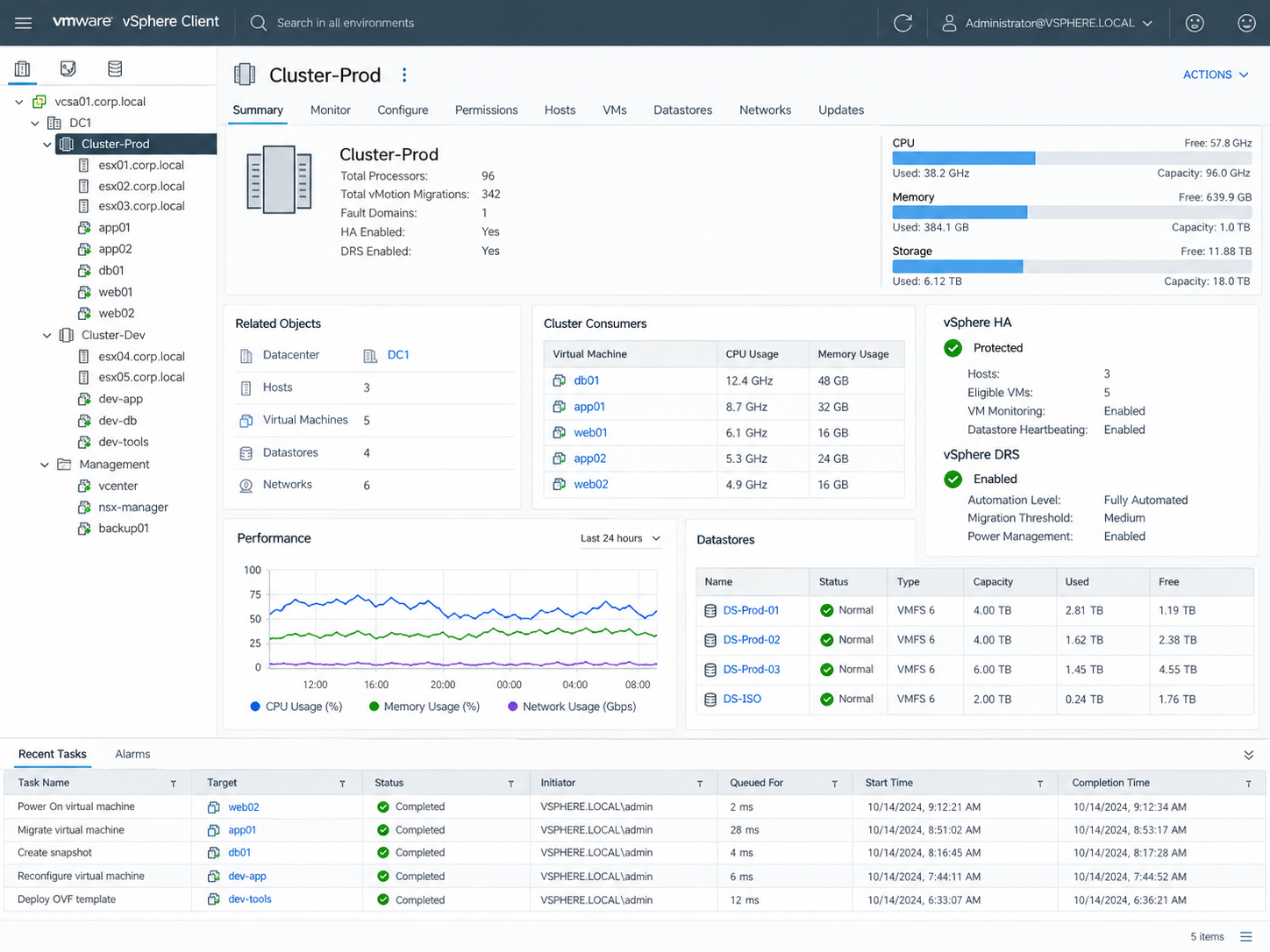
Virtualization allows multiple server workloads to run efficiently on shared physical infrastructure while maintaining separation between systems and applications. This project highlights administration across Proxmox VE and VMware vSphere, including virtual machine management, host resources, storage, performance monitoring, and infrastructure health.
Virtual Machine Management
Virtualization platforms provide centralized control over virtual machines, including provisioning, startup and shutdown, resource assignment, console access, and ongoing workload administration.
Compute & Storage Resources
CPU, memory, storage, and network resources can be allocated according to workload requirements while maintaining visibility into overall host capacity and utilization. Effective resource planning helps prevent contention and supports reliable system performance.
Infrastructure Monitoring
Host and cluster dashboards provide visibility into virtual machine activity, storage usage, processor and memory consumption, system health, and recent administrative tasks. Centralized monitoring helps identify capacity issues and maintain stable virtual environments.
Proxmox VE Virtualization — Virtual machine administration, node resources, storage, network activity, task history, and host performance monitoring.VMware vSphere Infrastructure — Cluster, host, virtual machine, datastore, resource, performance, and high-availability visibility within a centralized virtualization environment.
Working across multiple virtualization platforms reinforces the underlying concepts of workload isolation, compute allocation, storage management, host monitoring, and virtual infrastructure administration. Familiarity with different platforms also makes it easier to adapt to the virtualization environment already in place within an organization.
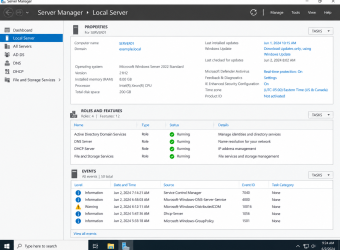
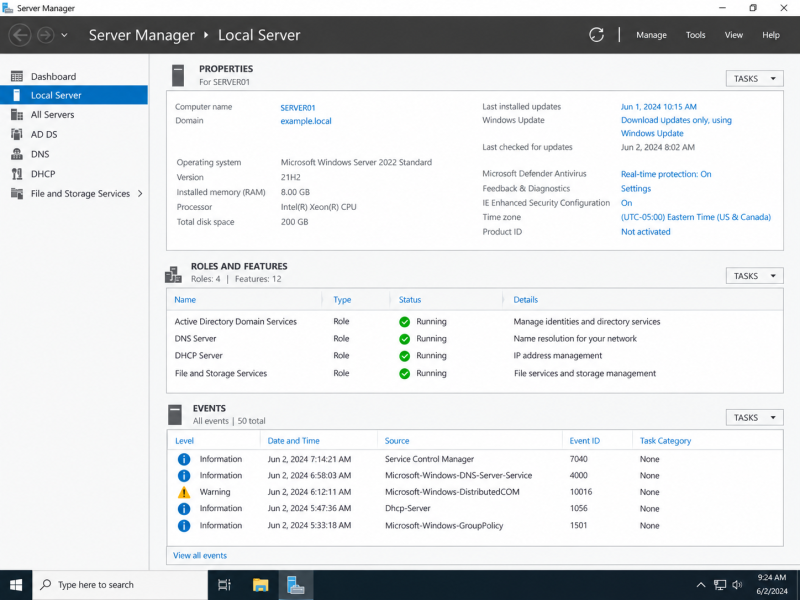
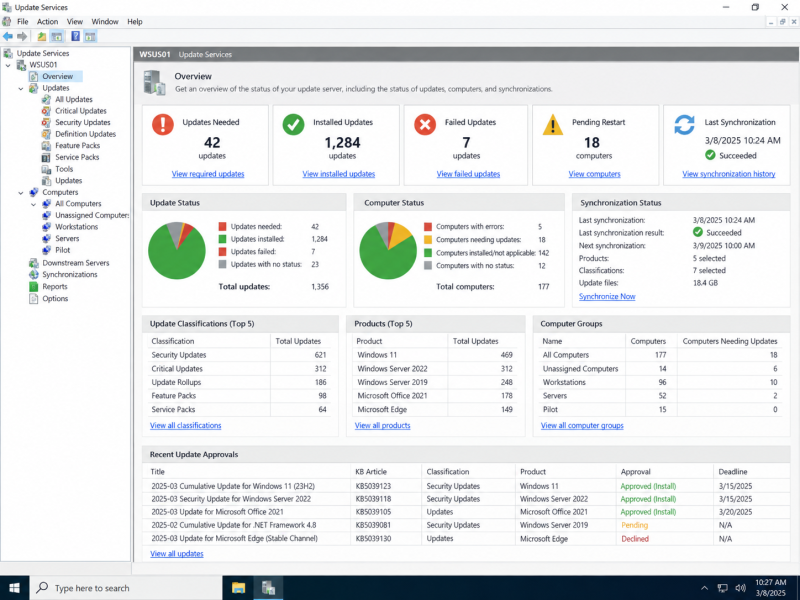
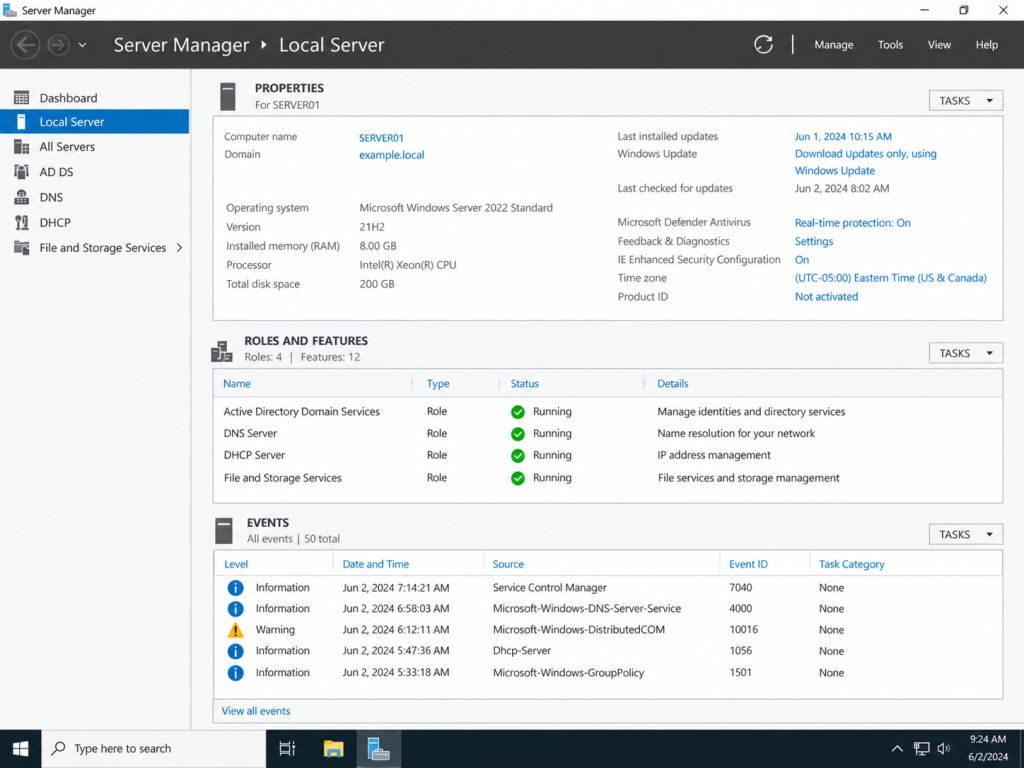
Windows infrastructure often brings multiple administrative services together into one environment. This project demonstrates server management, directory-based user and computer administration, name resolution, centralized policy configuration, and update management across core Windows Server tools.
Identity & Access Management
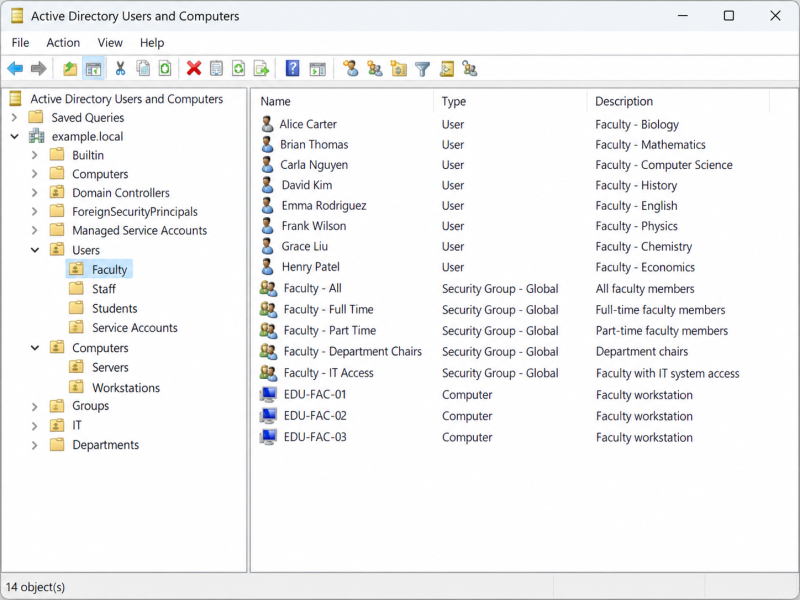
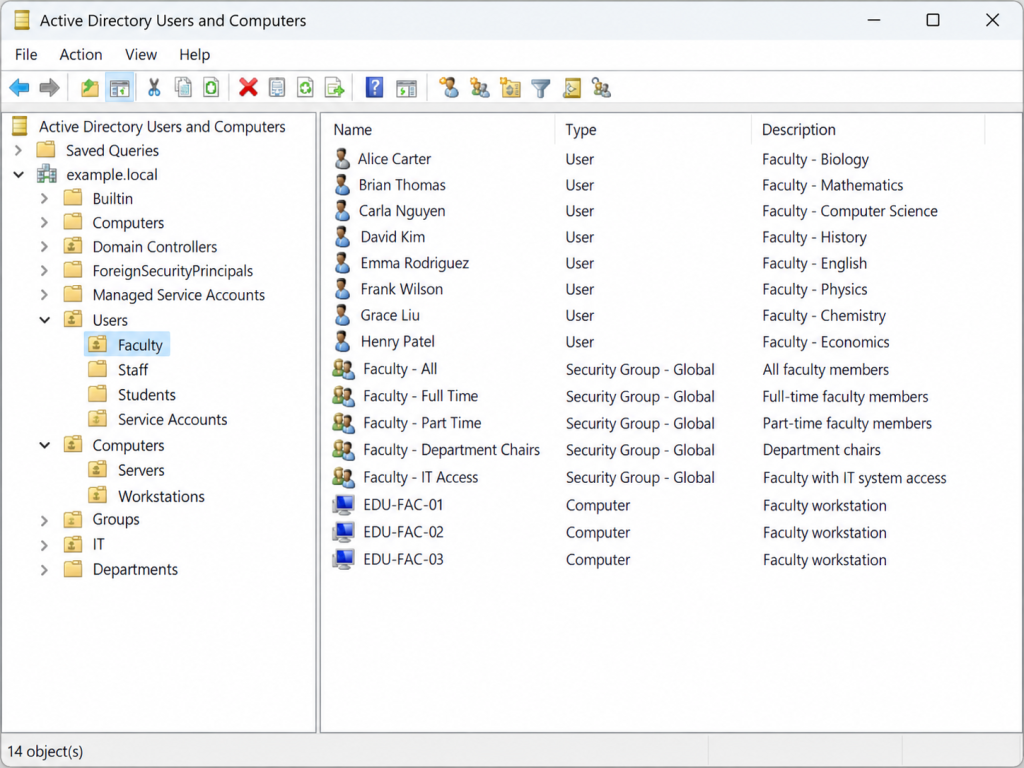
Active Directory provides centralized administration of users, computers, organizational units, and security groups. A structured directory environment supports account management, permissions, device organization, and consistent access across network resources.
Policy & Configuration Management
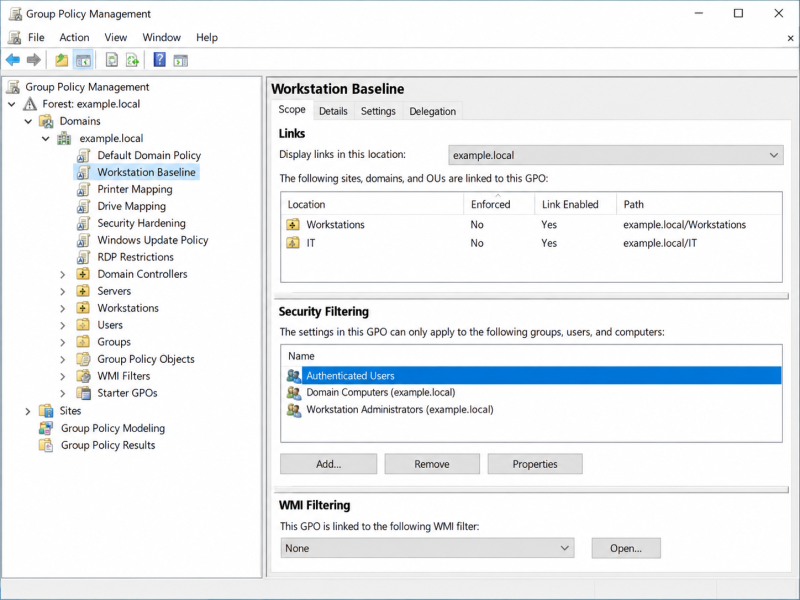
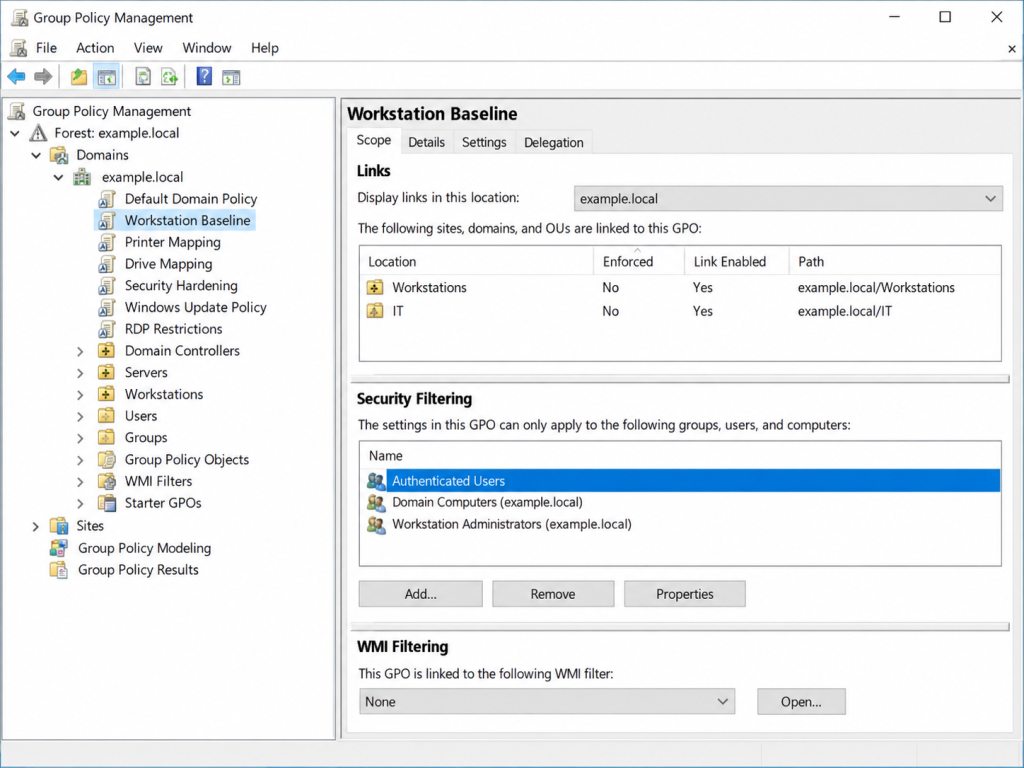
Group Policy allows common workstation, security, access, and system settings to be applied from a central management point. Organized policies help standardize configurations across users and computers while reducing repetitive manual administration.
Core Services & Updates
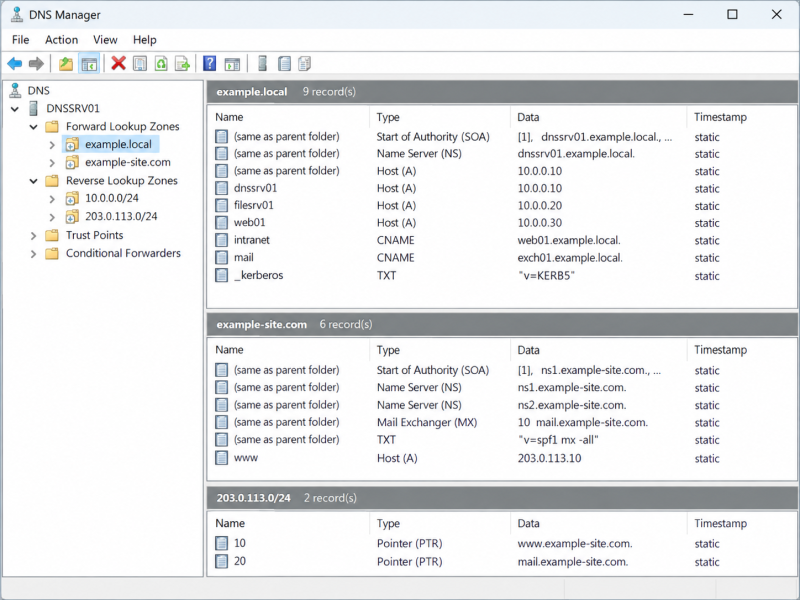
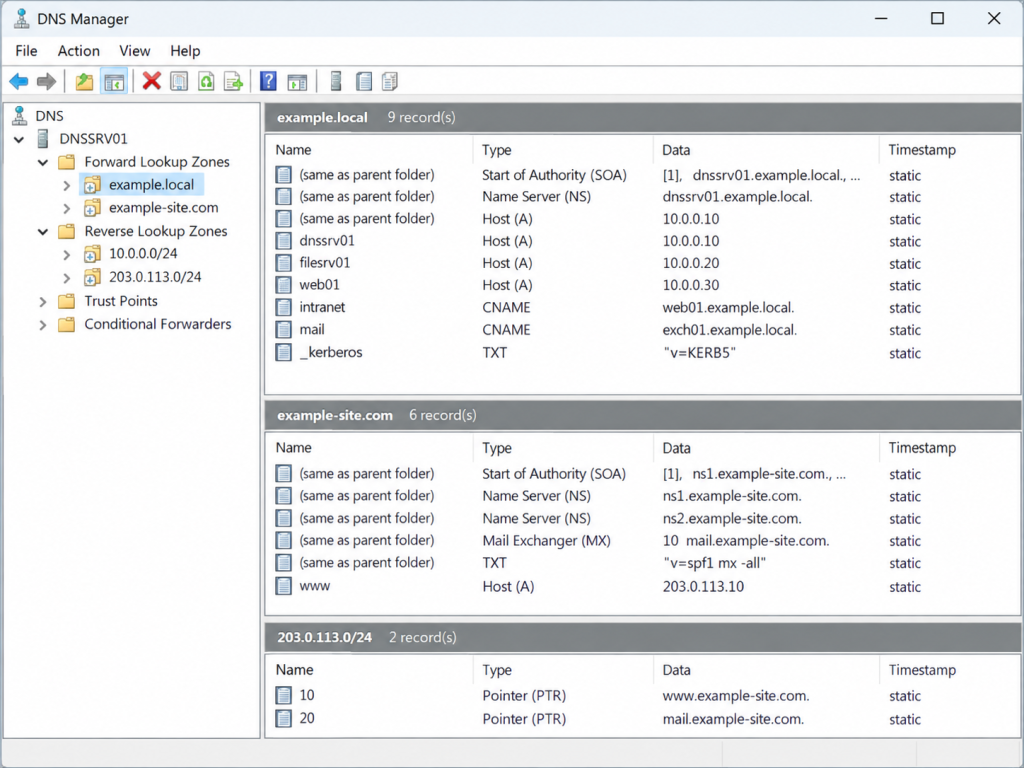
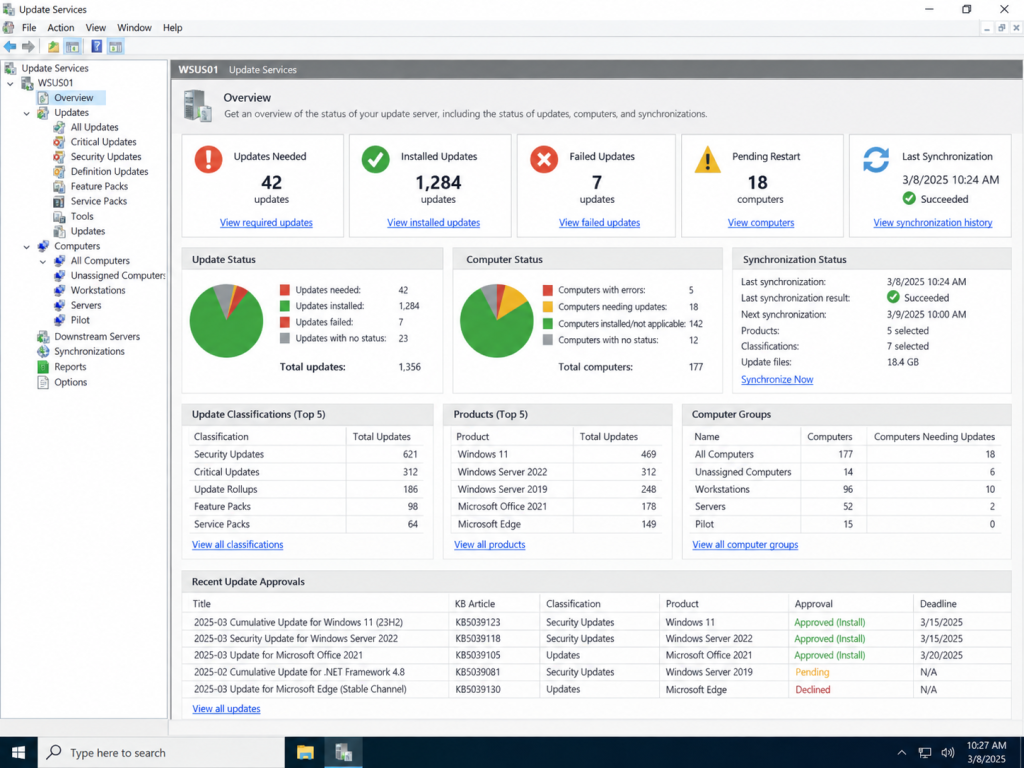
DNS supports internal name resolution and service discovery, while Windows Server Update Services provides centralized visibility and control over operating-system and Microsoft software updates. Together, these services support reliable day-to-day administration of Windows environments.
Windows Server Administration — Server roles, local configuration, system status, services, and infrastructure health.Active Directory Administration — Management of users, computers, organizational units, and security groups within a centralized directory structure.DNS & Name Resolution — Administration of forward and reverse lookup zones, host records, aliases, and internal network name resolution.Group Policy Administration — Centralized workstation, security, access, and configuration policies applied across directory-based systems.Centralized Update Management — Update status, computer groups, synchronization, approvals, and patch-management visibility across managed Windows systems.
Effective Windows infrastructure administration depends on understanding how identity, policy, name resolution, server roles, and system maintenance work together. Managing these services from centralized tools provides greater consistency, visibility, and control across users, computers, and network resources.