
Virtualization & Server Infrastructure
Virtualized server environments supporting centralized compute, storage, resource allocation, workload management, and infrastructure monitoring.
- Environment Lab / Demonstration Environment
- Scope Virtual Machines & Host Infrastructure
- Platforms Proxmox VE · VMware vSphere
- Focus Provisioning · Resources · Monitoring
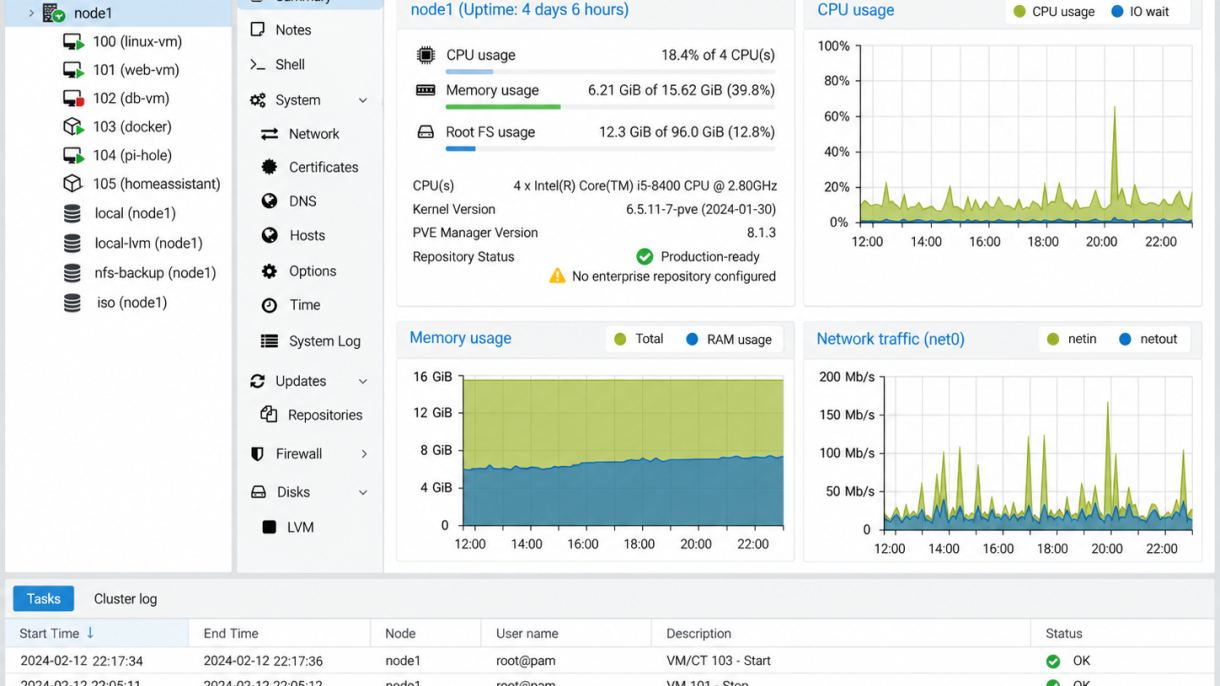
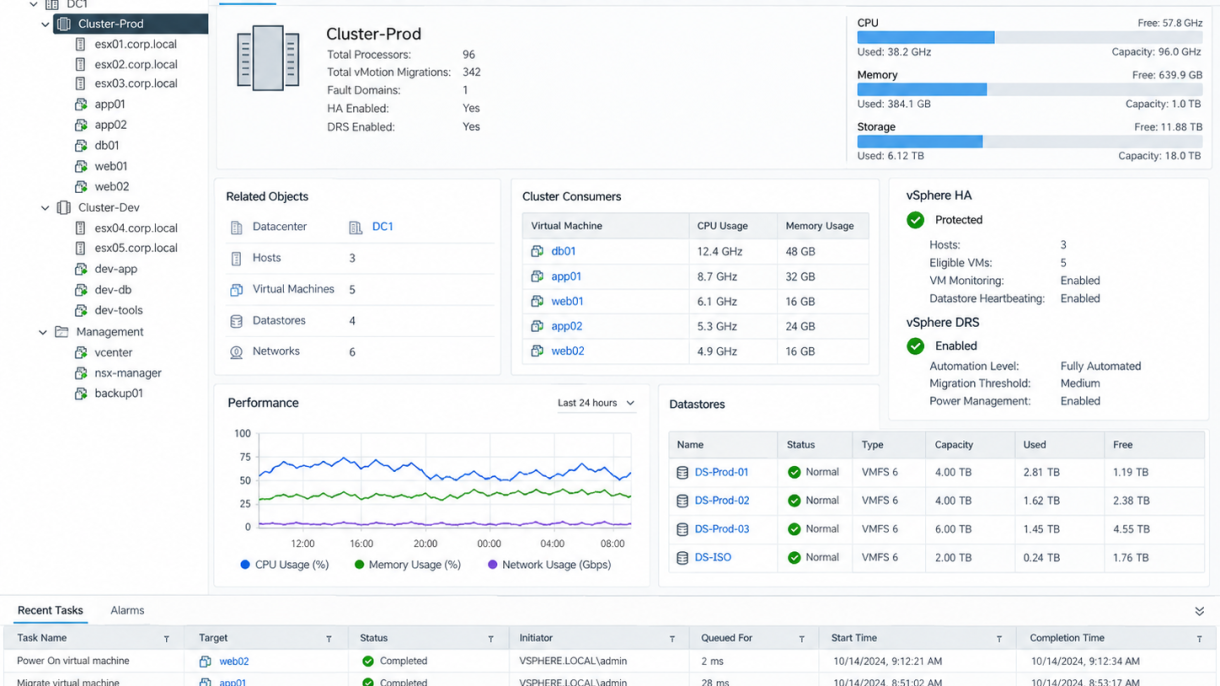
Virtualization allows multiple server workloads to run efficiently on shared physical infrastructure while maintaining separation between systems and applications. This project highlights administration across Proxmox VE and VMware vSphere, including virtual machine management, host resources, storage, performance monitoring, and infrastructure health.
Virtual Machine Management
Virtualization platforms provide centralized control over virtual machines, including provisioning, startup and shutdown, resource assignment, console access, and ongoing workload administration.
Compute & Storage Resources
CPU, memory, storage, and network resources can be allocated according to workload requirements while maintaining visibility into overall host capacity and utilization. Effective resource planning helps prevent contention and supports reliable system performance.
Infrastructure Monitoring
Host and cluster dashboards provide visibility into virtual machine activity, storage usage, processor and memory consumption, system health, and recent administrative tasks. Centralized monitoring helps identify capacity issues and maintain stable virtual environments.
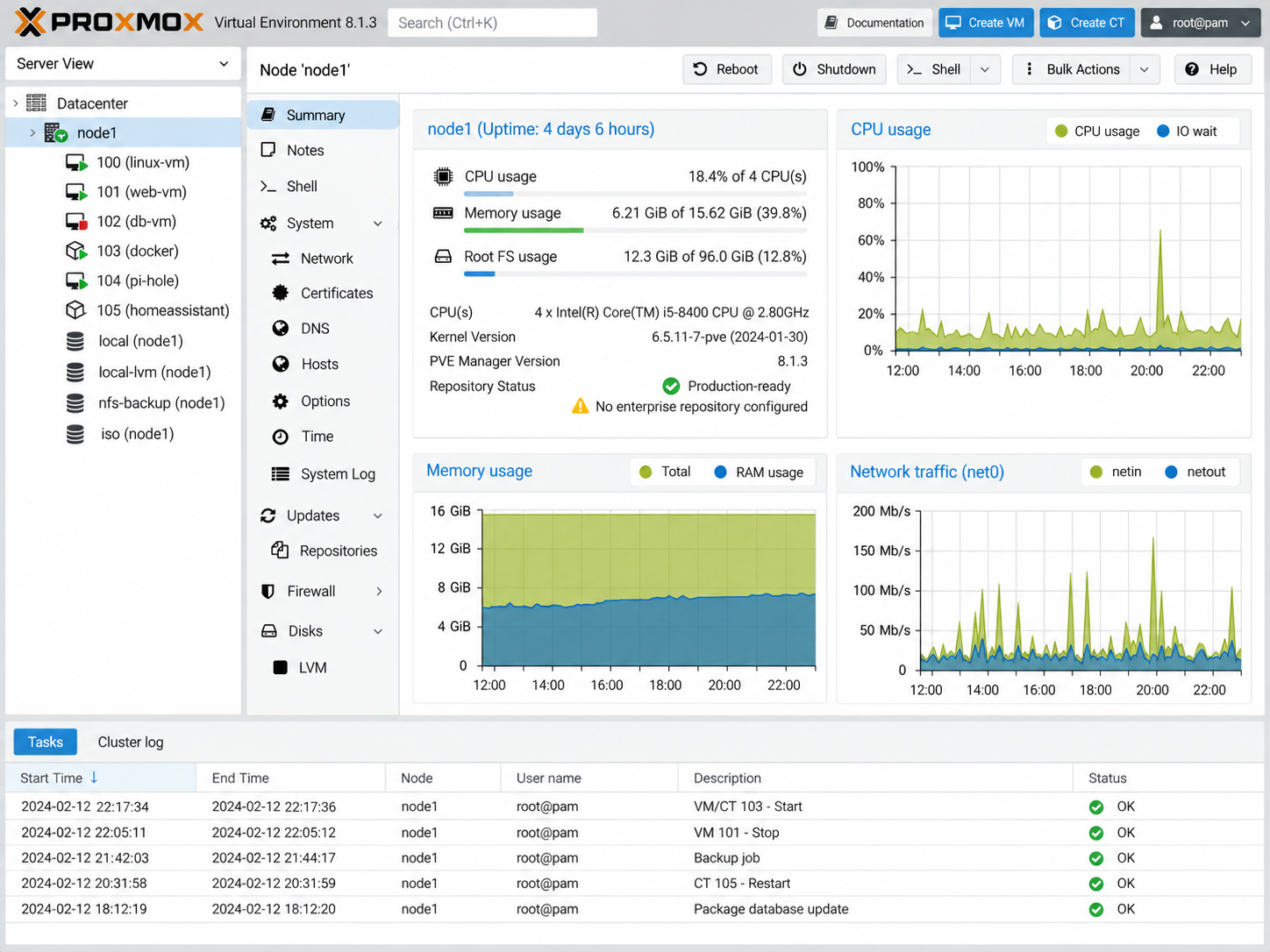
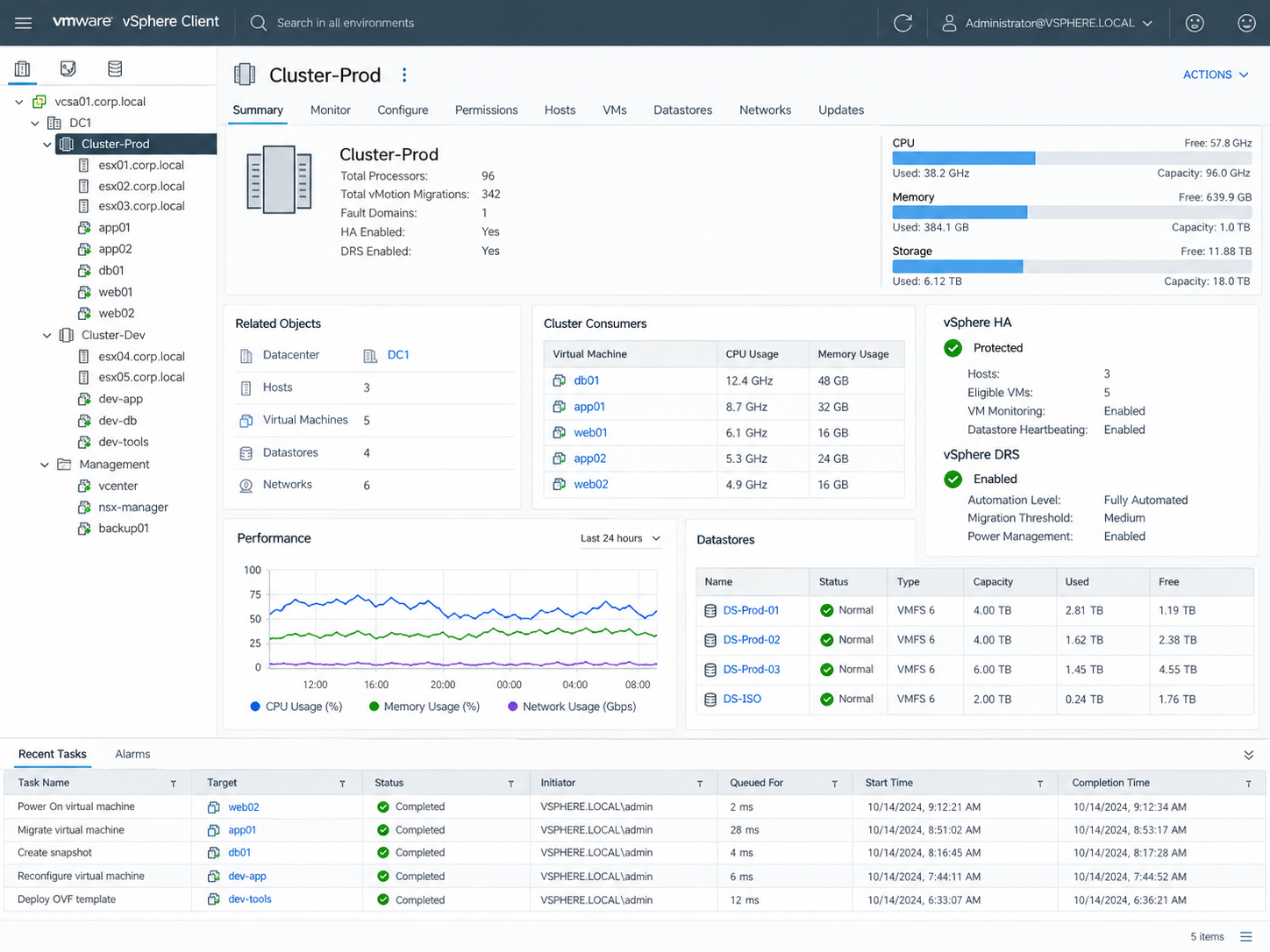
Working across multiple virtualization platforms reinforces the underlying concepts of workload isolation, compute allocation, storage management, host monitoring, and virtual infrastructure administration. Familiarity with different platforms also makes it easier to adapt to the virtualization environment already in place within an organization.